Improved Management of Your Subsidiary Companies
Three areas of subsidiary management were improved: issuing shares, filtering the corporate report, and setting the dividend.
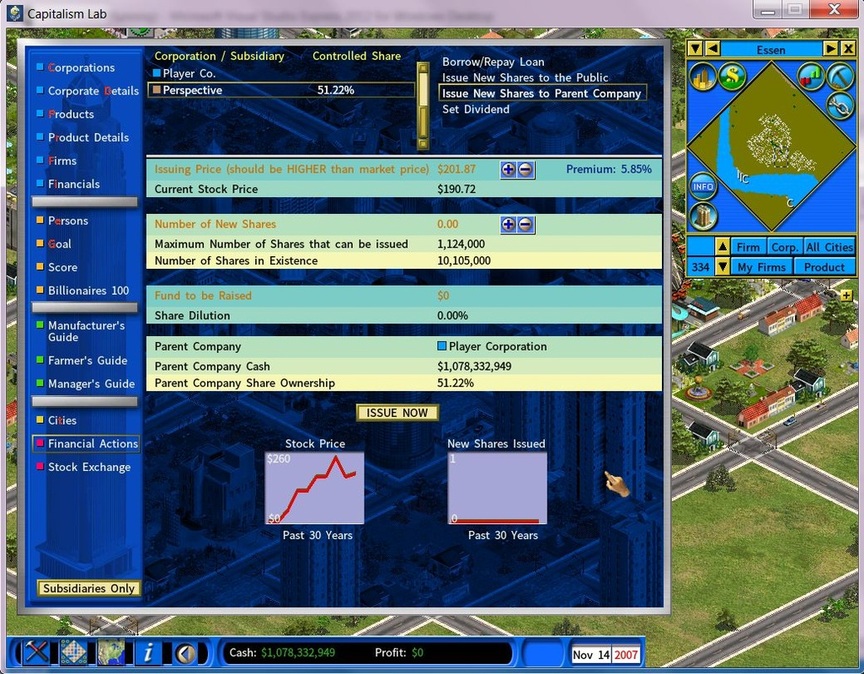
Issuing new shares
You can order a subsidiary to issue new shares in two directions:
- To the public.
- To the parent company, wholly subscribed by it. Here the issuing price must be higher than the current market price, so the parent gains no advantage over the company’s other shareholders.
Showing only your subsidiaries
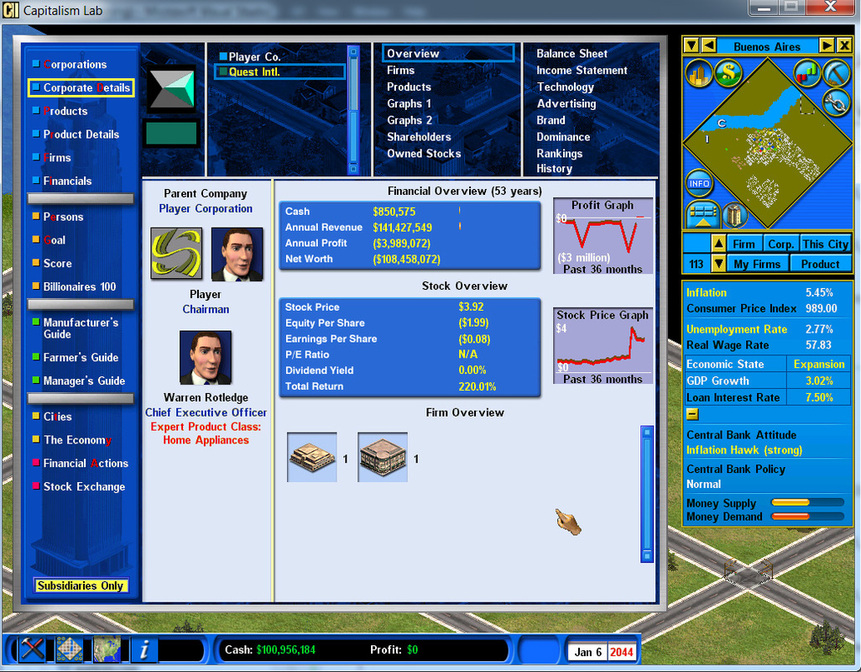
The [Subsidiaries Only] button on the Corporate Detail report filters the list down to your own subsidiary companies.
Selling a subsidiary’s land plots
You can now sell land plots owned by your subsidiaries.
Worth knowing as an acquisition tactic: a company holding valuable plots in prime locations, and easy to acquire, becomes a way to fund your own expansion.
Setting the dividend payout ratio
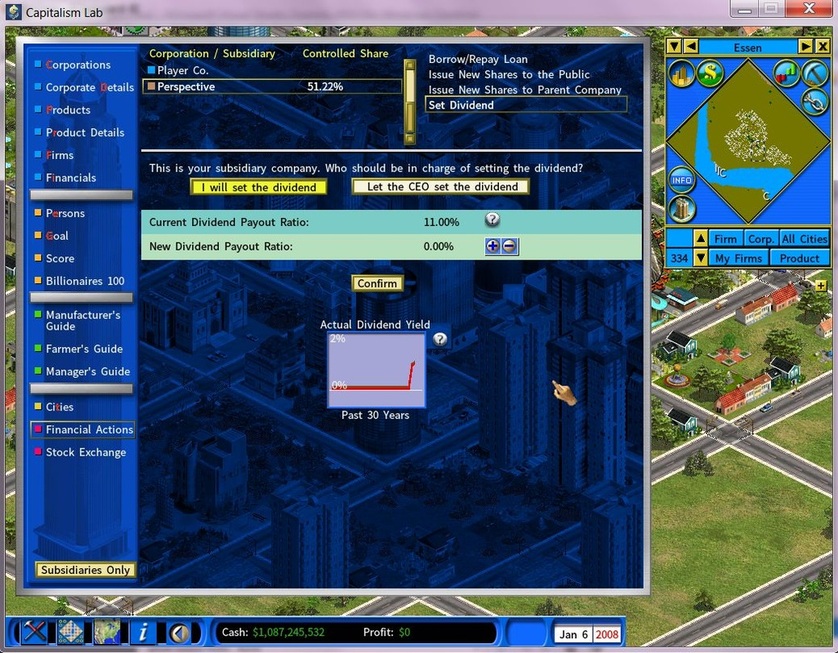
As chairman you can either set the dividend yourself or leave it to the subsidiary’s CEO.
Choosing “I will set the dividend” gives you the Dividend Payout Ratio, adjusted with the [+] and [-] buttons.
The payout ratio is the share of earnings paid out to shareholders. The higher it is, the more cash each investor receives when the annual dividend is paid.
Lower down the screen, a graph shows the Actual Dividend Ratio — the latest dividend paid divided by the stock price.
| Measure | Calculated from |
|---|---|
| Dividend Payout Ratio | Earnings per share |
| Dividend Yield | The stock price |