
Tips for Improving Game Running Speed
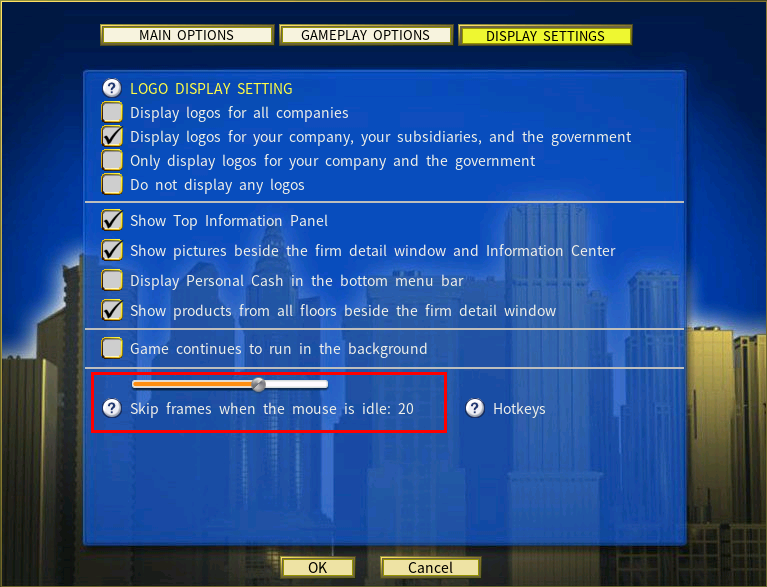
Skip Frames When the Mouse is Idle can accelerate the simulation substantially at maximum game speed — and it matters most exactly where it is needed, in a late game with a very large number of businesses and products to process.
Turning it on
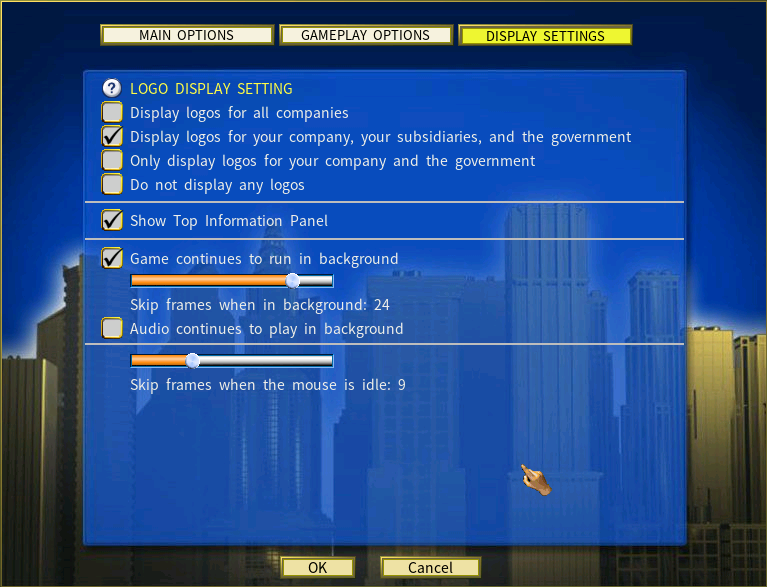
Open the Options menu (shortcut key O) and raise the value.
How it works
At full speed with the mouse idle — no panning, no clicking — the game stops rendering every frame. It draws one frame periodically and skips several in between, which cuts the video workload and lets the simulation run through in-game years far faster.
Measured performance
Tested on a demanding configuration: 50 companies, 7 cities, 2 in-game years at maximum speed. The figures are the real time taken to complete the two-year run.
| View | Skip frames when mouse is idle | Time to run 2 years |
|---|---|---|
| Fixed on the City map view | Disabled | 1 minute 28 seconds |
| City map, Information Center and Firm Details | Disabled | 50 seconds |
| Fixed on the Farmer’s Guide | Disabled | 32 seconds |
| Fixed on the City map view | 10 frames | 12 seconds |
| Fixed on the City map view | 20 frames | 10 seconds |
| Fixed on the City map view | 30 frames | 8 seconds |
The view you leave the game on matters as much as the setting. With skipping disabled, sitting on the Farmer’s Guide finished in 32 seconds against 1 minute 28 on the city map — because the map is what costs the most to draw.
Adjusting it without opening Options
| Key | Action |
|---|---|
[ |
Decrease by 1 |
] |
Increase by 1 |
{ |
Reset to zero |
} |
Set to maximum (30) |
Running Capitalism Lab in the background
The game can keep running while you use other applications.
| Option | What it does |
|---|---|
| Game continues to run in the background | Keeps the game running when it is not in focus, or minimized. |
| Skip display frames when in the background | The same frame-skipping idea applied while the game is in the background — one frame drawn periodically, several skipped. A slider sets how many. |