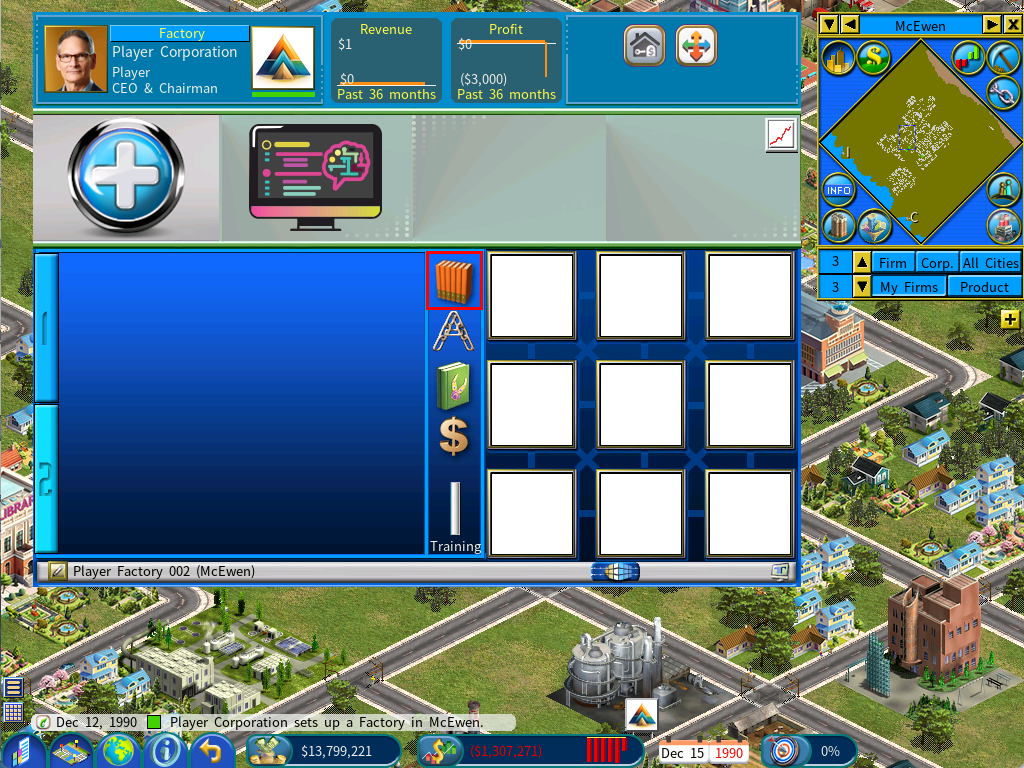
Improved Layout Plan Library
Open the library with the Layout Plan Library icon.
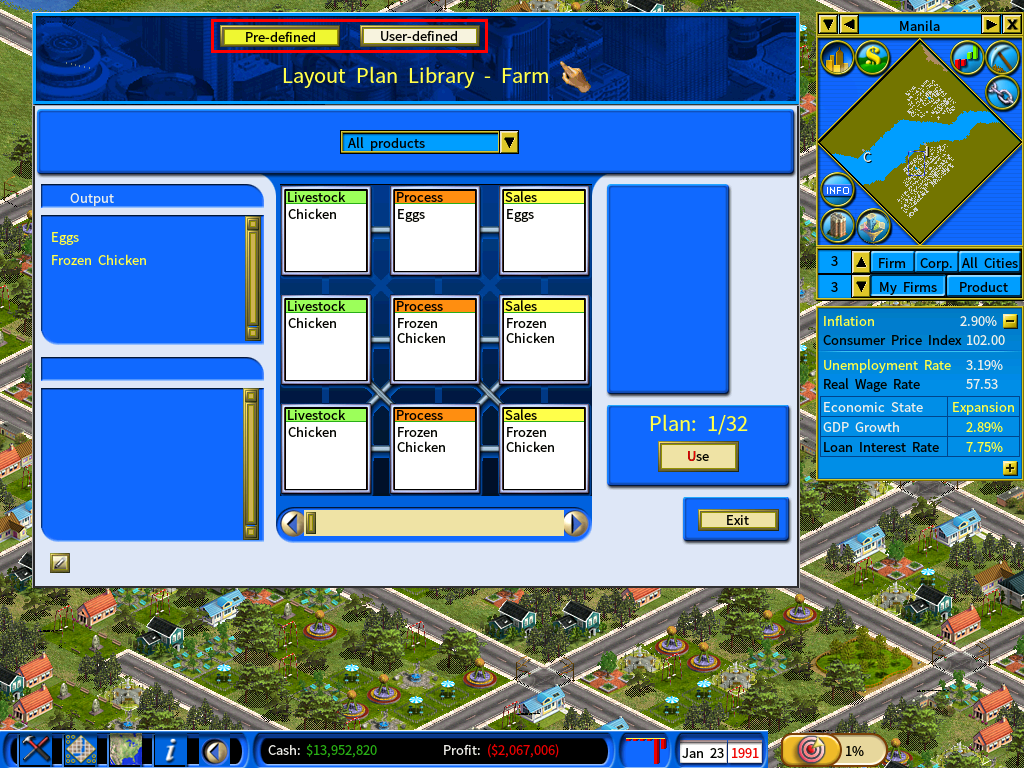
Pre-defined and user-defined plans
The library now separates the two. The [Pre-defined] and [User-defined] buttons switch between them.
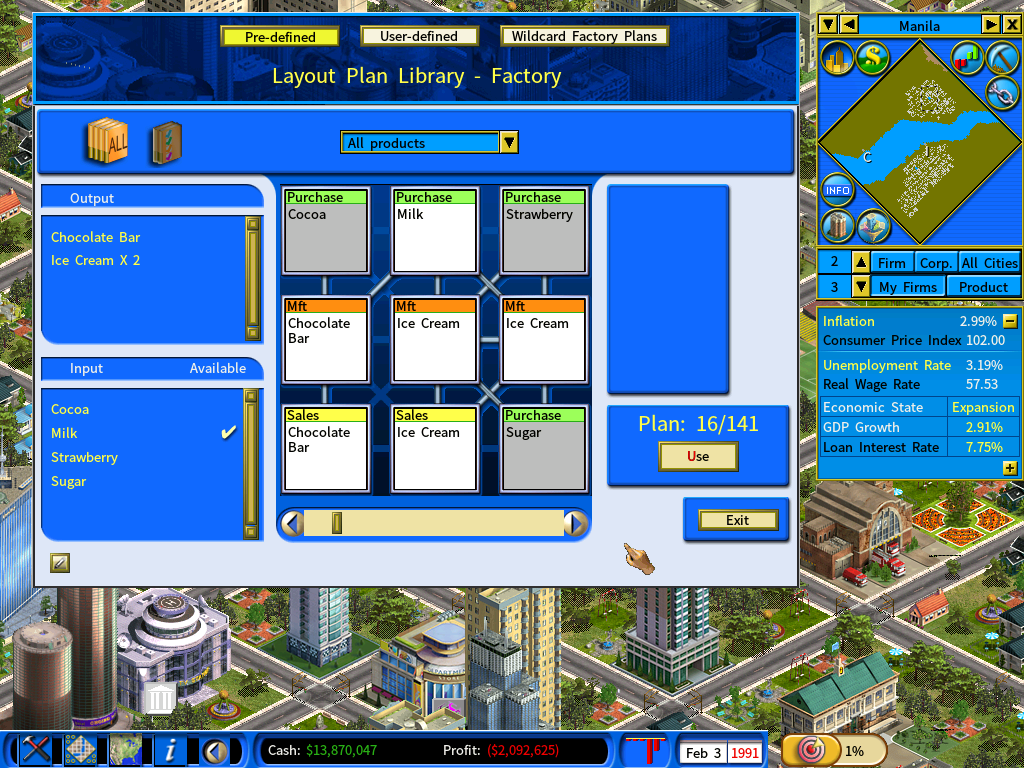
A useful visual cue for factory plans: purchasing units with no available supply are shown on a gray background, so you can see at a glance which plan you can actually run.
Wildcard factory plans
A [Wildcard Factory Plan] folder lets you define one layout plan and use it for multiple products that share the same number of inputs.
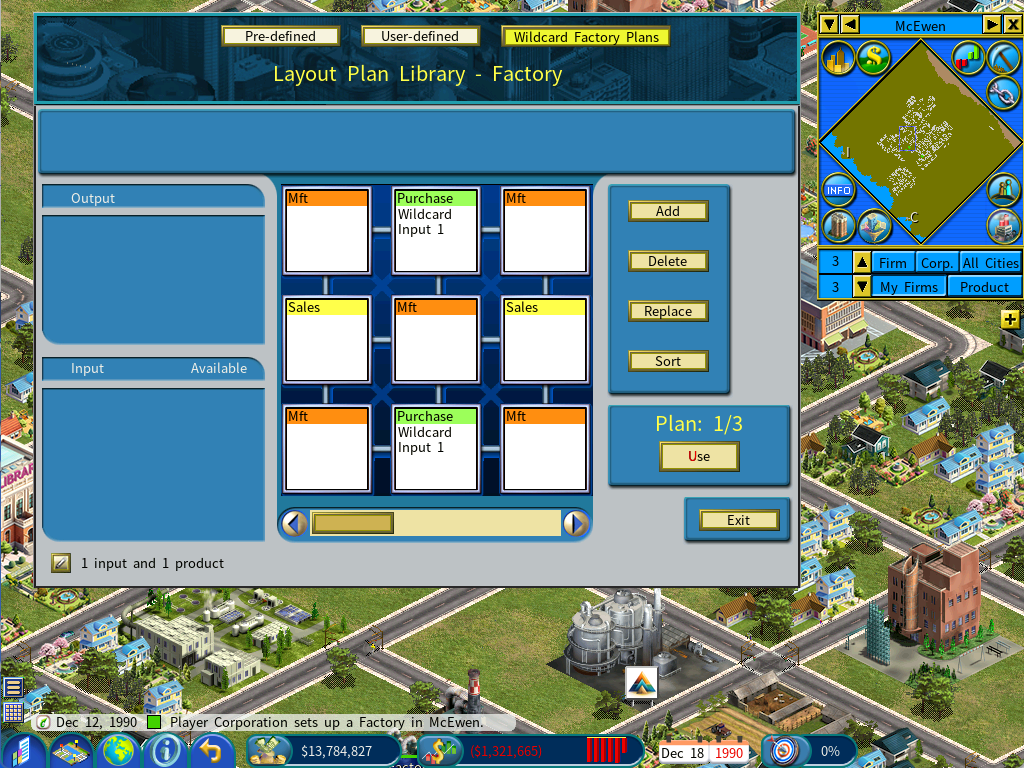
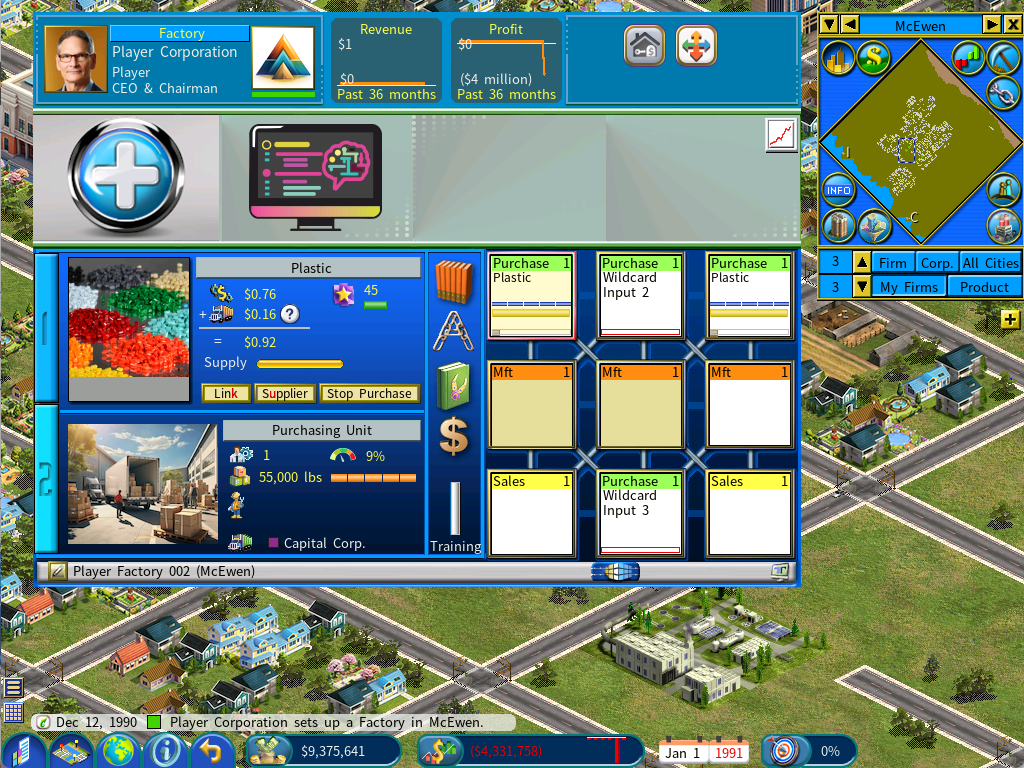
Apply one and the purchasing units are labeled Wildcard Input <id>. Link one of them to a supplier and every other unit with the same id links to that supplier automatically.
So linking a plastic supply to a unit labeled Wildcard Input 1 links every other Wildcard Input 1 to the same plastic supply — one action instead of several.