

How to Install Capitalism Lab on Mac with the Mac Installer
The Capitalism Lab Mac Installer provides a one‑step download that runs the game on macOS through an integrated compatibility layer. Nothing else needs to be installed: it does not require Porting Kit, Wine, or any virtual machine.
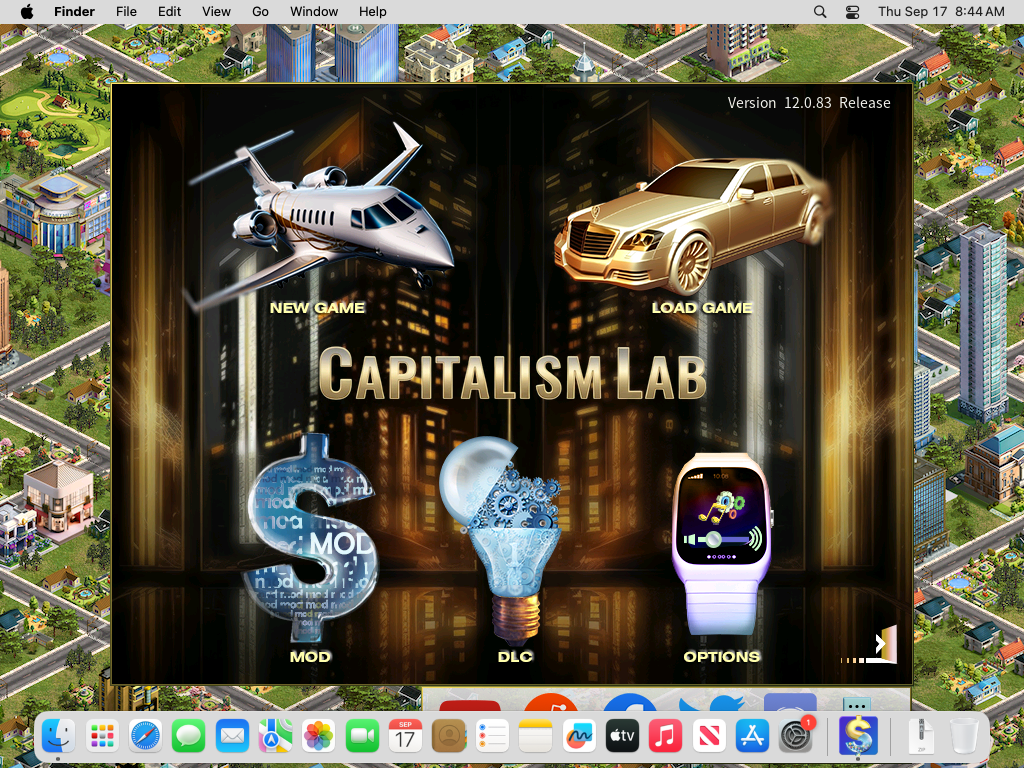
Requirements
- macOS 13 Ventura or later.
- Apple silicon (M1 or later) or an Intel Mac. On Apple silicon the app uses Apple’s Rosetta and offers to install it if it is missing.
- About 4 GB of free disk space.
- A Capitalism Lab account to log in.
Installation
Download the installer
Download Capitalism Lab version 12 for Mac (.dmg)Register a Capitalism Lab account
Click here to register a new Capitalism Lab account if you do not have one yet.
Install the app
Open the downloaded .dmg file and drag Capitalism Lab onto the Applications folder shown next to it. Then eject the disk image.
First start
Because the app is not yet signed, macOS blocks the very first start. Do this once:
macOS 15 Sequoia and macOS 26:
- Open Applications and double-click Capitalism Lab. macOS says that Apple could not verify it. Click Done (not “Move to Trash”).
- Open System Settings > Privacy & Security and scroll down to the Security section. It says “Capitalism Lab” was blocked. Click Open Anyway, then Open Anyway again, and confirm with your Mac password or Touch ID. Do this within about an hour of step 1, or repeat step 1.
- The app opens. From now on it opens normally by double-clicking.
macOS 13 Ventura and macOS 14 Sonoma:
- In Applications, right-click (or Control-click) Capitalism Lab and choose Open.
- Click Open in the warning. From now on it opens normally.
xattr -dr com.apple.quarantine "/Applications/Capitalism Lab.app"Rosetta (Apple silicon Macs only)
If Rosetta is not installed yet, the app asks to install it. Click OK and enter your Mac password; it takes about a minute.
Log in to Capitalism Lab
The first start takes about a minute while the app copies the game into its data folder and prepares the compatibility layer; later starts take a few seconds. The Capitalism Lab launcher then appears. Log in with your Capitalism Lab username and password, exactly as on Windows.
Updates
- Patches: the launcher downloads and applies them automatically.
- New full versions: install the new .dmg the same way and replace the app in Applications. Saved games, mods, screenshots and your login are kept. The “First start” steps are needed again for a new unsigned download.
Where the game keeps its files
Everything the game writes is in ~/Library/Application Support/Capitalism Lab (in the Finder, hold the Option key, open the Go menu and choose Library):
- Saved games: game/SAVE
- Screenshots: game/SCREENSHOT
- Mods: game/MOD
- Scripts, crash reports and progress files: prefix/drive_c/users/<your name>/Documents (“My Games/Capitalism Lab” holds scripts and progress, “CapitalismLab” holds crash reports)
- Launcher log: launcher.log
The game never writes into your real Documents, Pictures or other folders.
Uninstall
Move Capitalism Lab from Applications to the Trash. Delete ~/Library/Application Support/Capitalism Lab as well if you also want to remove the saved games and settings.
Troubleshooting
- “Capitalism Lab is damaged and can’t be opened”: the download mark blocks the app. Use the Terminal command from the “First start” step, or download the .dmg again and follow the steps.
- The “Open Anyway” button is missing in System Settings: double-click the app once more, click Done, then look again; the button appears for about an hour after a blocked start.
- No sound, or noise instead of music: the file ~/Library/Application Support/Capitalism Lab/game/Sound.TXT selects the audio driver. It contains the word WINMM. Replace it with MINIAUDIO or WASAPI (one word, nothing else) and restart the game.
- Slow or choppy graphics: try the software renderer. In Terminal:
CAPLAB_RENDERER=software "/Applications/Capitalism Lab.app/Contents/Resources/launch.sh" - Verify the download in Terminal:
shasum -a 256 "CapitalismLab-12.0.84-mac.dmg"and compare with the checksum published next to the download.
- Anything else: send launcher.log, the newest file from the crash report folder named above, your Mac model and macOS version to [email protected].
Licences
Capitalism Lab is proprietary software (see the licence agreement shown by the launcher). The bundled Wine compatibility layer is open source; its licence and the exact version used are inside the app under Contents/Resources/licenses.