Software Company
In the Digital Age DLC you can develop a range of software products — operating systems, word processors, photo editors, anti-virus software and many more. To enter the software industry, the first step is to set up a software company.
This page walks through one complete example: developing 3D Modeling Software from an empty company to a running development project.
Building your first software product
Set up a software company
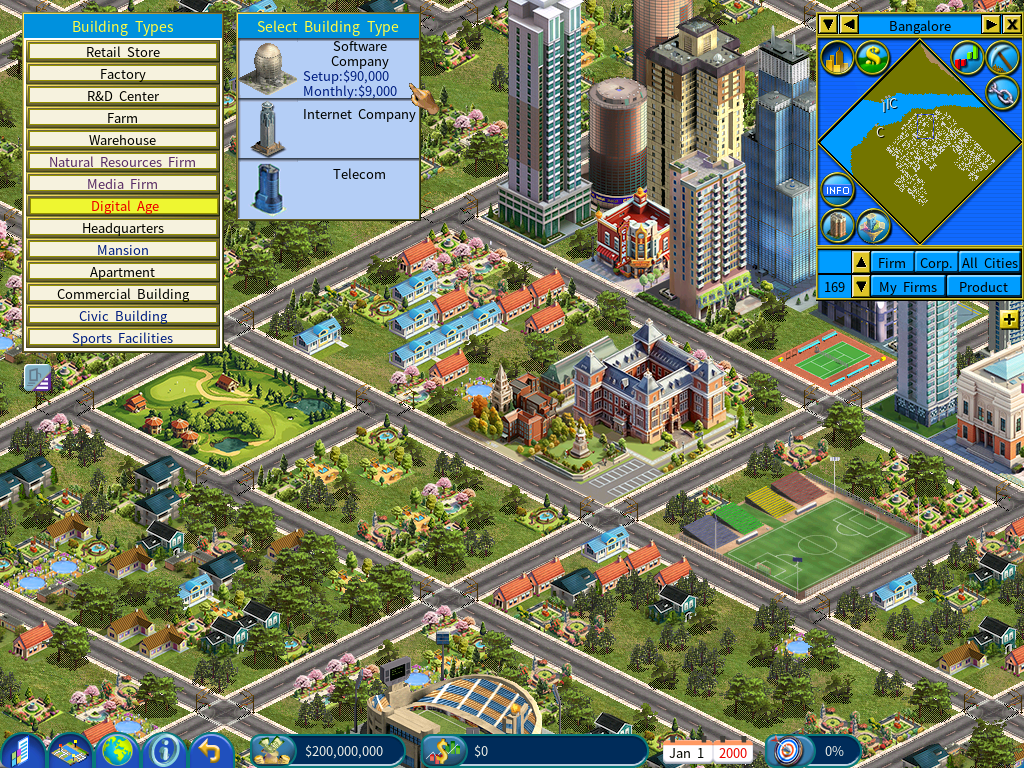
Open the Software Guide
Access the Software Guide in the Information Center to explore the types of software you can develop.
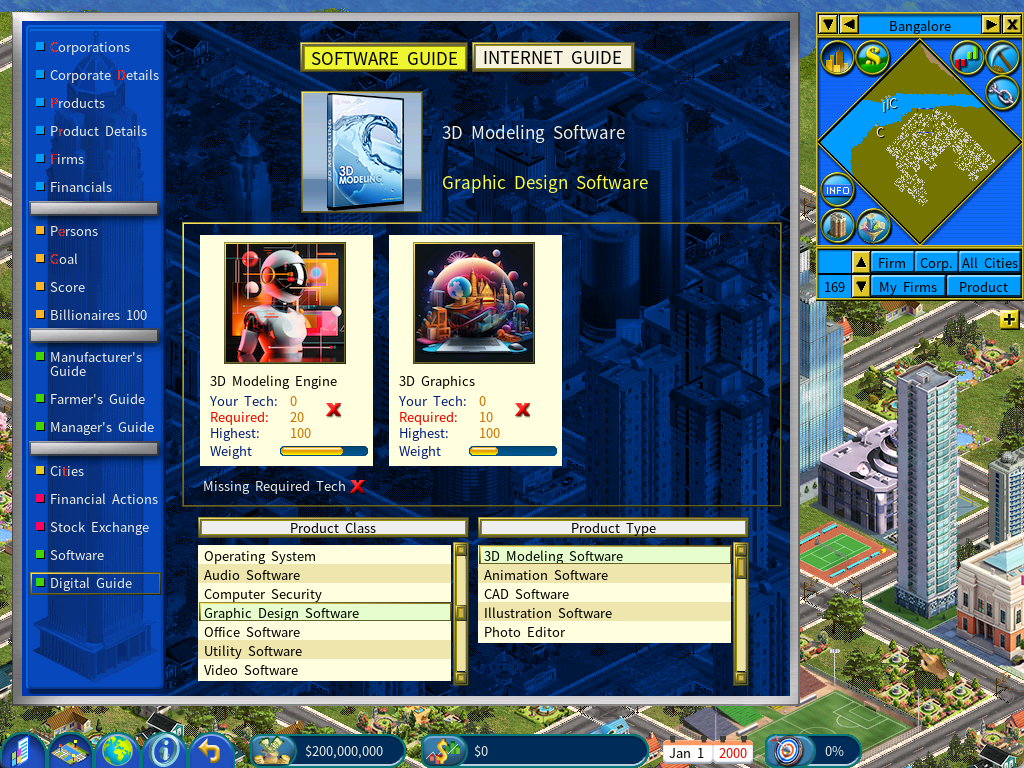
Suppose you plan to develop 3D Modeling Software. The guide shows that it needs two software technologies, each at a given level:
- 3D Modeling Engine — tech level 20
- 3D Graphics — tech level 10
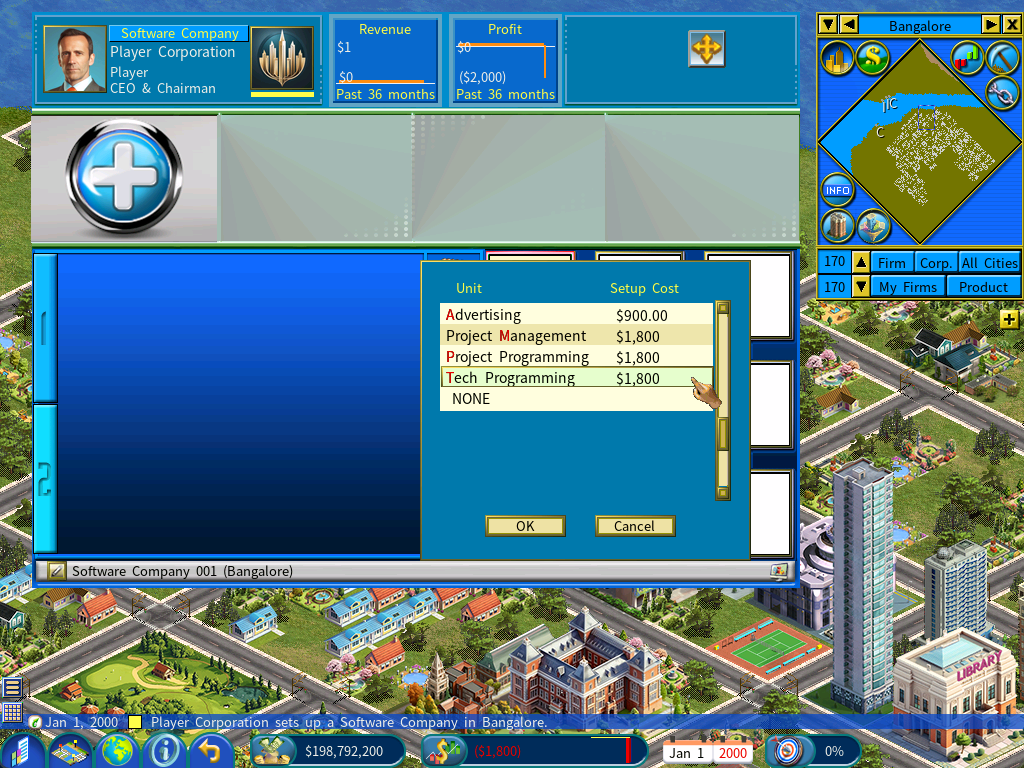
Set up Tech Programming units
To reach those levels you need Tech Programming units inside your software company.
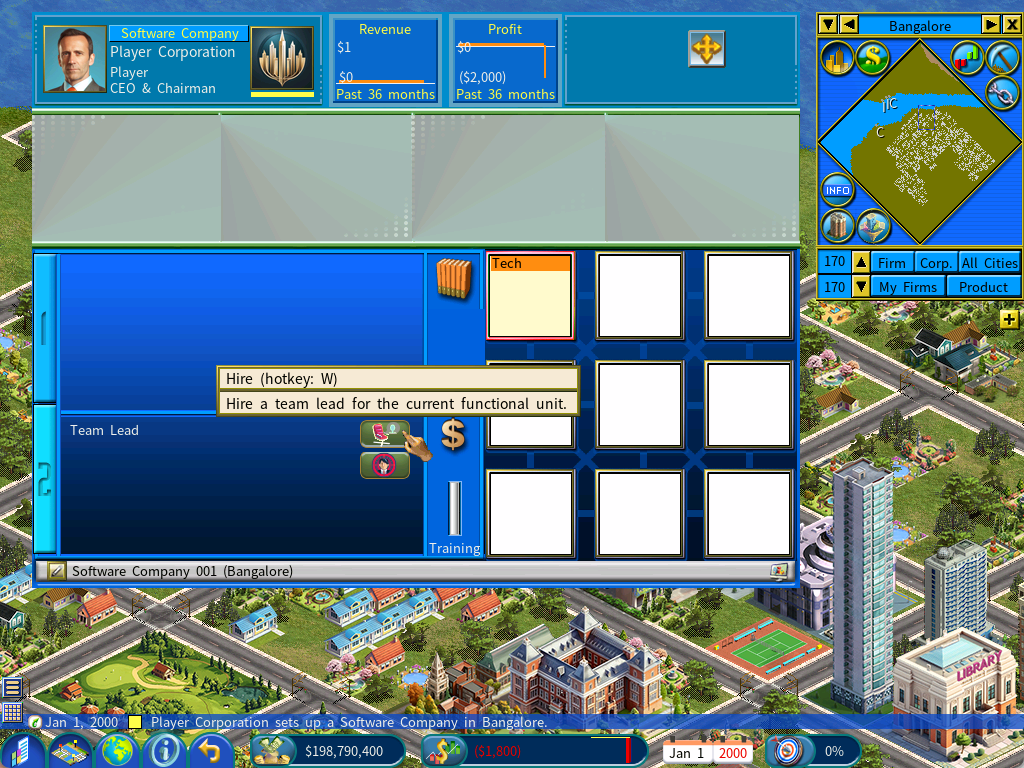
Hire a lead programmer
Click the [Hire Now] button to hire a lead programmer to develop the technology.
Pick a candidate with the right expertise
In the recruitment interface, select 3D Modeling Engine in the left window. The right window then lists the job candidates with technical expertise in it.
The Digital Age DLC introduces a new talent system for hiring.
Info about the Talent System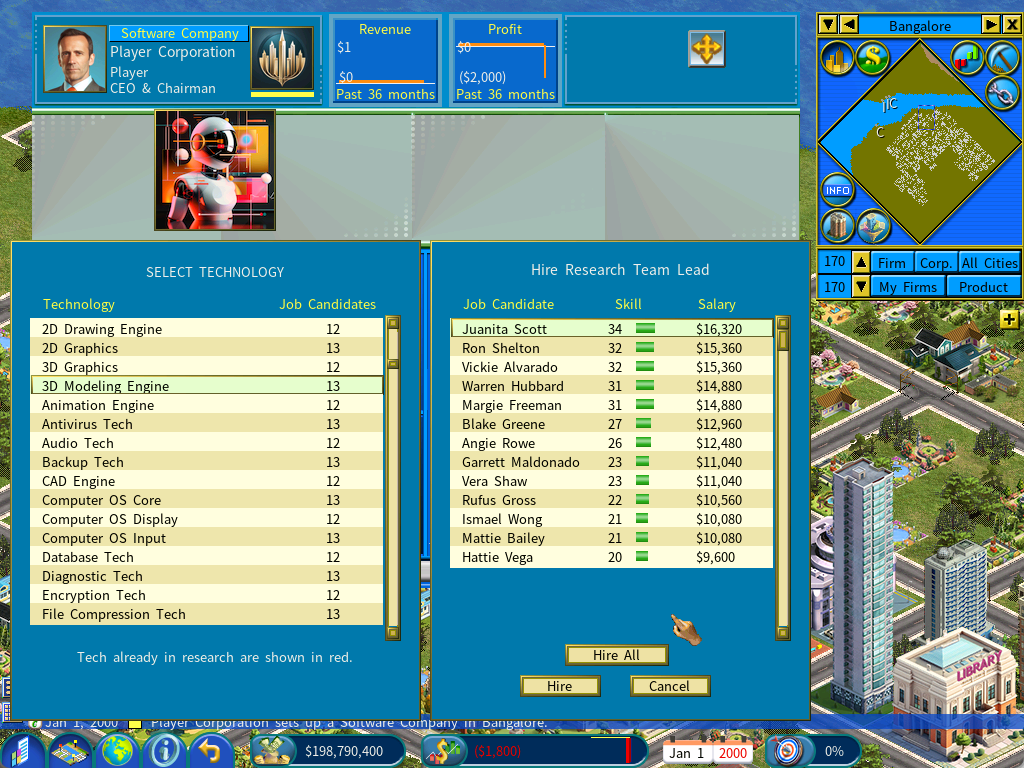
Link your Tech Programming units
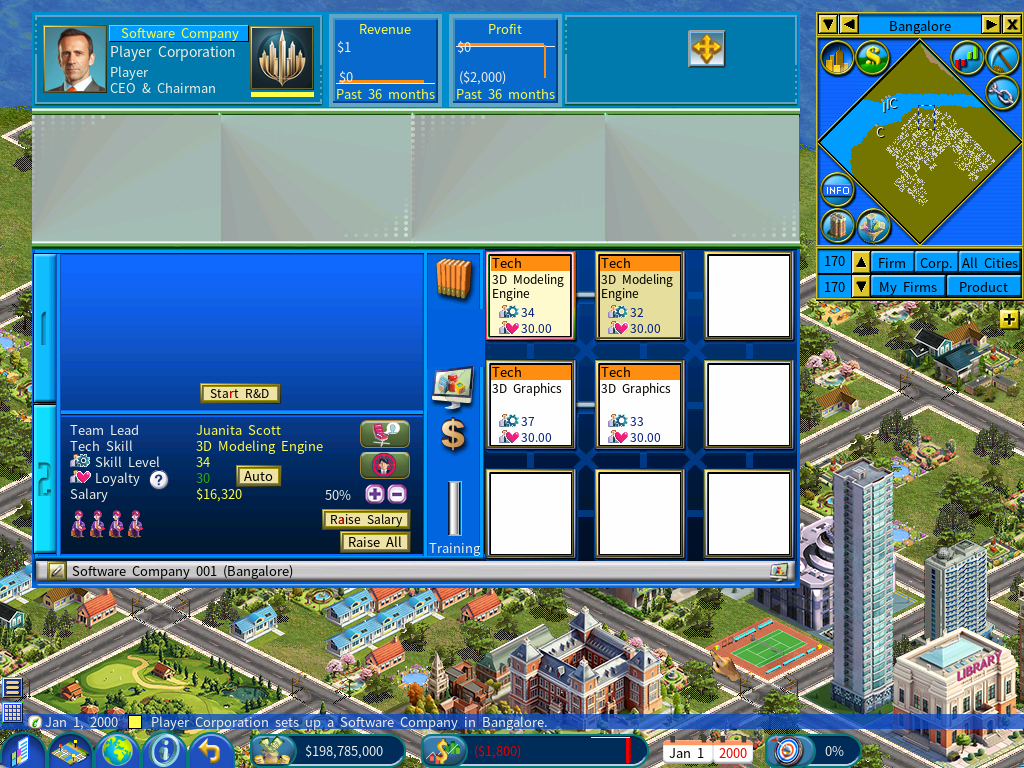
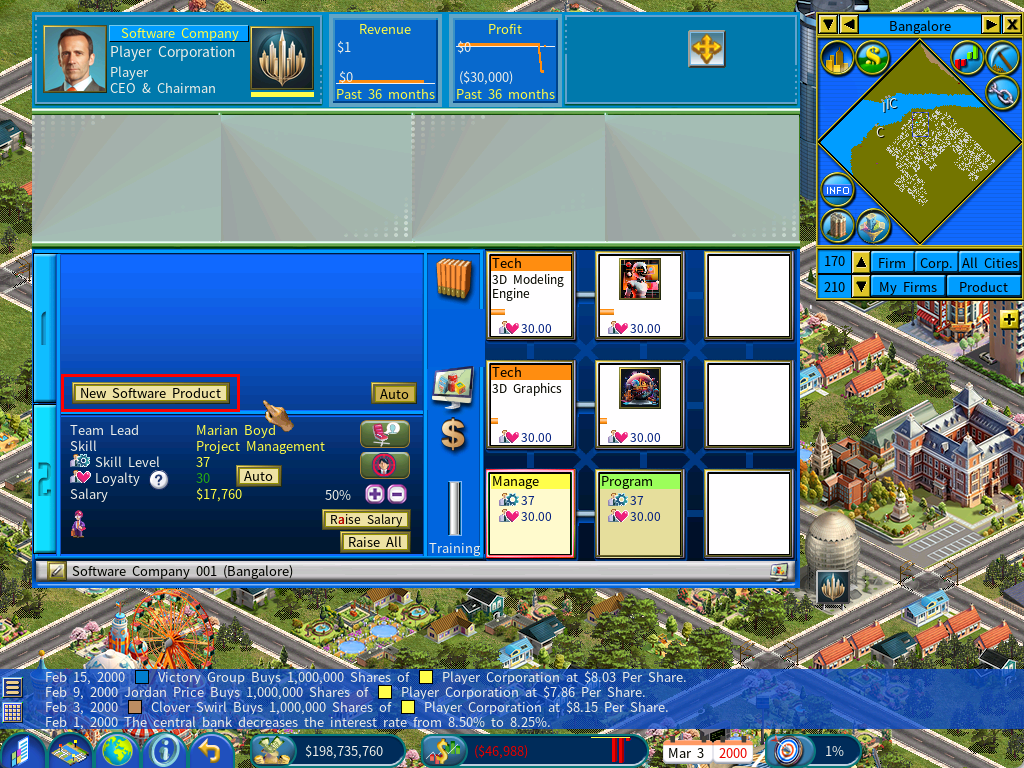
You can set up two or more Tech Programming units and link them together for greater performance, in the same way R&D units are linked in an R&D center.
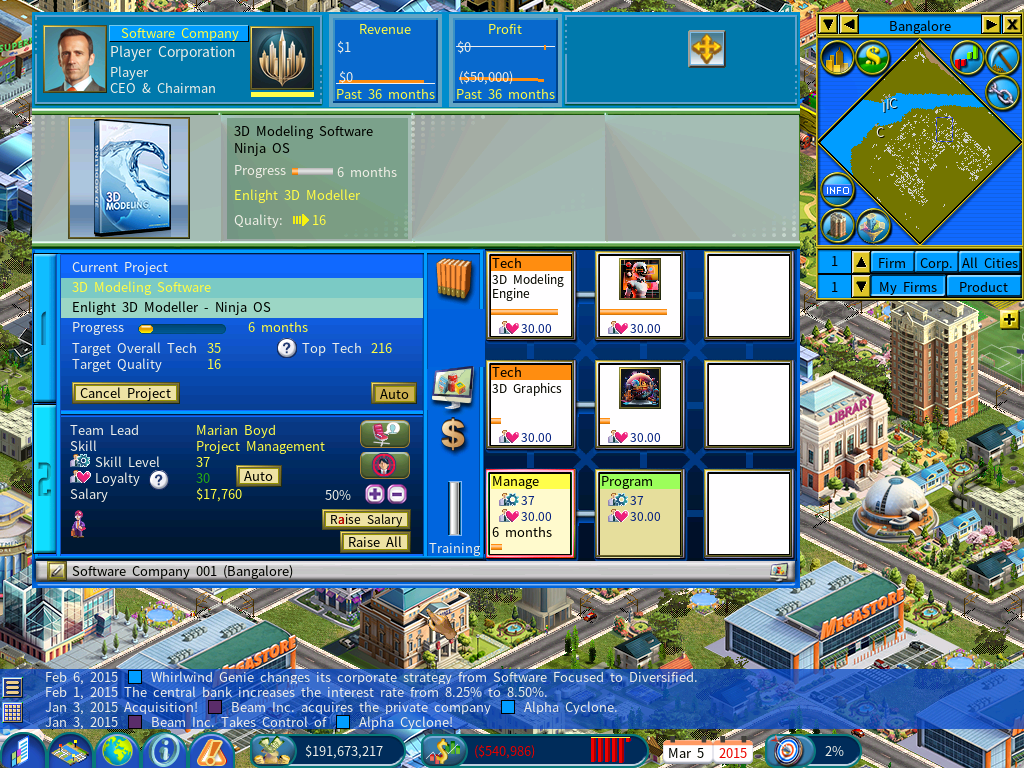
The screenshot below has two pairs of units, specializing in 3D Modeling Engine and 3D Graphics respectively. A unit’s specialization is set automatically by the team lead’s skill.
Start the tech development
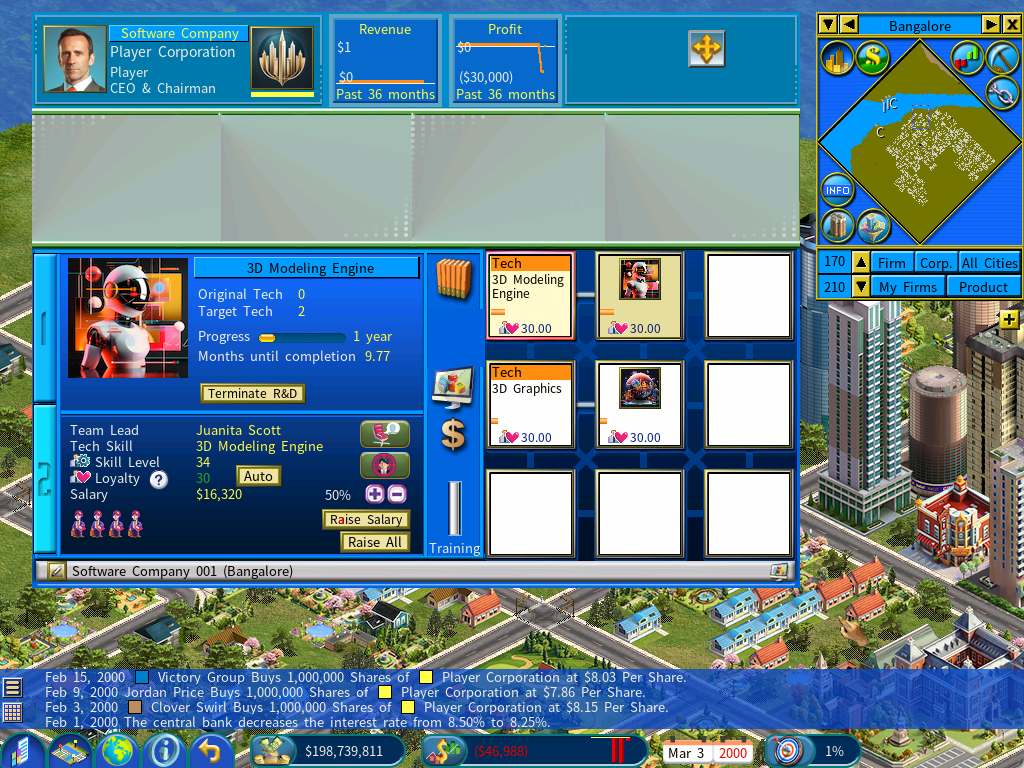
Click [Start R&D] and choose a development duration that will advance the tech to at least level 30. Development begins immediately.
Set up a Project Management unit
This unit oversees the development of the software product itself.
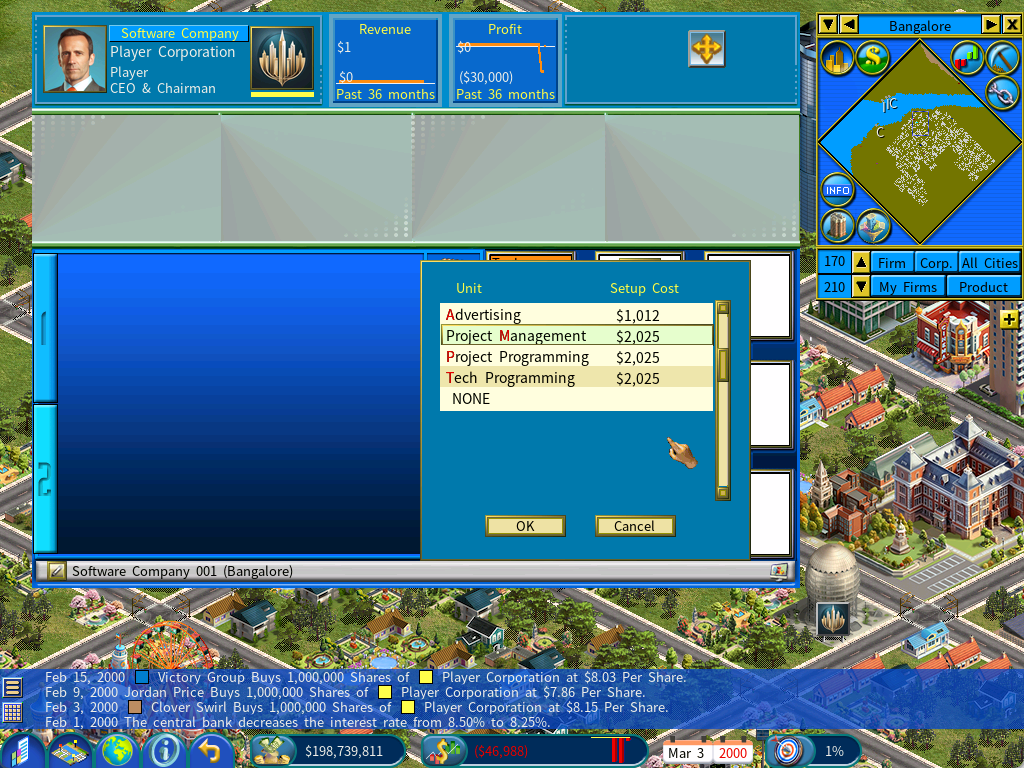
Pair it with a Project Programming unit
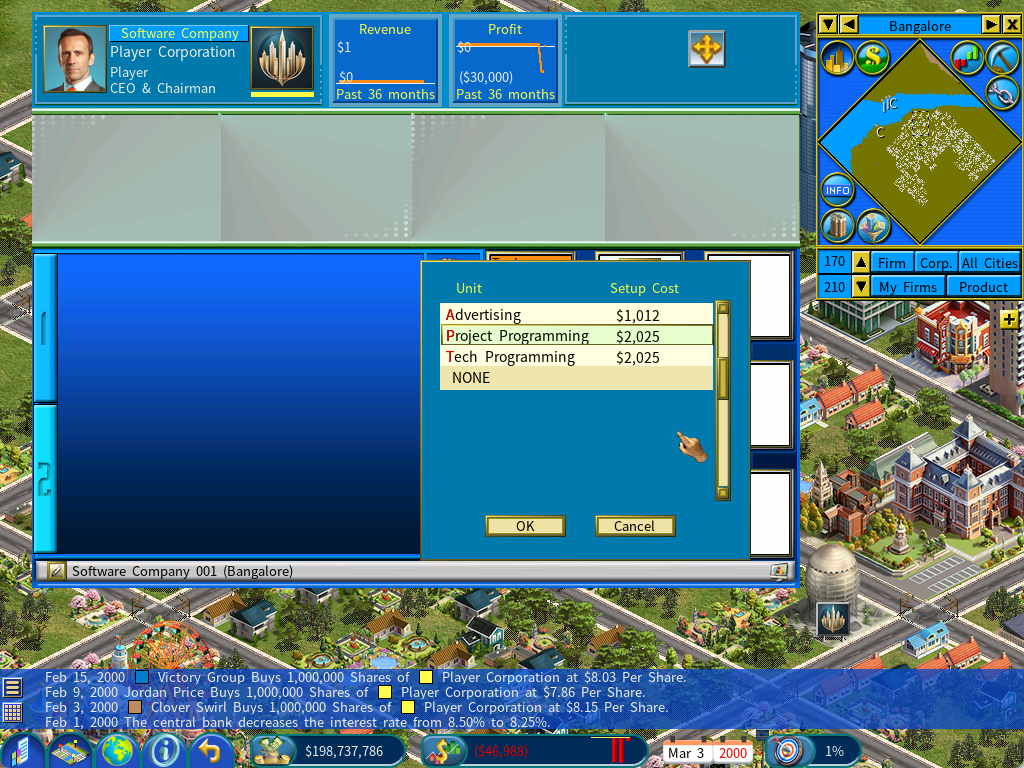
A quick recap of what each unit is for:
- Tech Programming units, several of which can be linked → develop software technologies.
- A Project Management unit linked to a Project Programming unit → develops a software product.
The finished setup looks like this:
Wait for the technologies to finish
Wait for 3D Modeling Engine and 3D Graphics to complete, and check that both have reached their required levels. If either falls short, you will need another round of development to get there.
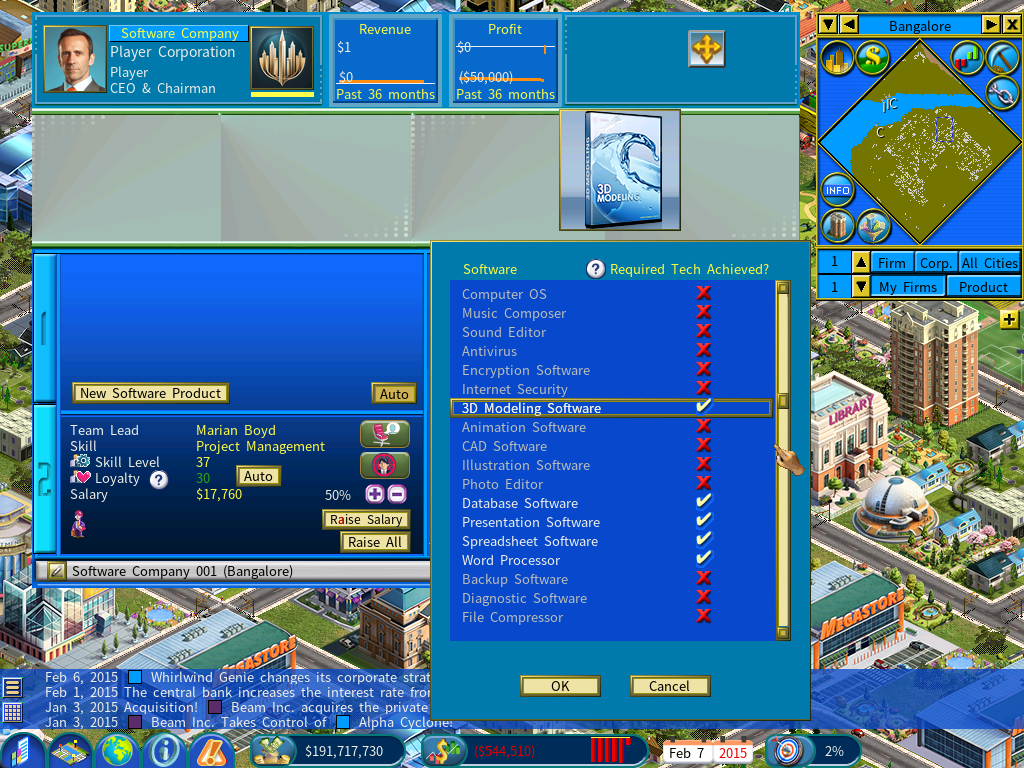
Start a new project
Click [New Project] in the Project Management unit and select 3D Modeling Software from the list.
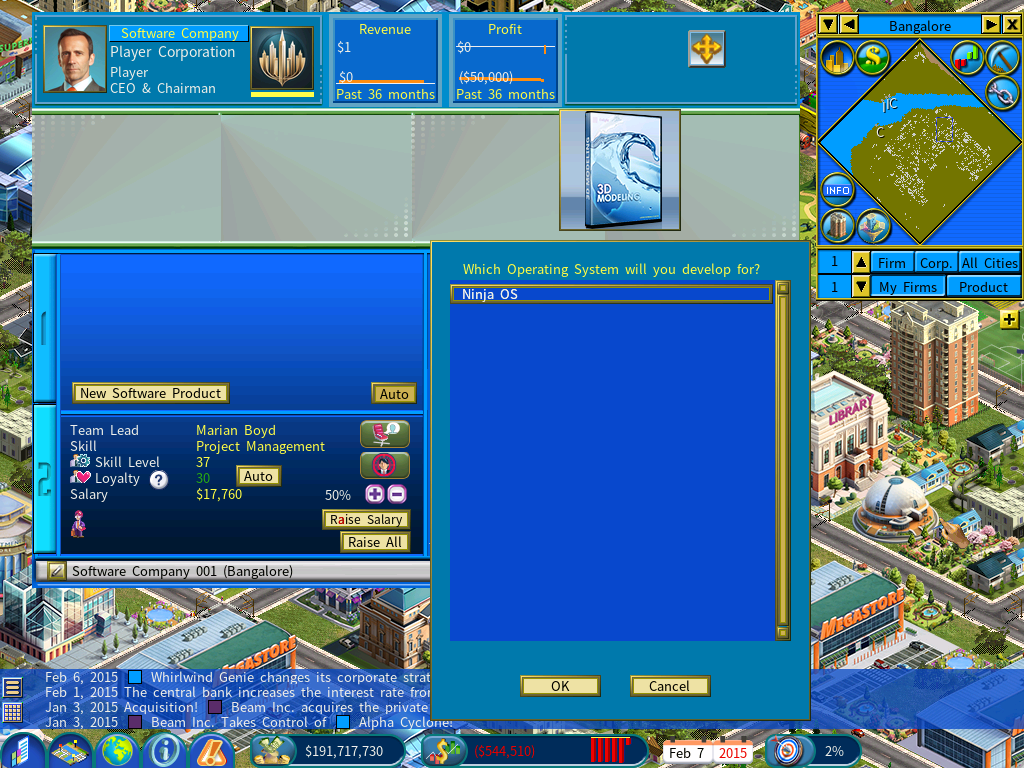
Choose an operating system
Finally, choose the operating system your software product will be developed for.
The Digital Age DLC includes a company that specializes in developing operating systems, so the first one usually reaches the market shortly after the game begins. If it is still early and none is available yet, wait a couple of years and one will appear.
Name the product and begin
Once you have chosen an operating system and named your software product, the development project starts.
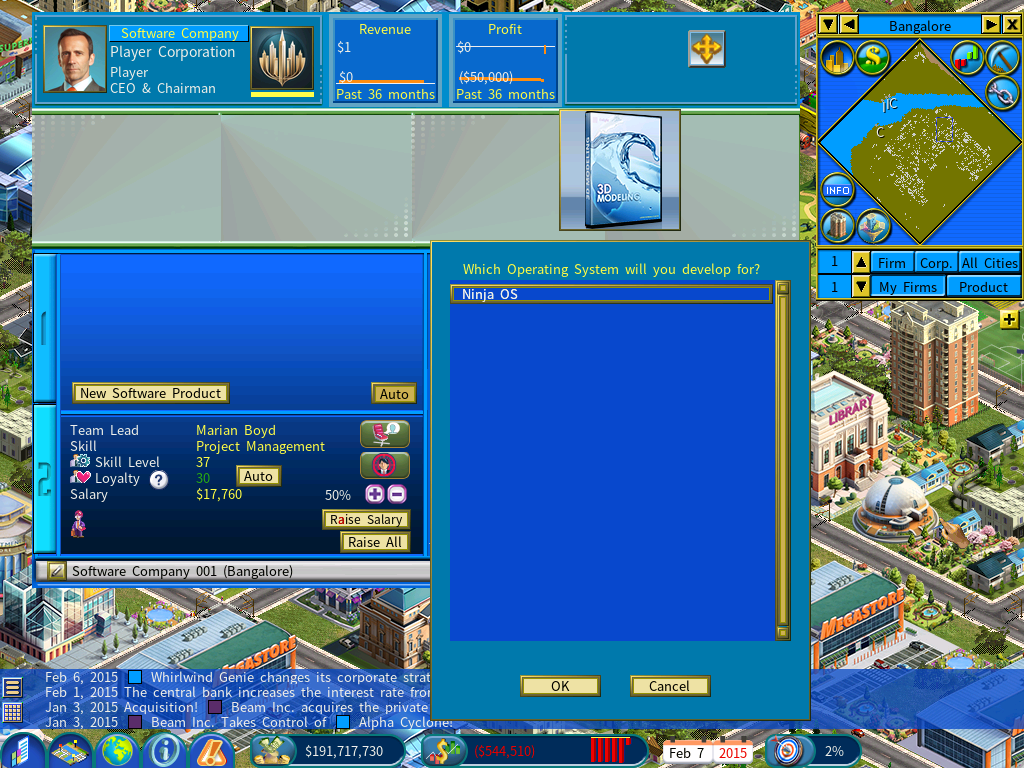
Development of the 3D Modeling Software is now in progress.