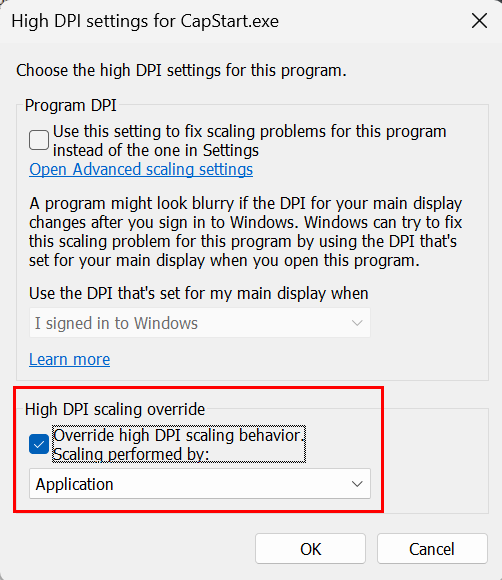
Compatibility settings
Please try the following solution:
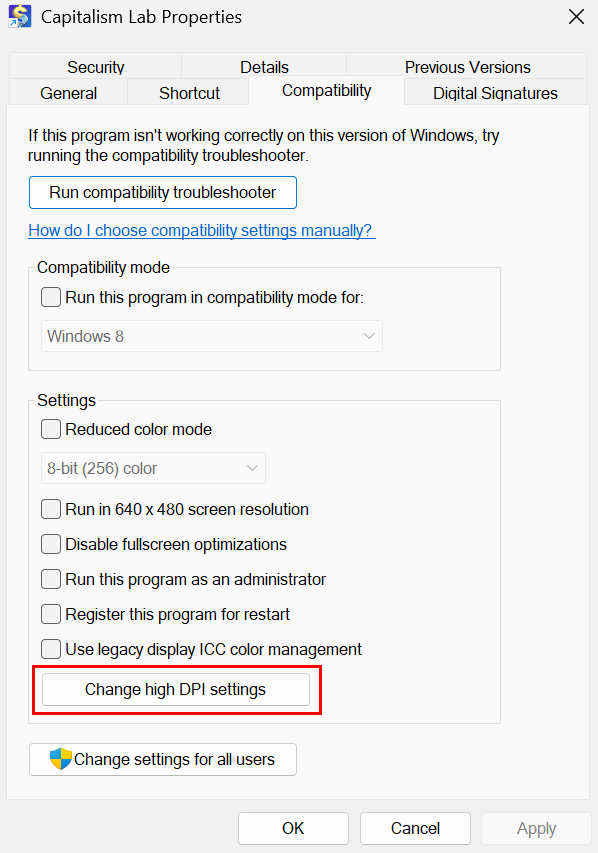
1) Right-click on the Capitalism Lab icon to open the properties window.
2) Select the “Compatibility” tab of the properties window.
3) Click the [Change high DPI settings] button.
4) Then enable “Override high DPI scaling behavior. Scaling performed by: Application”