

Greater Control over Subsidiaries
Start a game with the Subsidiary DLC enabled and you gain direct control over any subsidiary you own 75% or more of — at the corporate level, at the firm level, and in how the two companies trade with each other.
Control at the corporate level
- Hire C-suite executives — Chief Operating Officer, Chief Technical Officer and Chief Marketing Officer.
- Set up new departments in the subsidiary’s headquarters.
- Change policies in the human resources, investor relations and public relations departments.
- Build new firms on the subsidiary’s behalf. The Build menu gains a window listing your own company and every subsidiary, so you choose who is building.

Replacing a subsidiary’s CEO
Click [Hire New] in the CEO office at the subsidiary’s headquarters.
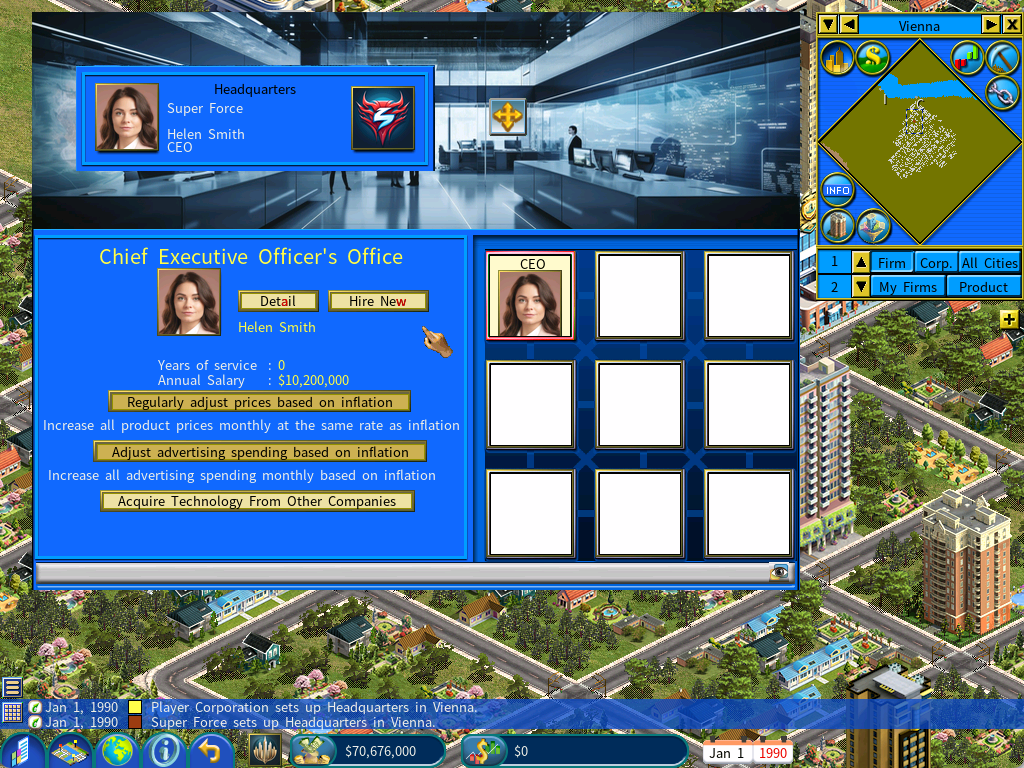
Not a decision to take lightly. A new CEO may demand a high salary, while the existing one — particularly if they founded the subsidiary — may be content with far less.
Management policies
You can also set the subsidiary’s management policies. See the instructions.
Control at the firm level
- Change a firm’s 3×3 layout using the Layout Plan Library.
- Set up or modify individual functional units in that layout.
- Change the training budget.
- Close down or relocate a firm.
- Change the subsidiary’s brand strategy.
- Change product prices and internal sale status.
- Change the advertising price and content development budget of a subsidiary media firm.
Making your decisions stick
Micro-managing a subsidiary firm has short-lived effects. The AI manager keeps making its own decisions, which supersede yours — change a price and the manager will change it back soon after, on its own judgment.
For lasting control, assign yourself — the chairman of the subsidiary — to run the firm, releasing the AI manager from the role.
Click the Assign Manager icon (outlined in red below), then select yourself, the Chairman.
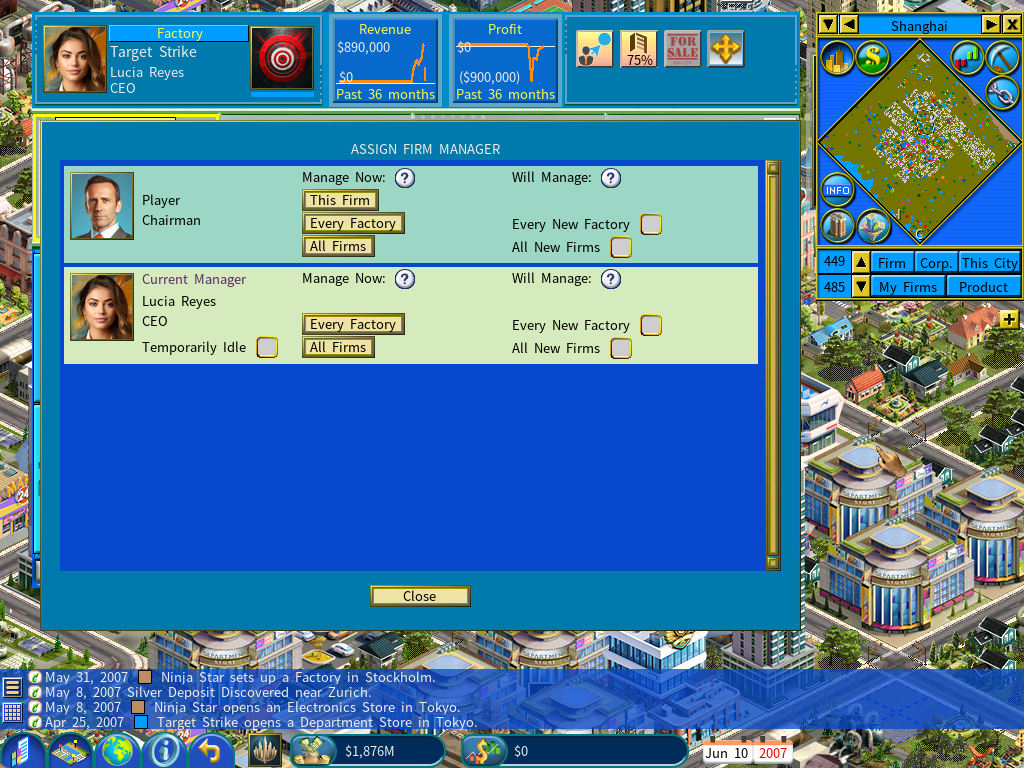
The “Temporarily Idle” option
An alternative to replacing the manager outright. With Temporarily Idle enabled, the AI manager stops actively managing tasks, but the firm keeps the benefit of their expertise.
It gives you day-to-day control without losing what the manager is worth.
Transferring firms between your companies
Open the firm detail window and click the Relocate/Demolish icon at its top right. The popup menu includes an option to transfer the firm.
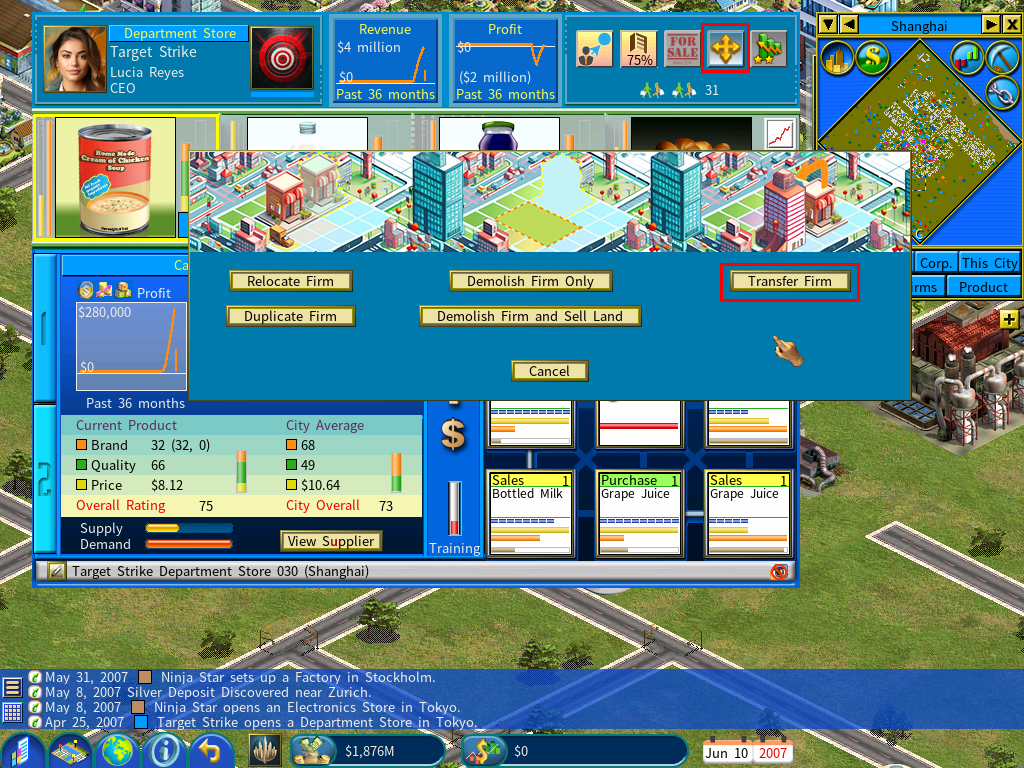
You then choose which company in the group receives it.
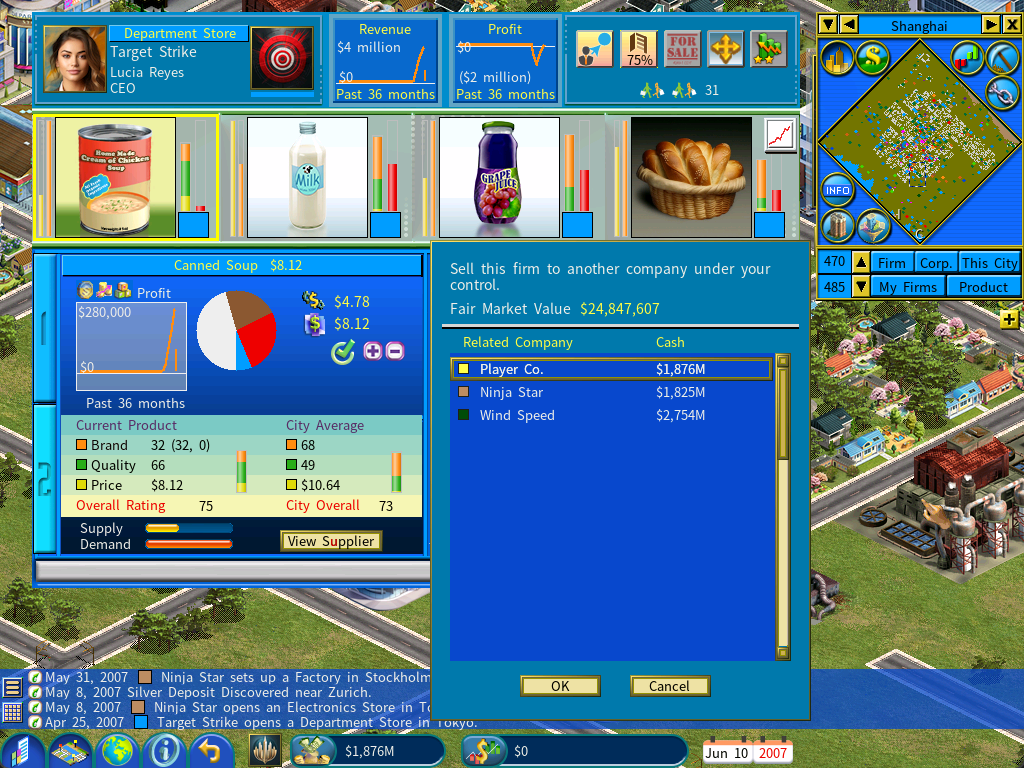
Moving several firms at once
To transfer a whole group of firms in one operation, see Mass Transfer Firms.
Closer trade between your companies
- You can buy products from a subsidiary’s firms even where those products are set to Internal Sale only.
- Your subsidiary can likewise buy from your company, whatever its Internal Sale settings.
Watching a subsidiary’s cash and profit
Own a subsidiary and your corporate logo appears next to the cash display on the bottom menu bar. Click it, or press Ctrl-X, to pick a subsidiary from the list.

The bottom bar then shows that subsidiary’s cash and profit instead of your main corporation’s, so you can watch its balance as you expand it.

The Build Firm menu then defaults to the same subsidiary, which saves reselecting it when you are building a series of firms for that company.