

Show Active Company’s Tech
Requires the Subsidiary DLC. The checkbox appears when you are playing with subsidiaries and control at least one company — that is when there is an “active company” to switch to.
How to use it
Choose the company
On the bottom info bar, point the cash and profit display at one of your subsidiaries — the same company selector you already use down there.
Open a guide and tick the checkbox
Open the Manufacturer’s Guide, the Software Guide or the Internet Guide and tick Show active company’s Tech. Hover the checkbox for an in-game reminder of what it does.
Read the figures for that company
The company-specific figures — Your Tech, Overall Product Tech and the Missing Required Tech check — now reflect that company. Untick the box to return to your main company at any time.
What it looks like
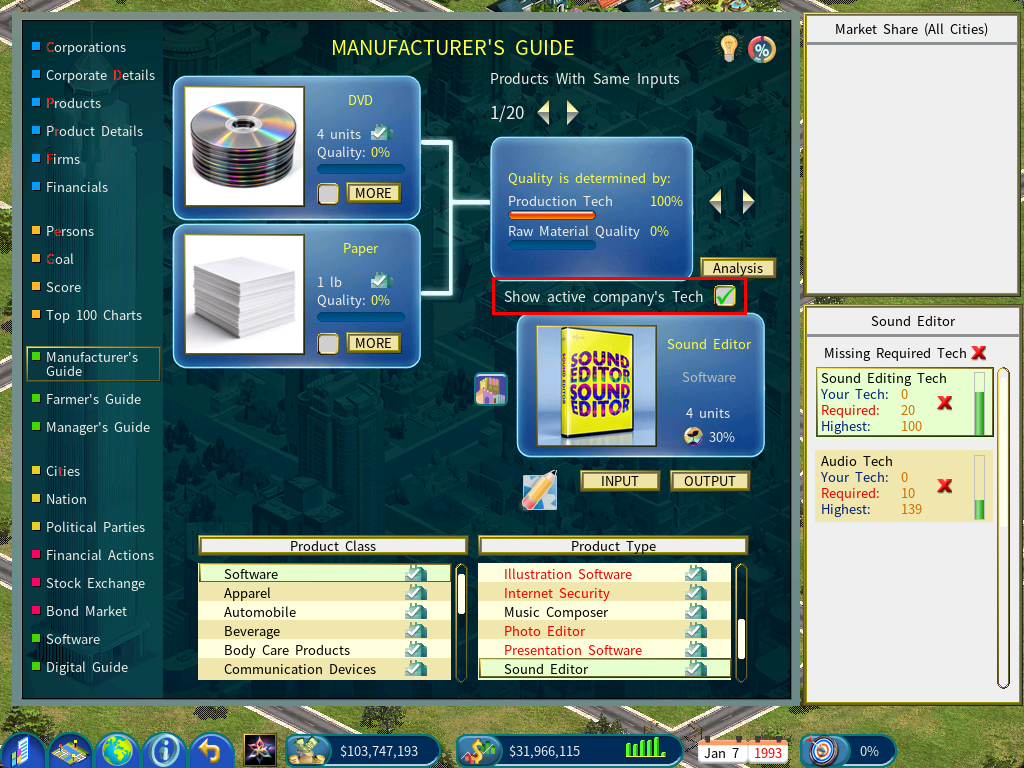
Manufacturer’s Guide
The checkbox sits under the “Quality is determined by” panel. Here it is ticked for a subsidiary, and the Missing Required Tech list on the right shows what that subsidiary still lacks to make a Sound Editor.
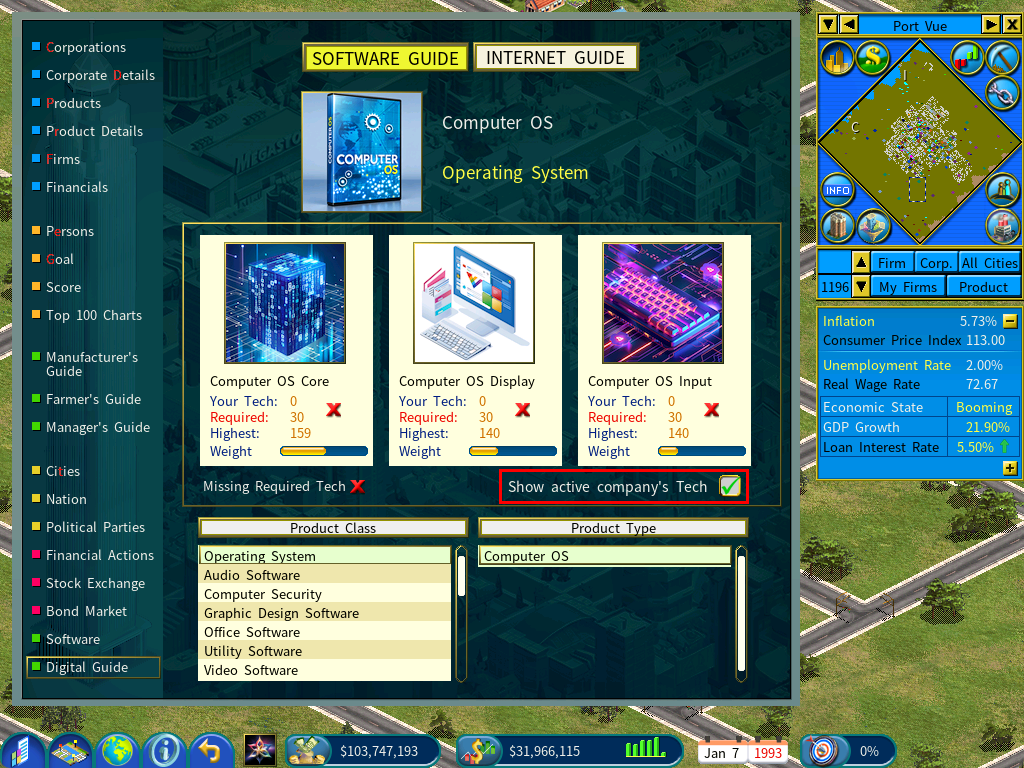
Software Guide
The checkbox sits below the product’s technology cards. Each card shows Your Tech against the Required level, so you can see at a glance whether the active company can make this software yet.
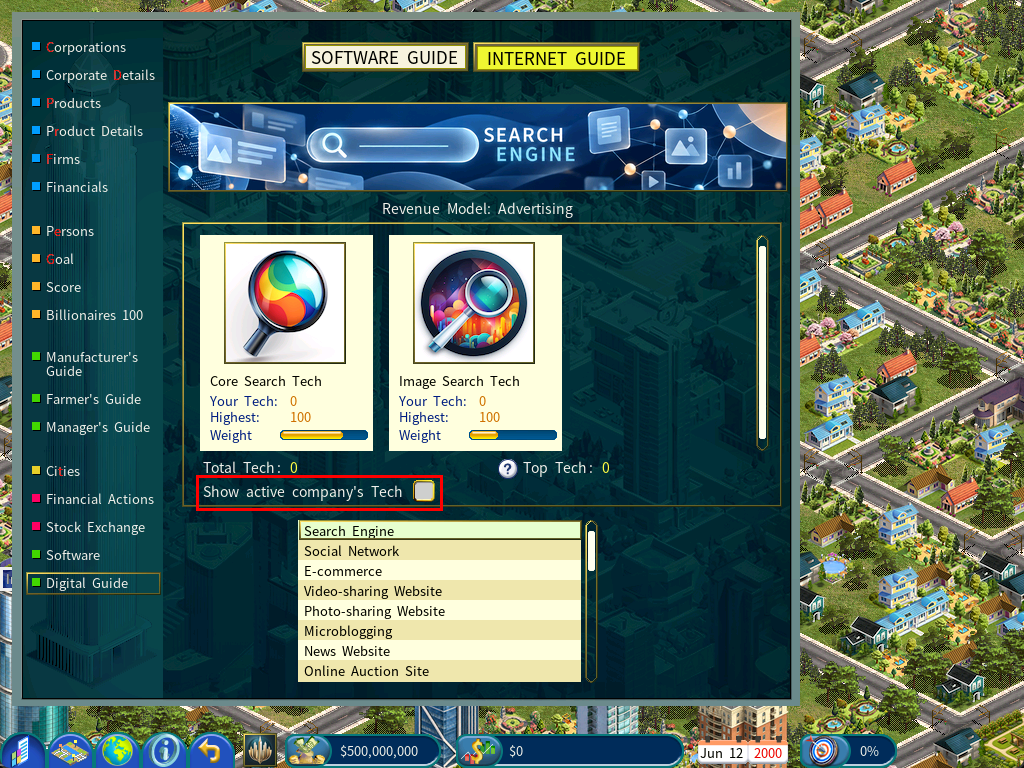
Internet Guide
The Internet Guide has the same checkbox, below the list of technologies. In this shot it is not yet ticked.
Only the company-specific numbers change. A product’s input material qualities and the “Quality is determined by” split between Production Tech and Raw Material Quality are properties of the production method itself, not of your company — so they stay the same regardless of the checkbox.
Why it helps
Until now these guides always reported your main company’s technology. If you owned several companies, there was no quick way to ask “does my electronics subsidiary actually have the tech to make this product yet?” — you would have had to change which company was your main one first. Now you can line up any company you control against any product, right from the guide, and compare at a glance.
More in Version 13.0: see everything new in Version 13.0.