

How to Delete Installed Mods
If you want to delete installed mods, please follow the instructions below.
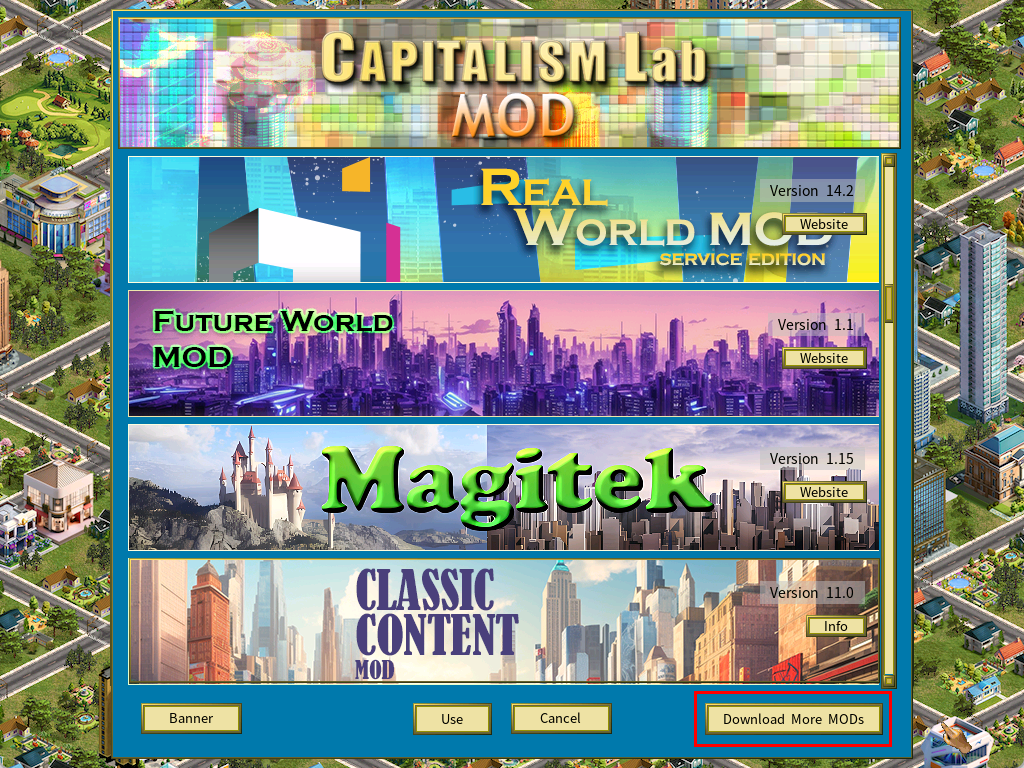
1) Click the [Download More Mods] button.
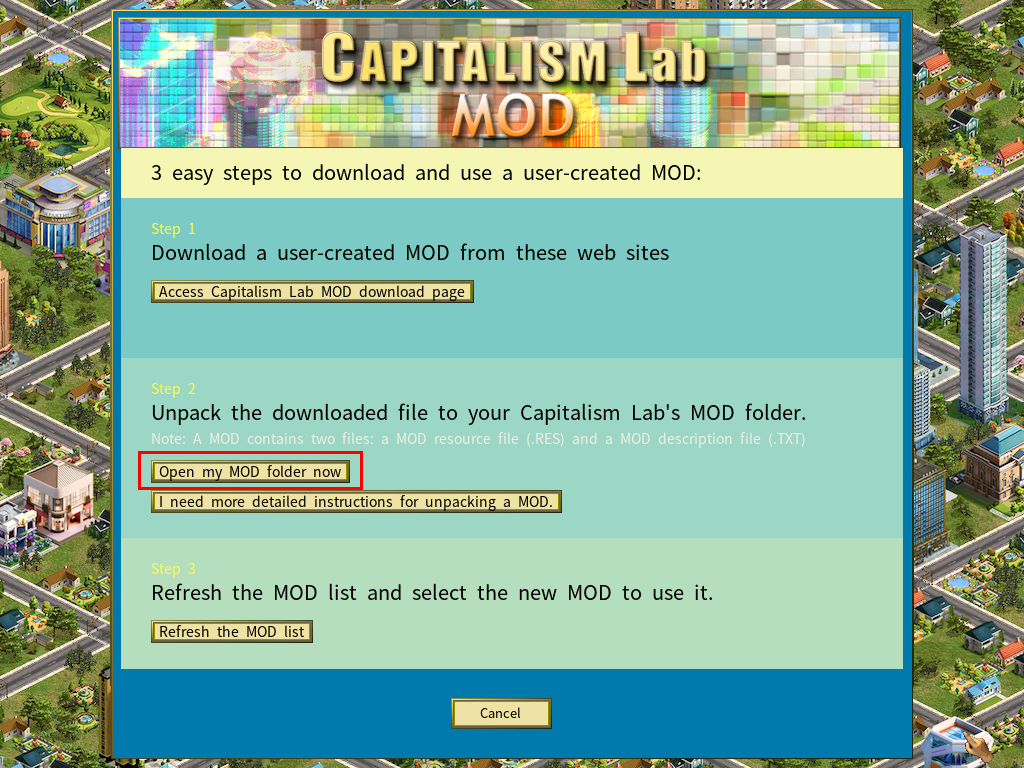
2) Click the [Open my MOD folder now] button.
It will open the Mod folder in File Explorer, as show in the example screenshot below.
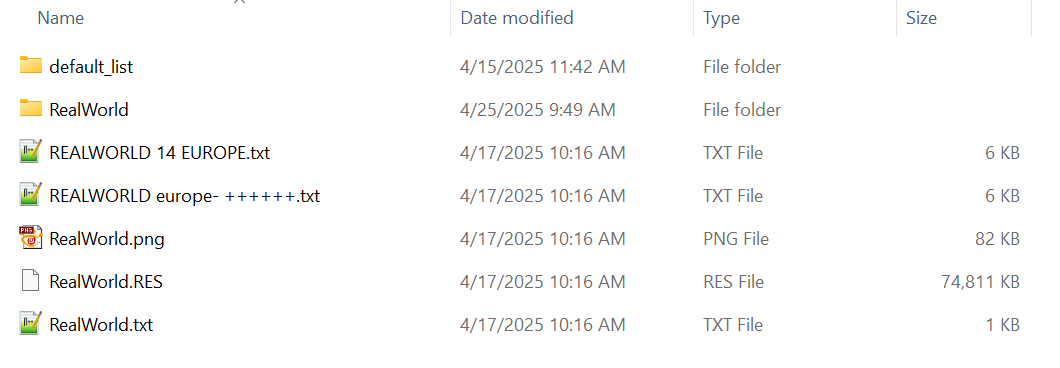
For instance, if you want to delete the RealWorld Mod, you can remove all files related to the RealWorld Mod, as well as the RealWorld subfolder, using File Explorer.