Farm Equipment
Farm Equipment is a new gameplay feature introduced in the Experimental DLC, adding greater depth and strategic decision‑making to agricultural operations.
A New Layer of Farming Strategy
In the base game, the quality of agricultural products is determined entirely by training and leveling up farming units. While effective, some players found this system too straightforward, as it allowed high‑quality output without requiring additional investment or planning.
The Farm Equipment system changes this dynamic. When enabled, the productivity and quality bonuses gained from training and leveling up farming units are reduced. To achieve higher product quality, players must now also invest in farm equipment for their farming units. This creates a more realistic and strategically engaging farming experience, where equipment quality and quantity play a meaningful role in overall output.
Manufacturing Farm Equipment
Farm equipment isn’t just a cost—it’s also a business opportunity. Players can establish factories to manufacture farm equipment and profit from the B2B demand generated by farms across the map.
For companies with large farming operations, producing farm equipment in‑house offers a significant strategic advantage. Instead of purchasing equipment from external suppliers, you can supply your own farms directly, effectively keeping the profits within your own corporate ecosystem. This vertical integration can improve margins, stabilize supply, and strengthen your competitive position.
How to Enable the Farm Equipment Feature
In the new game settings menu, open the the Experiment tab and enable the Farm Equipment option.
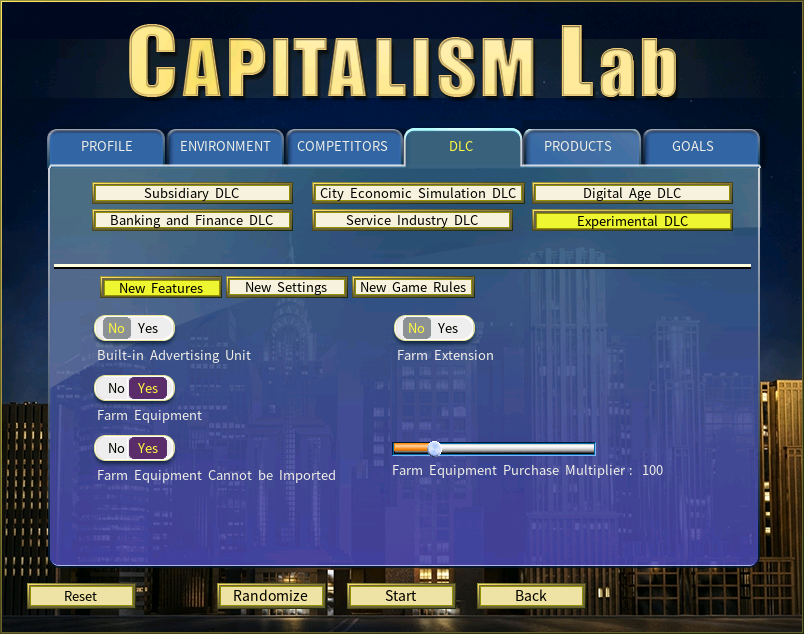
You could customize Farm Equipment feature using the following options:
Farm Equipment Cannot be Imported
When enabled, seaports and import companies will never import farm equipment, requiring corporations to manufacture it domestically to provide supply.
Farm Equipment Purchase Multiplier
Use this multiplier to artificially adjust the amount of farm equipment required to achieve the same effect. A value of 100 represents the normal level. Values above 100 mean more equipment must be purchased, which in turn increases the revenue of farm equipment manufacturers.
Pro Tips: You can increase the impact of farm equipment on gameplay by raising the Farm Equipment Purchase Multiplier to values such as 150 or 200. With a higher multiplier, farm equipment becomes significantly more important.
How to Manufacture Farm Equipment
Farm equipment is categorized under the Automobile product class. You can manufacture it by setting up a factory, just as you would when producing any other type of product.
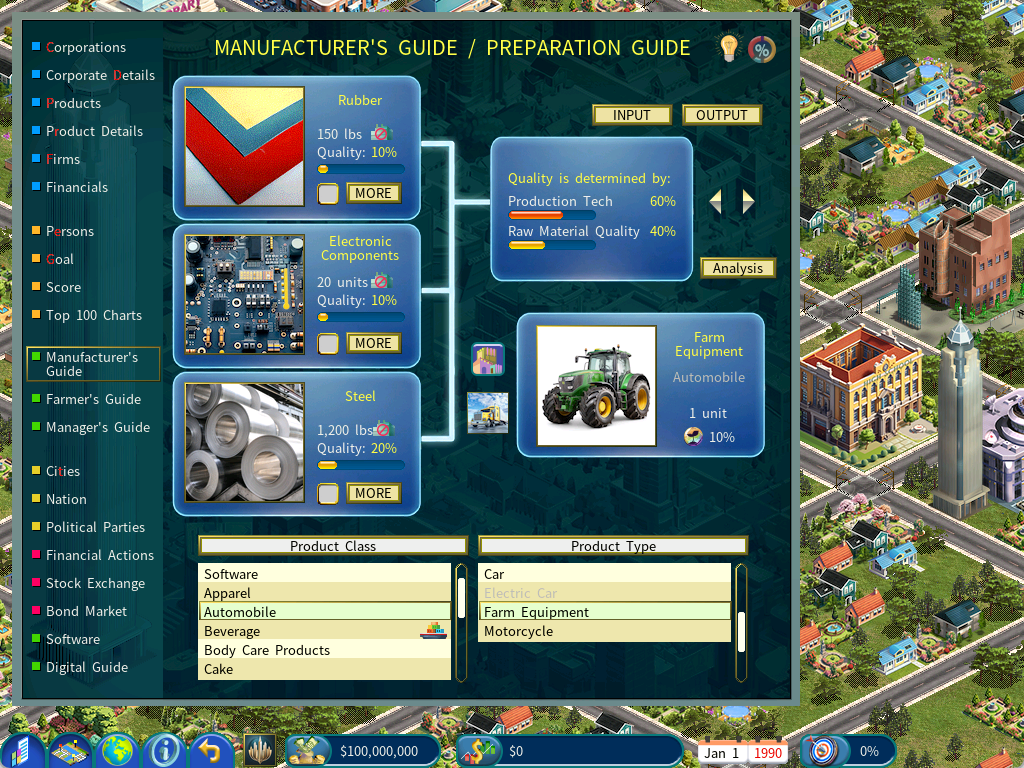
How to Purchase Farm Equipment for Your Farm
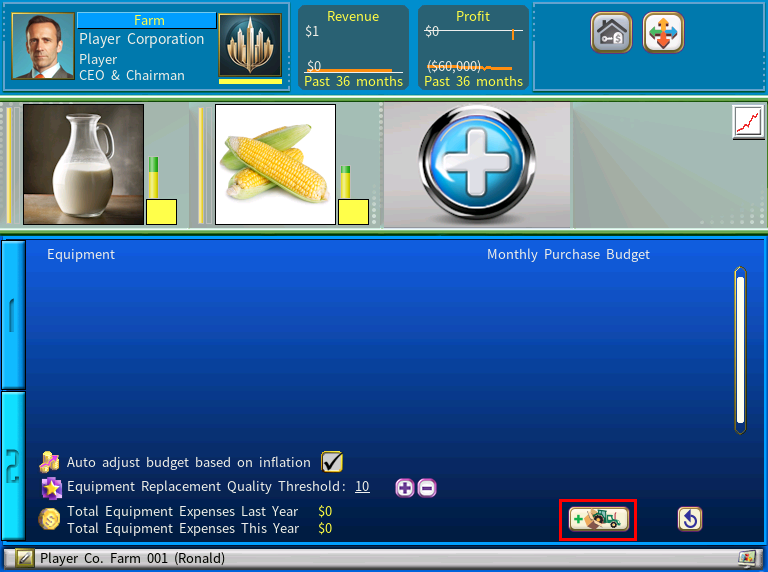
To purchase farm equipment for your farm, click the Farm Equipment icon to access to Farm Equipment Purchase menu.
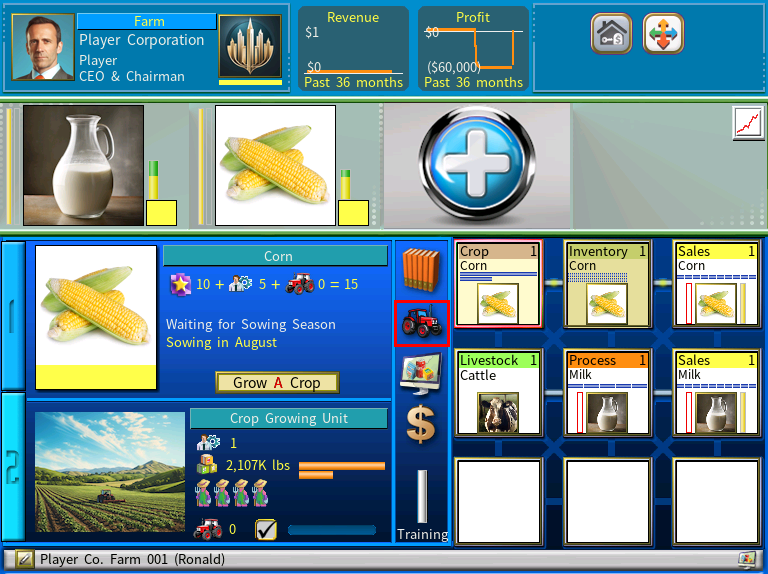
In the Farm Equipment Purchase menu, click the Add Supplier button.
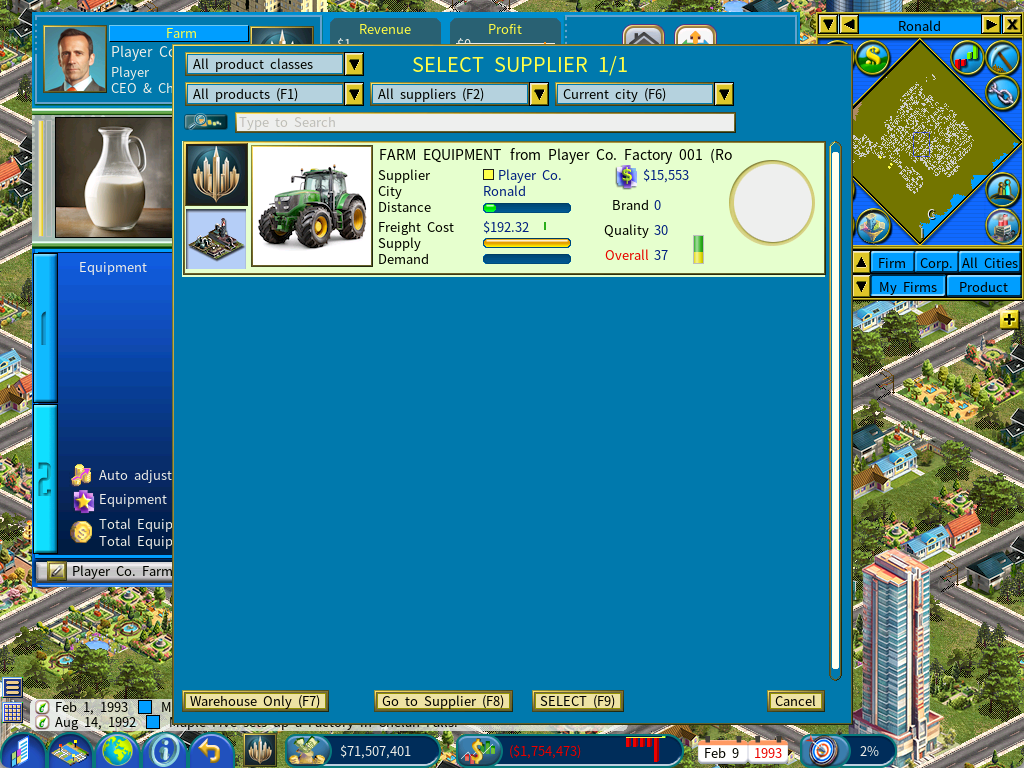
Select a farm equipment supplier to purchase from. Early in the game, there may be no suppliers available, in which case you may need to set up a factory to manufacture farm equipment yourself. As the game progresses, AI companies will gradually establish farm equipment factories and supply the market.
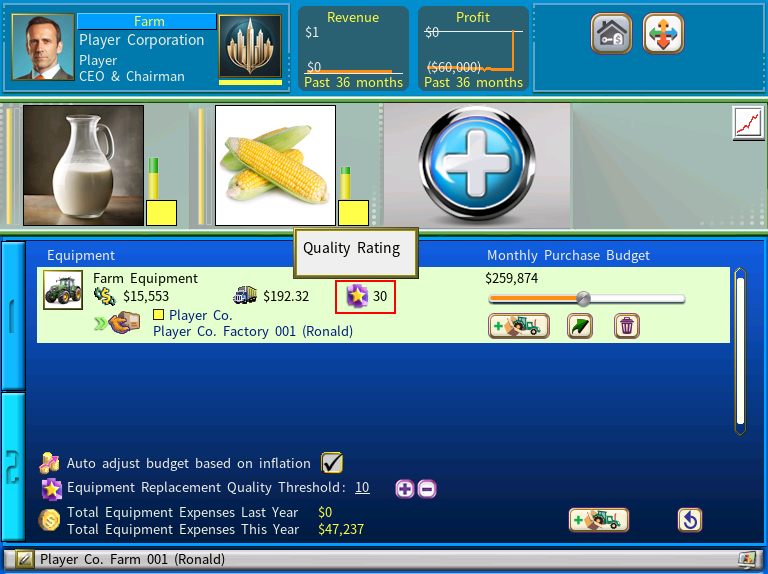
After selecting a supplier, set the monthly purchase budget. The farm will then automatically buy new farm equipment each month until no more equipment is needed.
Note that the quality rating of the farm equipment is important, as it directly affects how much productivity and quality your farm products will gain.
How the Quality of Farm Products is Determined
When the Farm Equipment feature is enabled, farm product quality is determined by the sum of three components, as explained below:
10 (constant Base Quality) + the Unit’s Experience Level (max 45) + Farming Equipment (max 45).
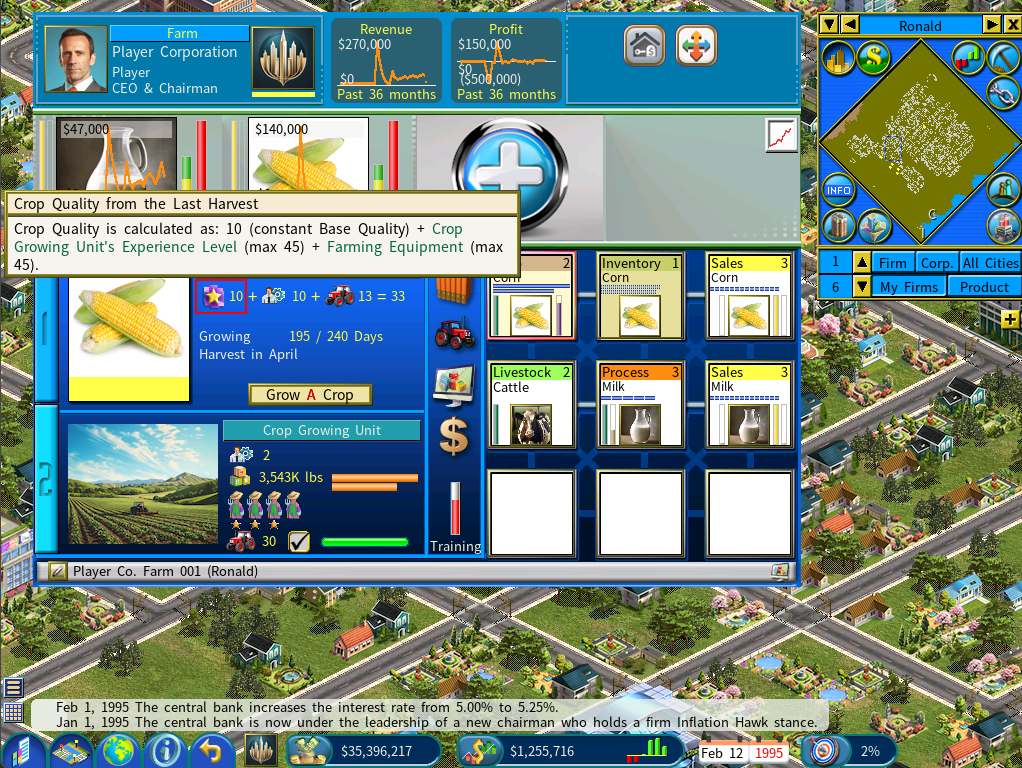
The first component is a constant value of 10.
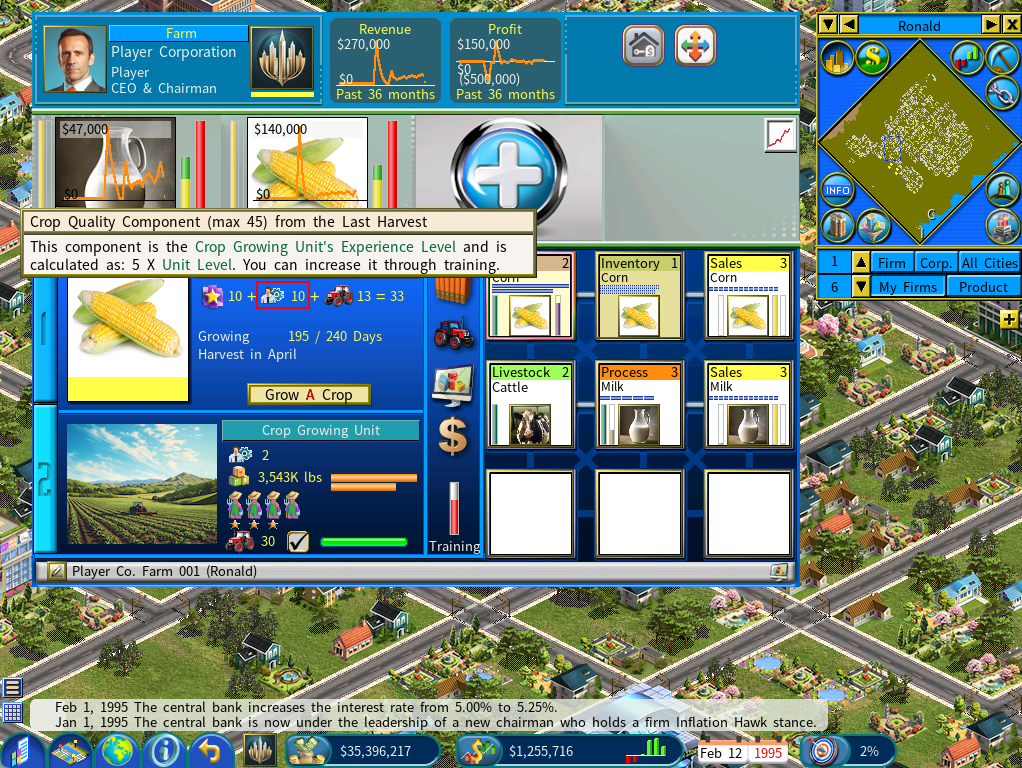
The second component is determined by the Unit’s Experience Level which can be increased through training.
For a crop growing unit, the maximum value for this component is 45 for and is calculated using this formula: 5 x Unit’s Level
For example, for a level‑2 unit, the value of this component is 5 x 2 =10
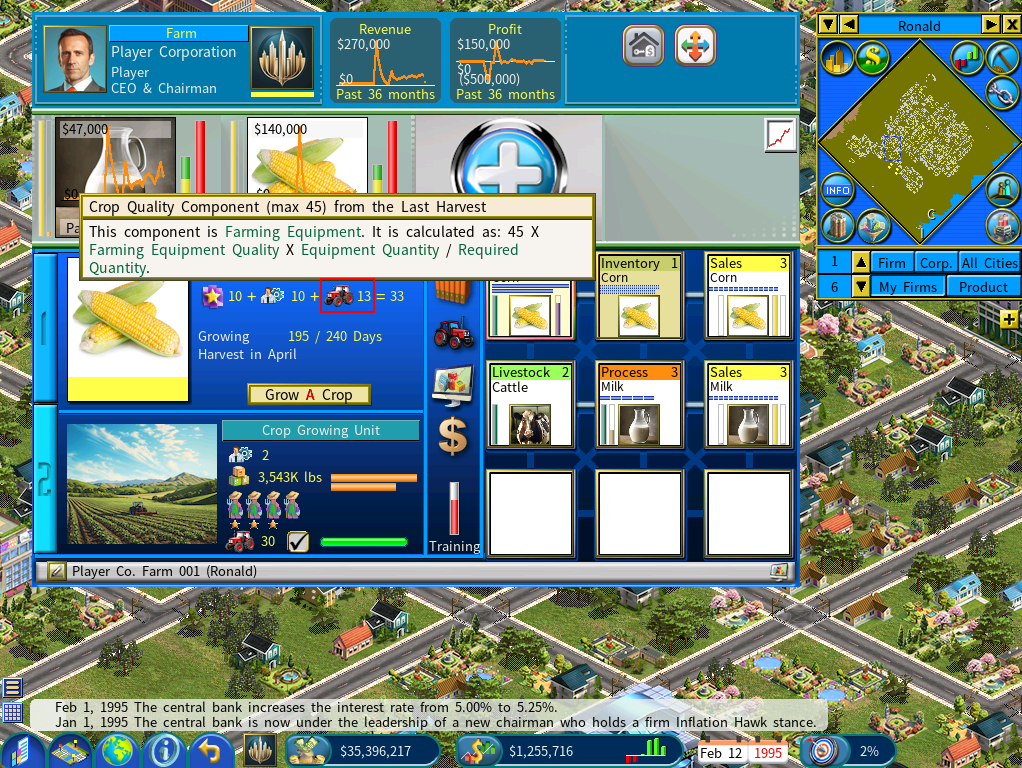
The third component is Farming Equipment.
For a crop growing unit, the maximum value for this component is 45 for and is calculated using the following formula:
45 X Equipment Quality / 100 X Equipment Quantity Purchased for This Unit / Required Equipment Quantity
You can view the equipment quality and quantity by hovering your mouse over the farm equipment display, as shown below.
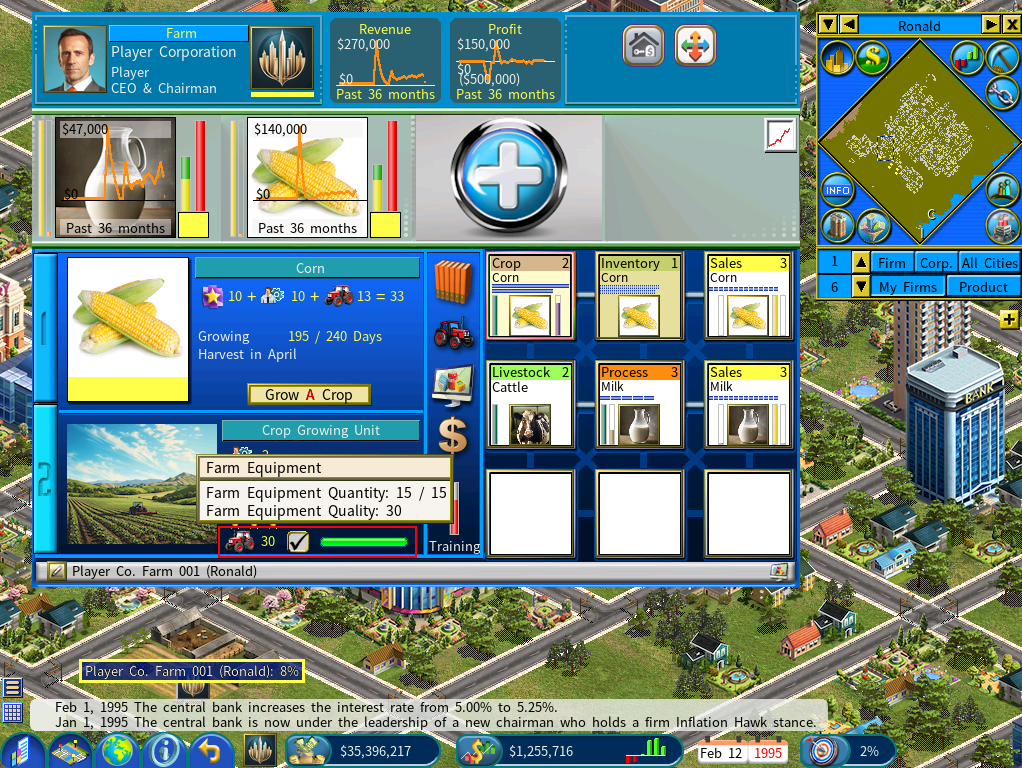
In this example, the calculation for this component is as follows:
45 X Equipment Quality (30) / 100 X Equipment Quantity Purchased for This Unit (15) / Required Equipment Quantity (15) = 13
Now adding the three components together, the crop product’s quality rating is 10 + 10 + 13 = 33
Important Notes
1) Crop quality is calculated based on the values at the time of the last harvest. For instance, if the unit was level 2 during the harvest but has since been upgraded to level 3, the crop quality is still calculated using level 2. The same rule applies to the equipment’s quality and quantity—only the values at the time of harvest are used.
2) Livestock Raising Units and Livestock Processing Units use different weightings in their formulas for calculating livestock quality and livestock product quality. You can view the details of each formula through the tooltips on their displays.
Reduced Training Costs for Gameplay Balancing
When the Farm Equipment feature is enabled, training costs for farming units are reduced to 70% of their original value for optimal gameplay balancing. This adjustment offsets the new capital investments required to acquire and upgrade specialized farm machinery, which now works in tandem with staff training and experience levels to determine farm productivity and product quality.
How to Stop Purchase of Farm Equipment
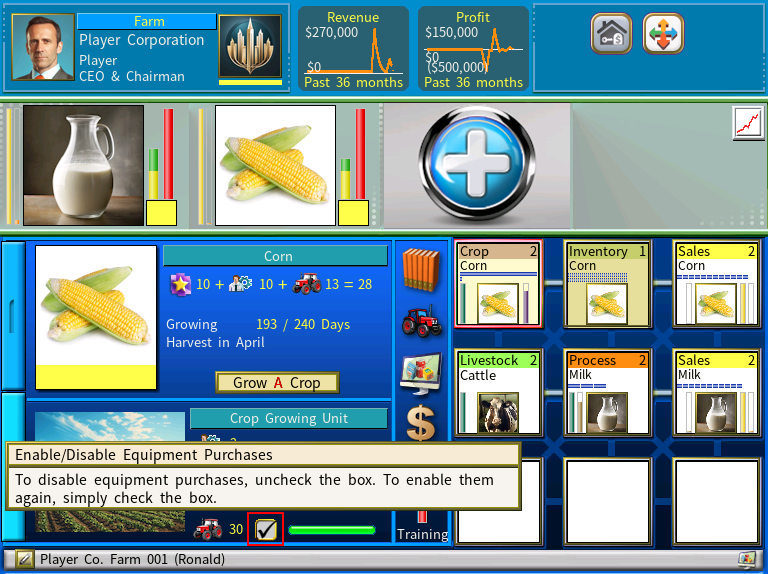
To stop a unit from purchasing farm equipment, simply clear the checkbox highlighted in the red in the below screenshot.
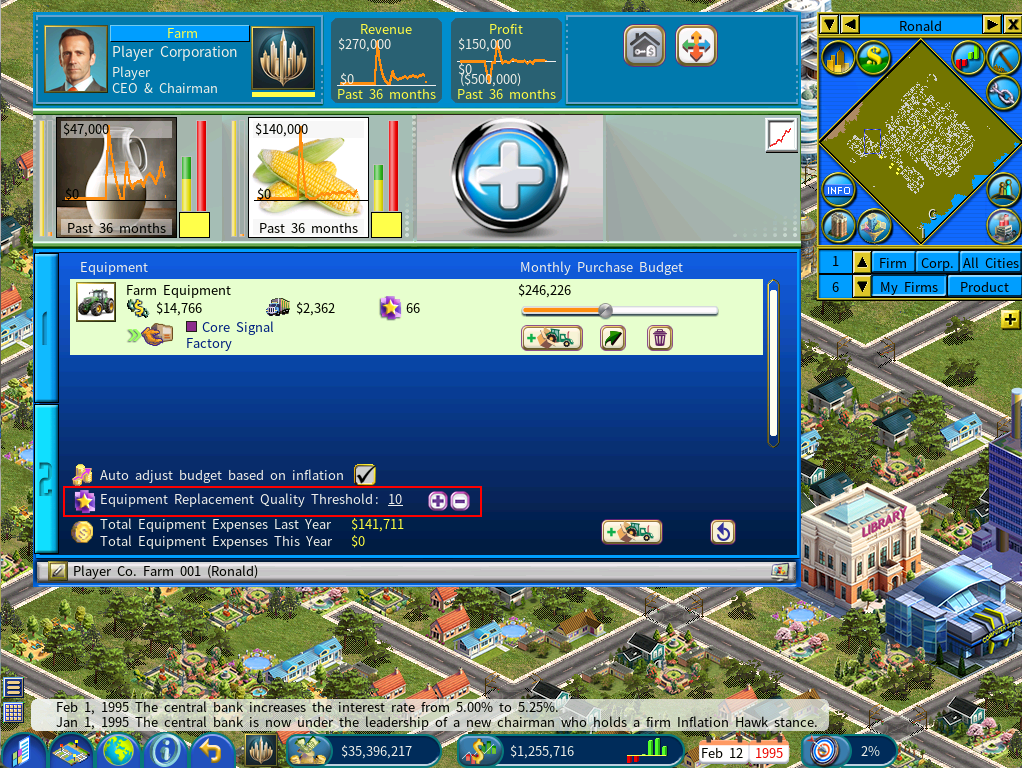
Equipment Replacement Quality Threshold
The Equipment Replacement Quality Threshold determines when a farm will automatically upgrade its existing equipment to higher‑quality versions available on the market. This setting gives players fine control over how aggressively their farms pursue equipment upgrades.
How It Works
Even after a farm has purchased all required equipment, it continues to monitor the market for better options. If a newly available equipment item exceeds the quality of the farm’s current equipment by at least the threshold value, the farm will automatically purchase the new item and replace the old one.
Example
Suppose your current farm equipment has a quality rating of 30, and you connect to a supplier offering equipment with a quality rating of 50.
If the Equipment Replacement Quality Threshold is set to 10, the farm will recognize that the new equipment exceeds the existing quality by 20, which is above the threshold. As a result, it will automatically replace the old equipment with the higher‑quality version.
Why It Matters
This setting allows you to balance cost efficiency with product quality. A lower threshold leads to more frequent upgrades and higher operating costs, while a higher threshold keeps expenses down but may slow your quality improvements.
B2B Sales to Farms
You can view the percentage of your farm equipment sales that go to farms as B2B sales by checking the indicator highlighted in the screenshot below.
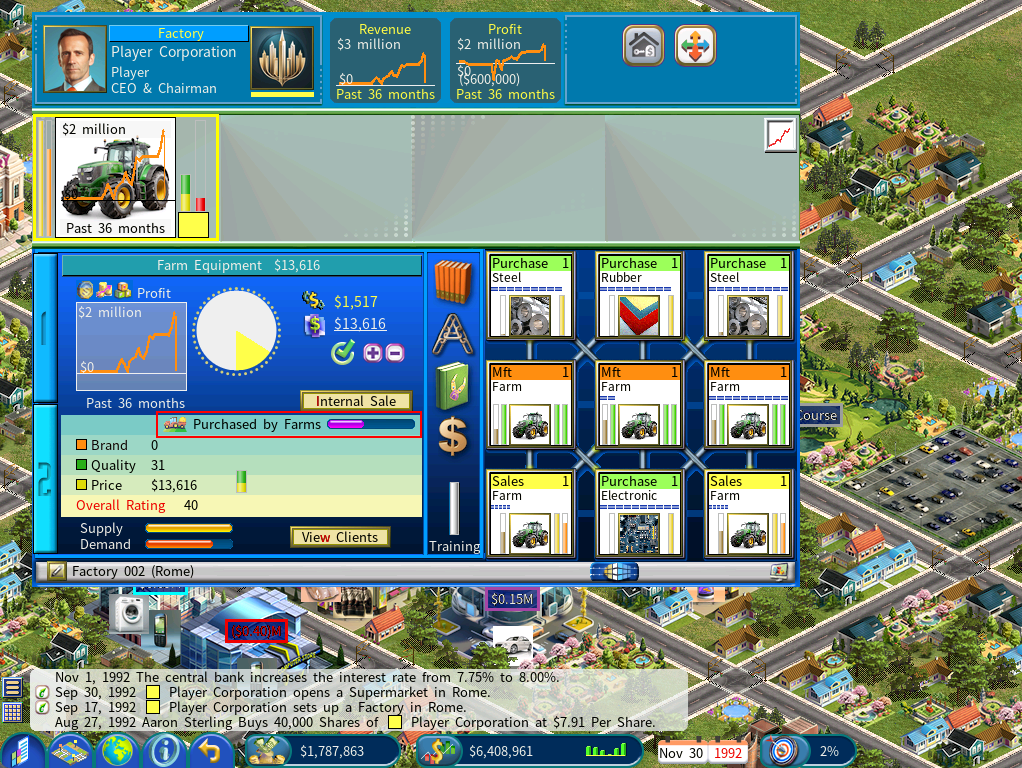
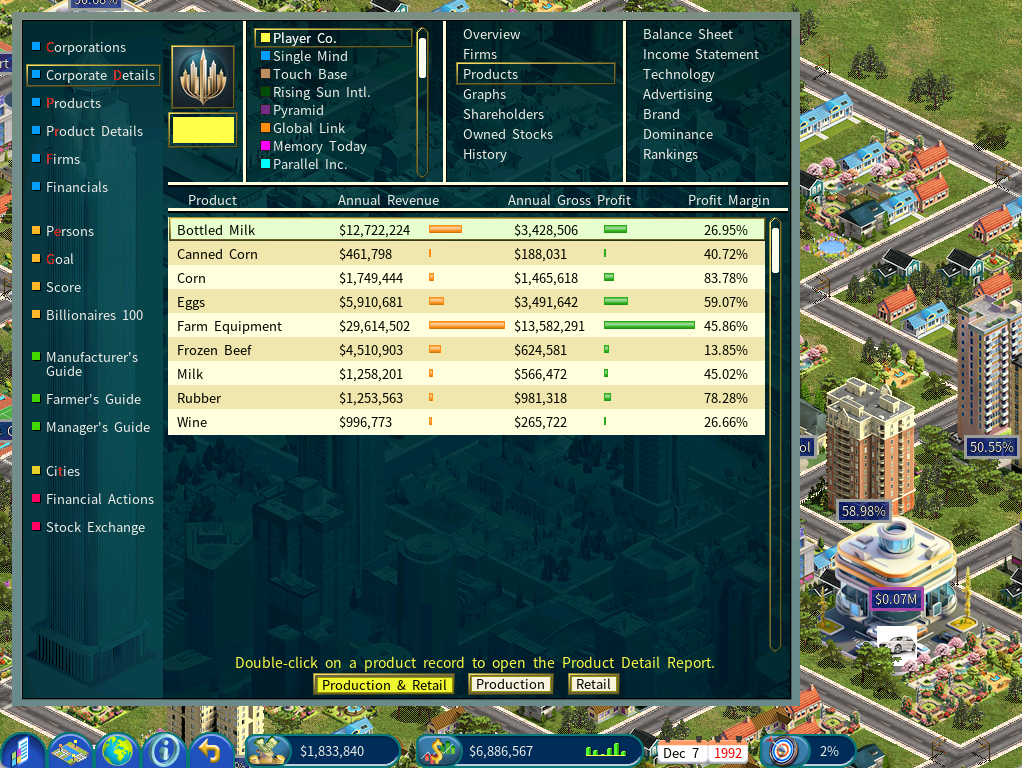
The following screenshot shows a farm equipment manufacturer with surging profits, selling to multiple clients, including B2C sales (via Automobile Outlets), B2B sales to its own farms and farms owned by other companies.
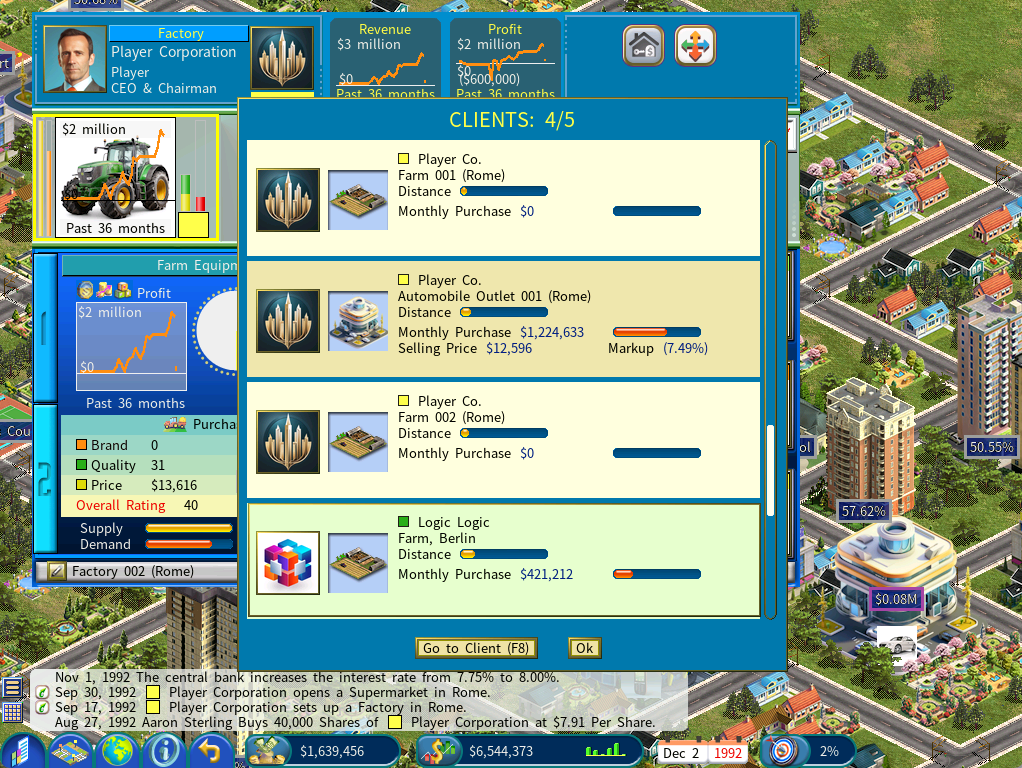
Farm equipment is the biggest contributor to this company’s profit.