

Capitalism Lab Version 12.0
Download Capitalism Lab Version 12.0New Features:
Custom Maps in City Economic Simulation DLC
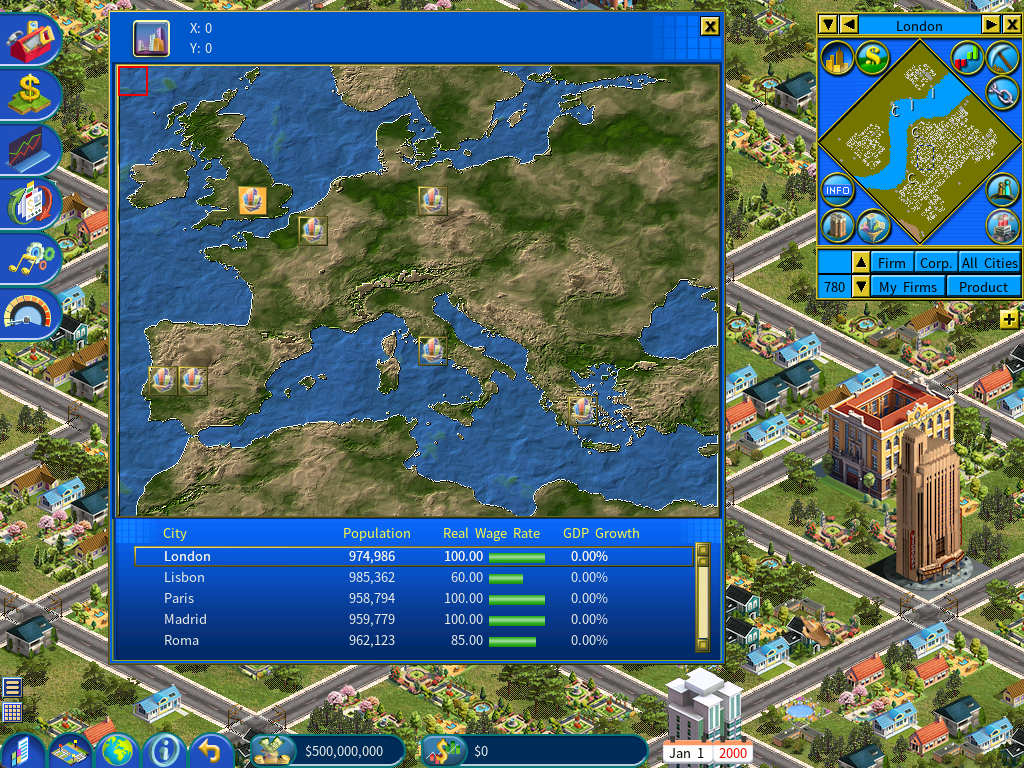
City Economic Simulation DLC now supports importing custom regional maps, enabling players to create and load personalized terrains into the game. This feature allows for the design of maps inspired by real-world regions, such as a detailed Europe layout with varied elevations and coastlines, or entirely original landscapes. It enhances gameplay by providing greater control over terrain generation, supporting mod integration through scripting for city locations.
To implement a custom map, users can download the free Height Map Editor (HME) from hme.sourceforge.net and create a 1200×900 pixel height map, optionally starting from a BMP image. Save the file as .HME, place it in the game’s MAPS folder (accessible via the Generate Regional Map menu), and load it in Capitalism Lab to generate the terrain. A sample Europe map with a city placement script is available for download to demonstrate the process.
Full instructions are provided in the link below:
Learn More about Custom Regional MapsRedesigned Built-in Advertising System in Experimental DLC
The built-in advertising feature has been revamped, enabling you to advertise across multiple media firms.
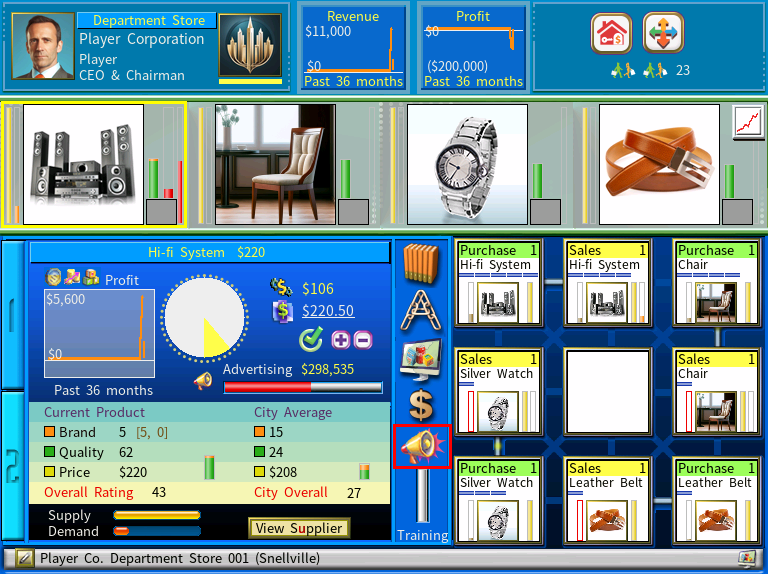
Click the Built-in Advertising icon to access the new Built-in Advertising menu, as shown above.
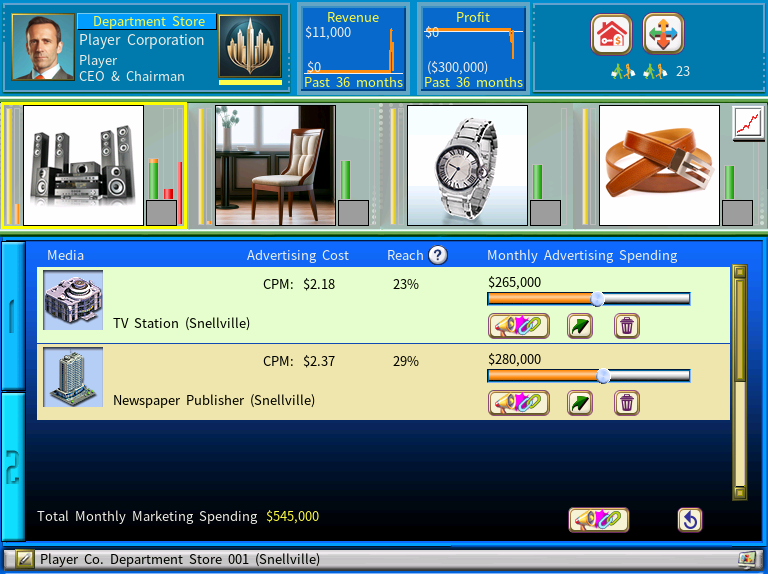
You can link multiple media firms to the built-in advertising unit. Then click the [Back] icon at the bottom-right of the window to return to the 3×3 layout.
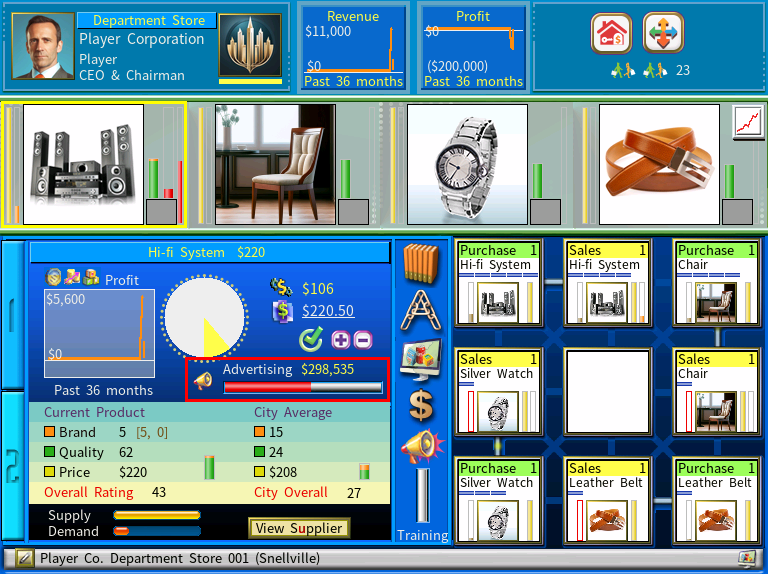
You can now select any product in your firm and use the advertising slider to set its monthly advertising budget. The budget is set as a percentage of your total monthly advertising budget designated in the built-in advertising interface.
For example, suppose your built-in advertising system is linked to three media firms, each with a monthly budget of $100,000, for a total of $300,000. If you set a product’s advertising budget to 20%, its monthly budget will be $60,000 ($300,000 x 20%).
This update provides a more versatile and powerful advertising system, allowing you to promote your products more effectively.
Visually Improved New Game Settings Menu
This version features a redesigned New Game Settings menu that gives the game a more modern look.
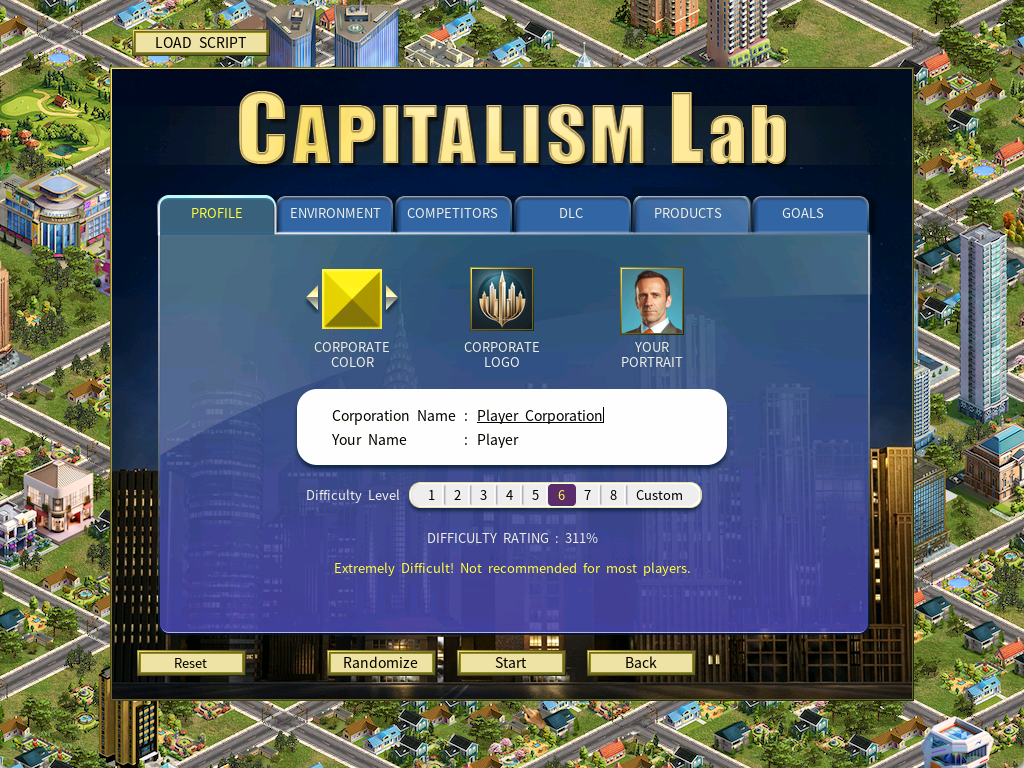
New Feature: AI May Establish New Cities
Experience an even more dynamic and competitive world in the City Economic Simulation DLC with the new game option “AI May Establish New Cities“. When enabled, your AI rivals can now found entirely new cities in undeveloped regions — just like you — using the Build New City feature.
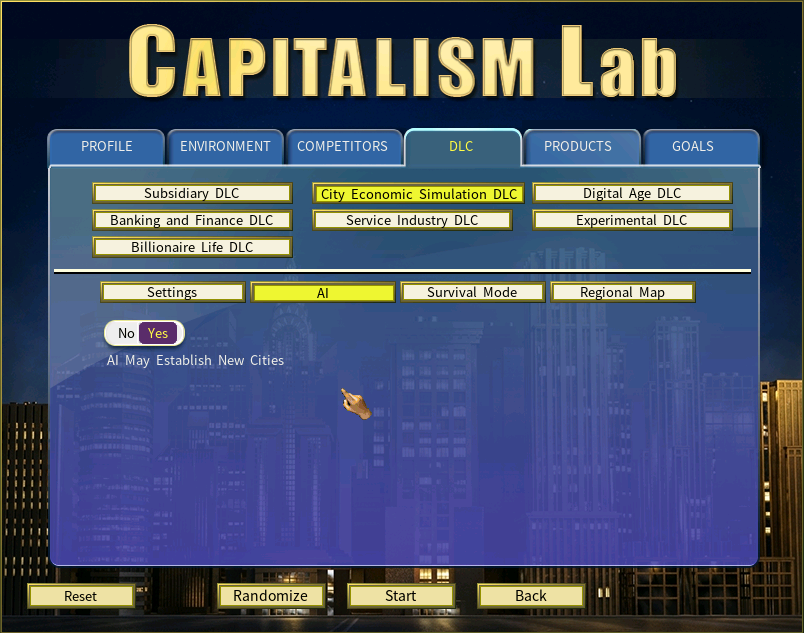
AI competitors will:
• Select promising undeveloped areas on the map
• Invest substantial funds to establish city treasuries
• Appoint their own mayors
This gives them exclusive 30-year control over the new city’s development. New cities appear organically over time, driven by AI strategy and available capital, adding realism and surprise as the game world evolves beyond your direct influence.
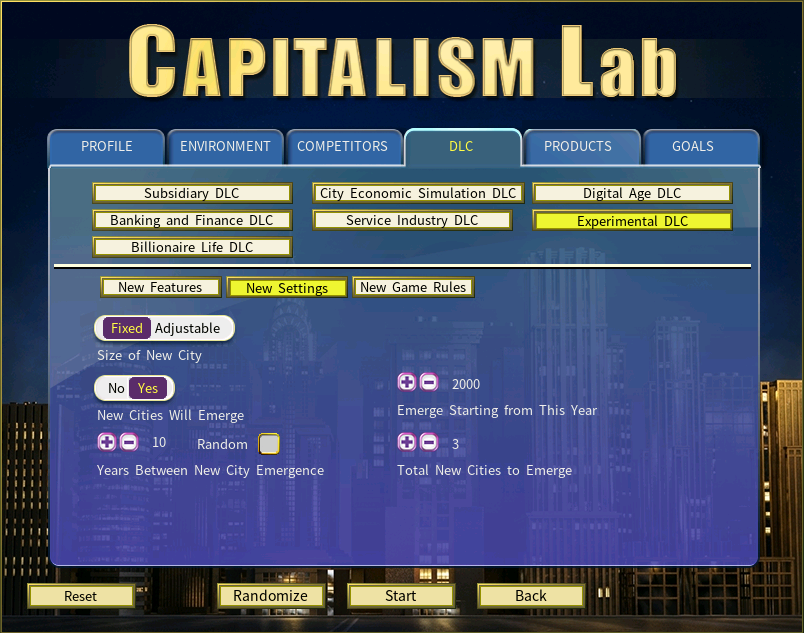
“New Cities Will Emerge” Option in Experimental DLC
The Experimental DLC adds a major world‑building upgrade that changes how long games unfold: the “New Cities Will Emerge” option. This feature introduces long‑term dynamism by allowing entirely new cities to appear over time, reshaping regional competition, market demand, and strategic planning.
Unlike the “AI May Establish New Cities” option—where AI‑founded settlements begin empty and grow from scratch—these newly emerging cities arrive with established populations, making them active markets from the moment they appear. Another key difference is that these cities arise organically within the world, rather than being created by AI companies.
The “Industry Expertise Only” Option
To enable this option, go to the New Game Settings menu and open the Experimental DLC page, then select the New Game Rules tab.
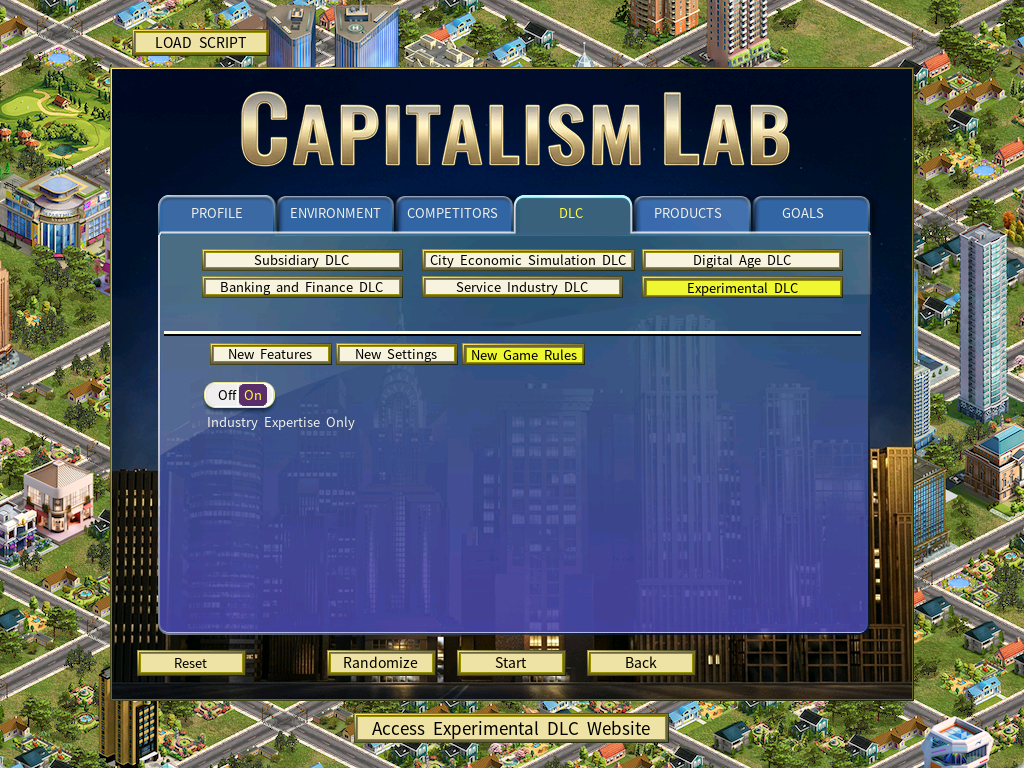
When this option is enabled, persons will no longer possess general skills such as retailing or manufacturing. Instead, they will specialize in a specific product class. Their industry-specific expertise will enhance not only the R&D units dedicated to their particular product class but also the manufacturing, purchasing, and sales units focused on that same product class.
For firms managed by a person with industry expertise:
1) Each expertise point the person has in a product class increases the R&D performance of that class by 1%.
2) When upgrading a manufacturing unit in that product class to a higher-level technology, the unit’s level will remain unchanged.
3) Manufacturing, purchasing, and sales units focused on that product class will have higher levels.
Example:
If a person has industry expertise in the Computer product class, all manufacturing, purchasing, and sales units related to Computer products will receive increased unit levels. This grants the character a strong competitive edge in both producing and selling computers.
The “High-priced Products” Feature
Under standard conditions, a manufacturing unit finishes producing a product in one day. Starting from Capitalism Lab version 12, products priced at $20,000 or higher, including electric cars, will require the unit to spend multiple days producing each unit.
New In‑game Display
When a high‑priced product requires multiple in‑game days to manufacture a single unit, the manufacturing unit will now show a progress bar within the 3×3 area to indicate production progress.
Information for Modders for Adding High-priced ProductsDigital Age DLC Visual Upgrade
Version 12.0 introduces new building graphics for the Digital Age DLC, giving your tech empire a sharper, more immersive look.
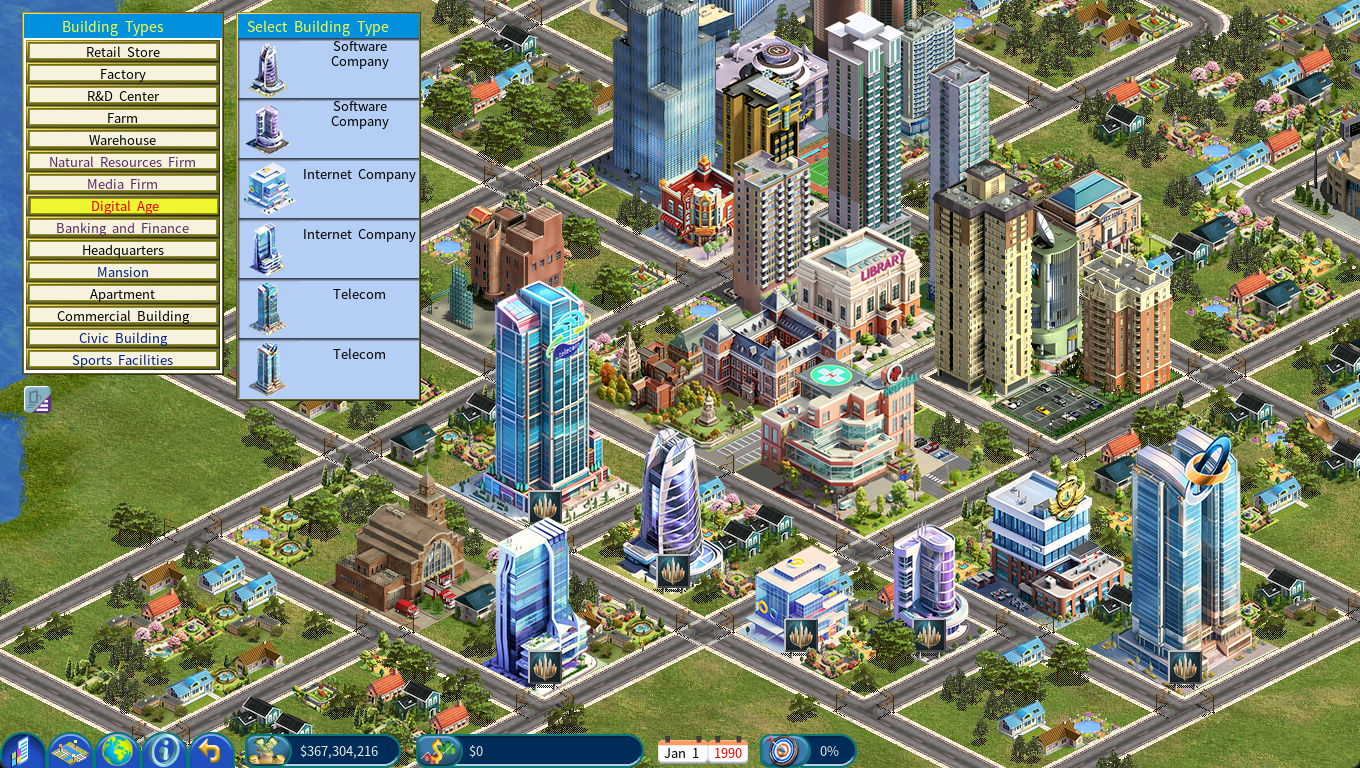
Software Company: Now features a clean, modern design that reflects its innovation-driven role.
Internet Company: Redesigned with bold lines and digital-era styling to stand out in your cityscape.
Telecom: Updated with a solid, contemporary look that reinforces its role as a core infrastructure provider.
New Display Resolutions Support and Phasing Out the DirectDraw Option
Several new display modes have been added, including 1280×800, 1470×956, 1512×982, 1680×1050, 1720×800, and 2560×1080. With these additions, the game now supports the vast majority of modern monitor resolutions.
In earlier versions, some players depended on DirectDraw because their native screen resolution was unavailable or the in‑game text appeared too small.
Version 12.0 also adds display scaling options for 2560×1080 and 3440×1440, ensuring that all ultra‑high‑resolution modes now offer adjustable scaling.
As a result, the DirectDraw option has been removed from the Capitalism Lab launcher in version 12.0. With improved resolution coverage and built‑in scaling, the previous limitations can now be resolved without relying on DirectDraw.
If your screen resolution is not supported in version 12.0, please let us know so we can add it in a future update.
Manufacturer Guide Enhancements
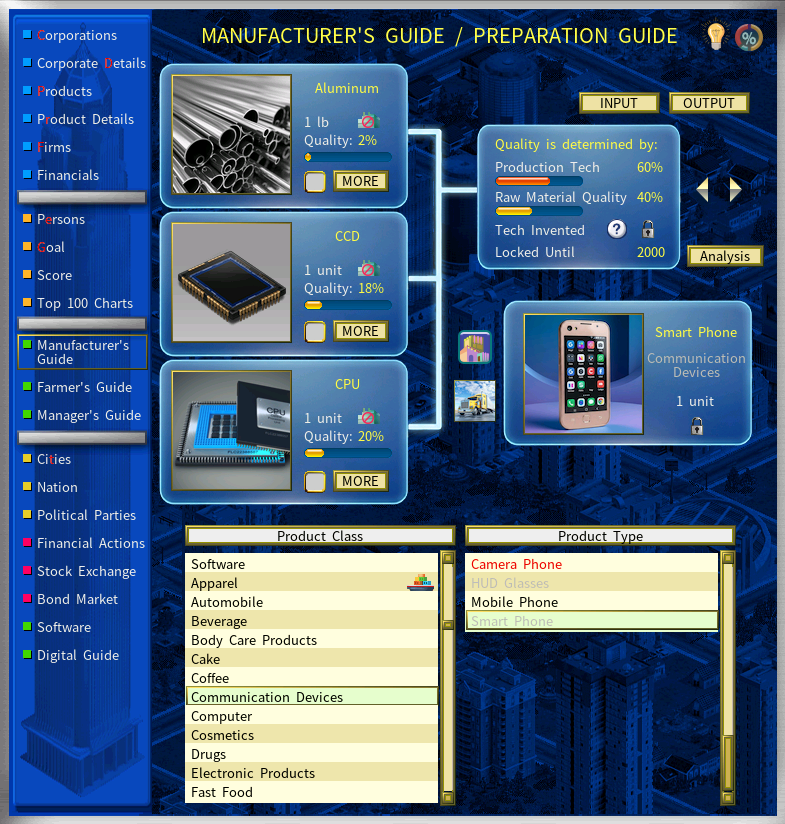
This update introduces a redesigned Manufacturer Guide, featuring a cleaner and more modern interface to make production planning easier to understand at a glance.
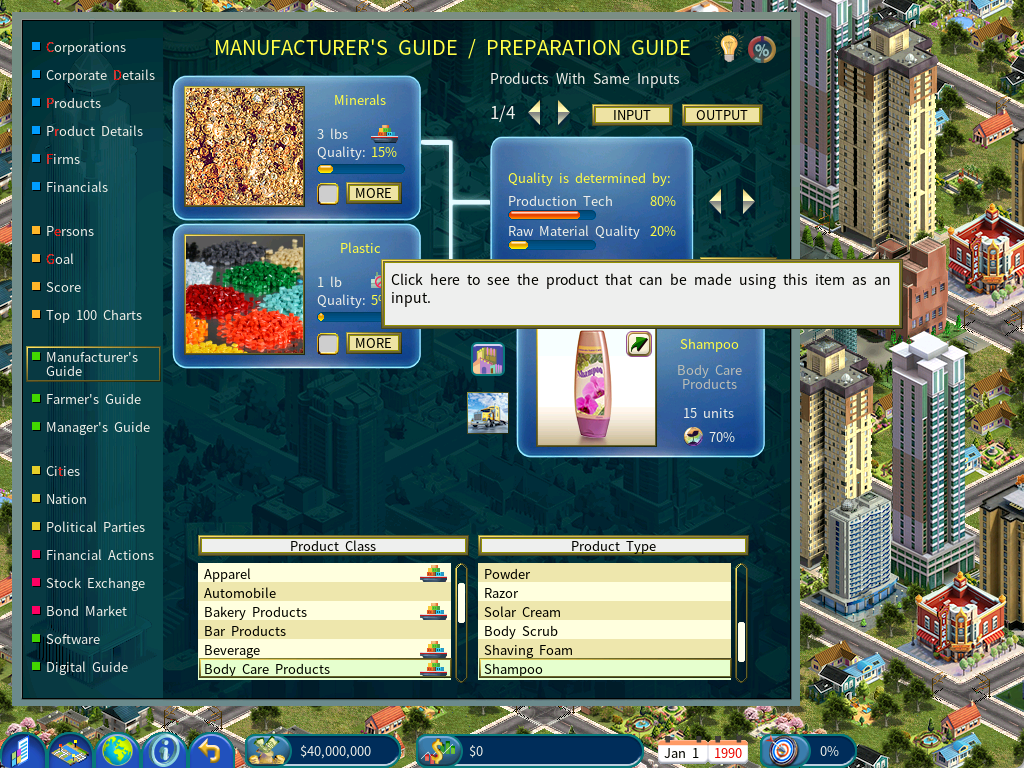
A new visual indicator has also been added: output products now display an icon when they can be used as inputs for other consumer products. This helps players quickly identify downstream production opportunities without needing to cross-reference multiple screens.
For example, in the Real World Mod, Shampoo is an input for producing Hotel Bed Places. With this update, an icon now appears directly on the Shampoo image to highlight this linkage.
Direct Input for Prices and Numeric Fields
We have made pricing and adjustments even smoother and more precise.
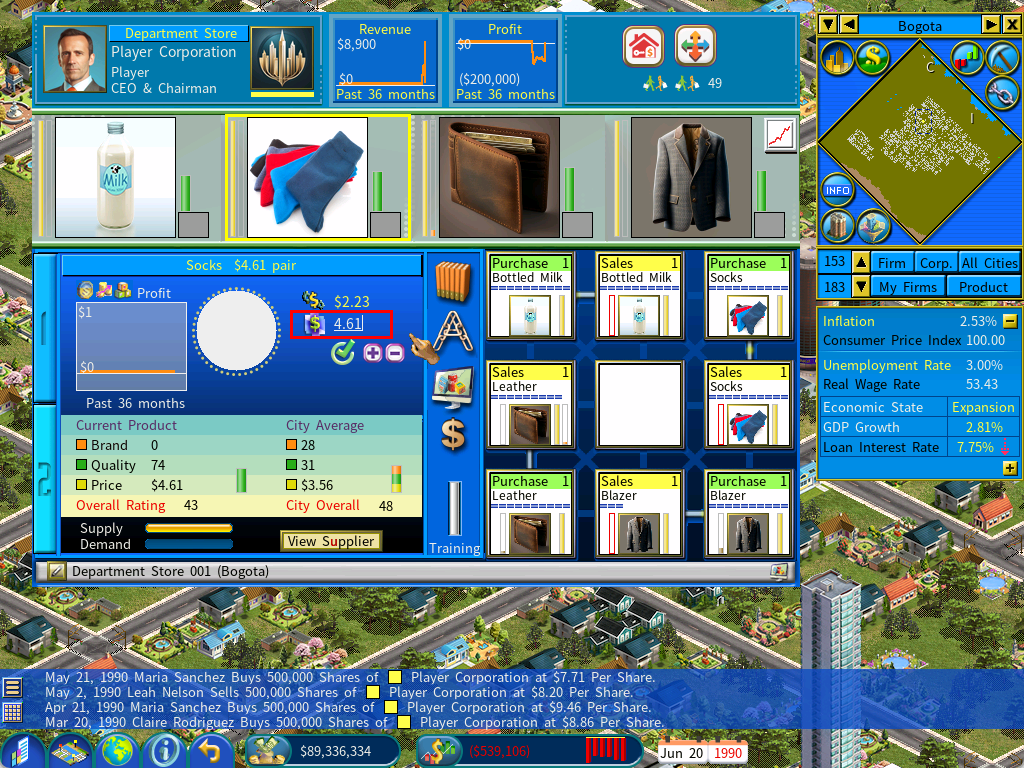
You can now click directly on a product’s price field in the Firm Detail interface or Product Details report to type in an exact amount.
This upgrade also applies to many other numeric fields across the game.
Hotkey support: To edit a numeric field, press ‘/’. If the UI contains multiple numeric fields that support direct typing, press ‘.’ to edit the second one.
New Graph Hover Feature: See Exact Values Instantly
You can now hover your mouse over any point on a graph to instantly see its precise value. Supported across most graphs in the game, this feature eliminates guesswork and helps you make better-informed decisions.
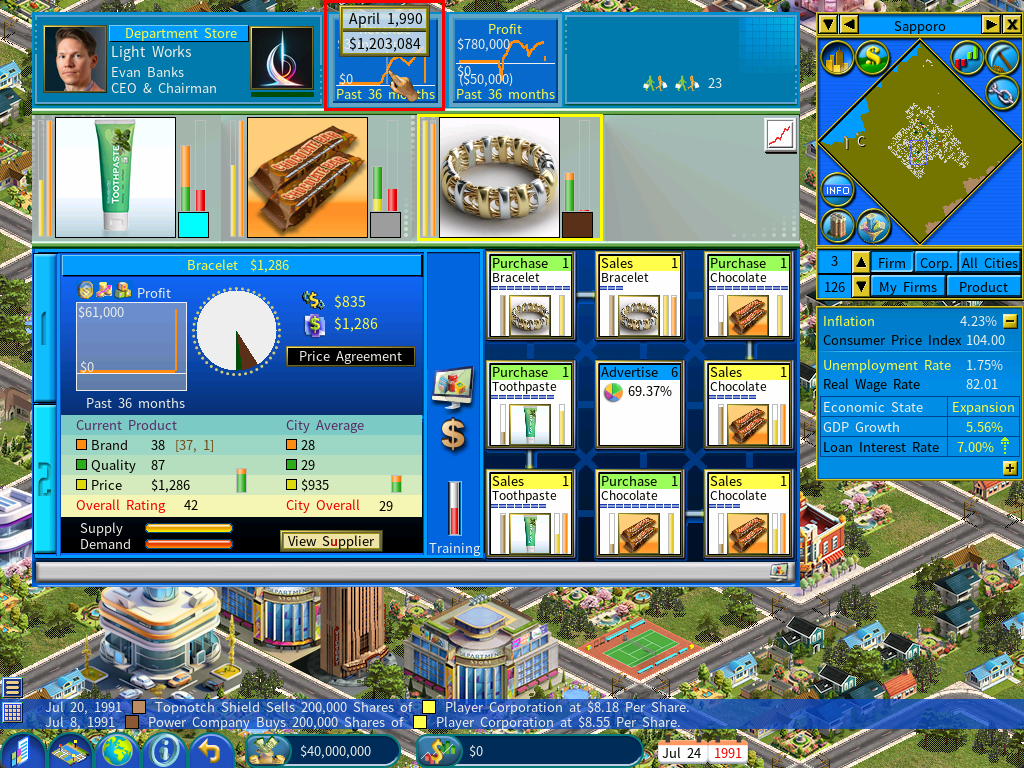
Background Running
The game can now be set to continue running in the background while you use other applications on Windows.
Option: Game continues to run in the background
This option allows the game to keep running even when it is not in focus or minimized.
Option: Skip display frames when in the background
When the game is running in the background, it periodically draws a single frame while skipping several frames in between. This reduces the video processing workload and improves the game’s performance. A slider is provided to adjust the number of frames to skip.
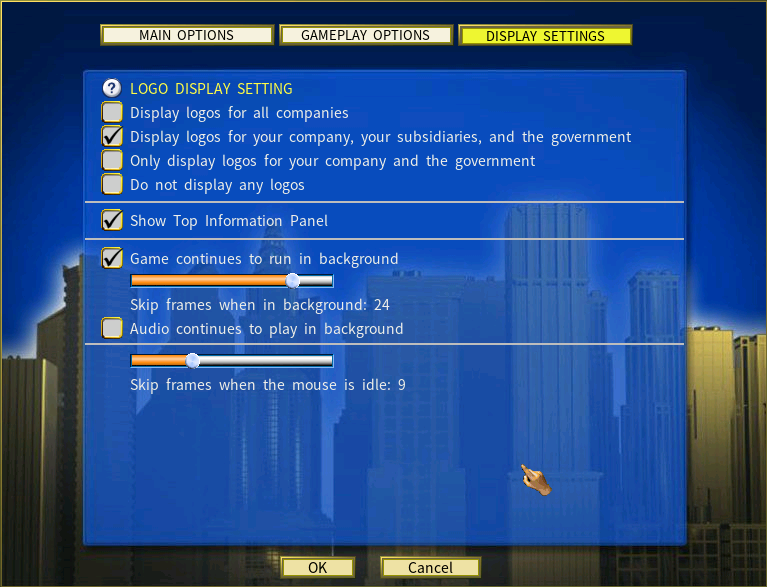
Skip Frames When the Mouse is Idle
The “Skip Frames When the Mouse is Idle” option dramatically speeds up simulation runs at maximum game speed.
Here’s how it works:
When you’re running the game at full speed and your mouse is idle (no panning or clicking), the game no longer renders every single frame. Instead, it periodically renders just one frame while skipping several in between. This cuts down the video processing workload and lets the simulation fly through in-game years much quicker.
Capitalism Lab Performance Tests with this New Feature:
We ran tests with a demanding setup: 50 companies, 7 cities, 2 in-game years at max speed.
The results below show the amount of real time needed to complete the 2‑year run under each setting.
| View / Setting 🖥️ | Skip frames when mouse is idle ⏭️ | Time to Run 2 Years ⏱️ |
|---|---|---|
| Fixed on the City map view 🏙️ | Disabled 🚫 | 1 minute 28 seconds 🕒 |
| Viewing the City map, Information Center and Firm Details 🏙️📊🏢 | Disabled 🚫 | 50 seconds |
| Fixed on the Farmer’s Guide 🌾 | Disabled 🚫 | 32 seconds ⚡ |
| Fixed on the City map view 🏙️ | 10 frames 🎞️ | 12 seconds ⚡⚡ |
| Fixed on the City map view 🏙️ | 20 frames 🎞️🎞️ | 10 seconds ⚡⚡ |
| Fixed on the City map view 🏙️ | 30 frames 🎞️🎞️🎞️ | 8 seconds ⚡⚡ |
You can use the following hotkeys for changing the “skip frames when the mouse is idle” setting:
[ – decrease by 1
] – increse by 1
{ – reset to zero
} – set to maximum (30)
Farm Equipment
Farm Equipment is a major new feature in the Experimental DLC, designed to introduce greater realism and strategic depth to agricultural management. In the base game, product quality is driven entirely by training and leveling up farming units. With the Farm Equipment system enabled, these bonuses are intentionally reduced, making specialized farm equipment essential for achieving higher productivity and premium‑quality outputs.
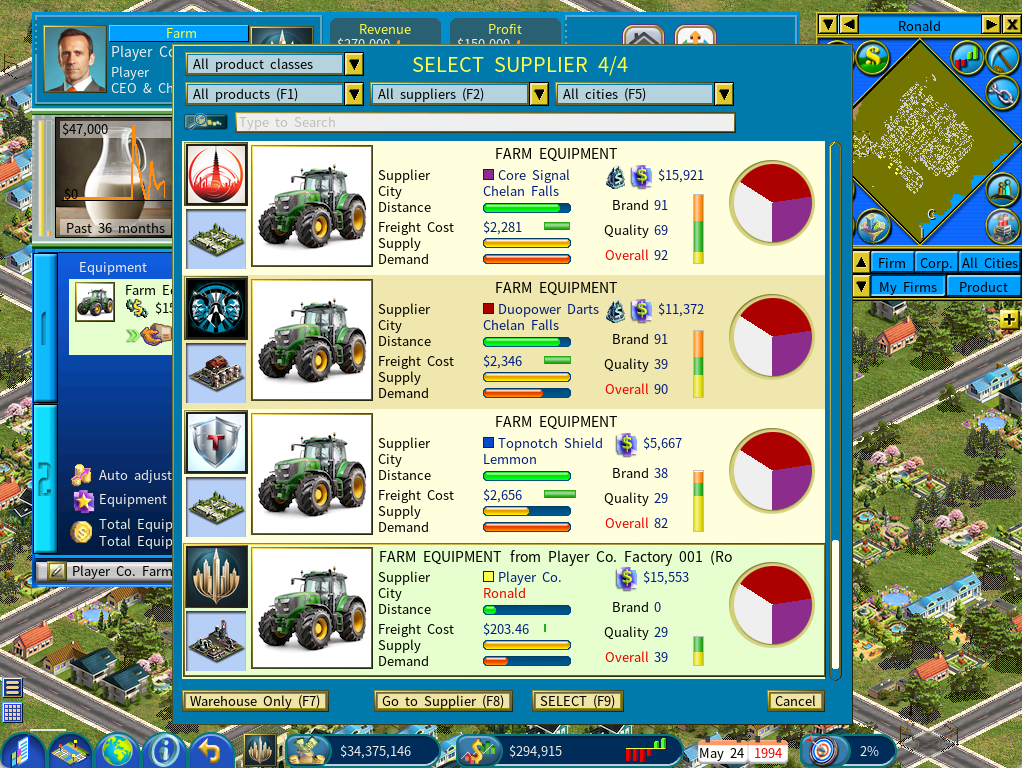
The system also opens up lucrative B2B manufacturing opportunities. Companies can build their own farm equipment factories to supply the market or support their own farms. For large agricultural operations, vertically integrating into equipment production becomes a powerful strategic advantage, allowing you to capture profits internally and strengthen your position across the entire farming supply chain.
Learn More about Farming EquipmentSubsidiary News Window in Subsidiary DLC
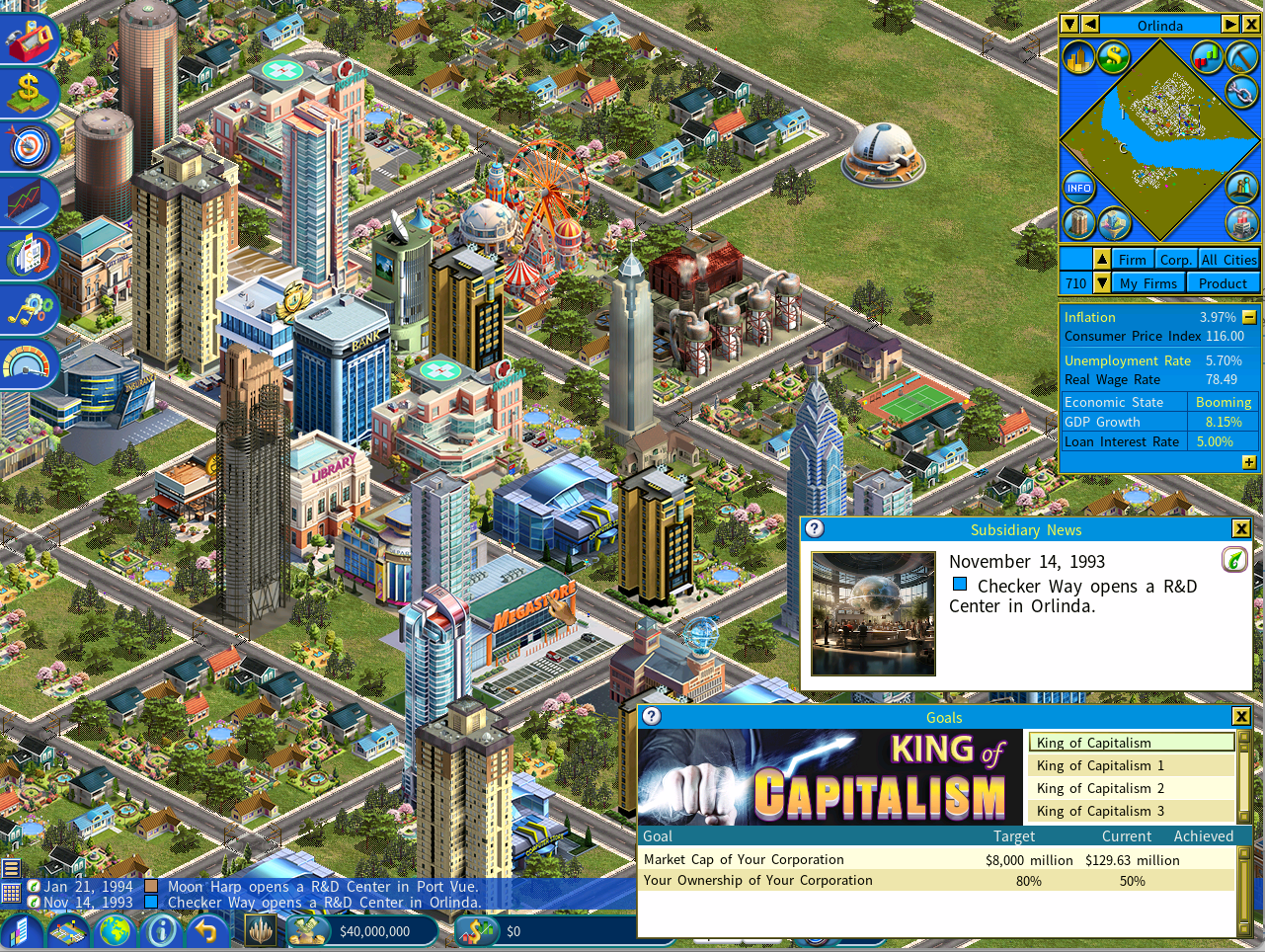
A new Subsidiary News Window has been added to keep you updated on the latest developments regarding your subsidiaries.
You can toggle the window on or off by pressing the hotkey ‘J’ or by accessing the News Options menu using the hotkey ‘N’.
New Design for the Build Firm Menu
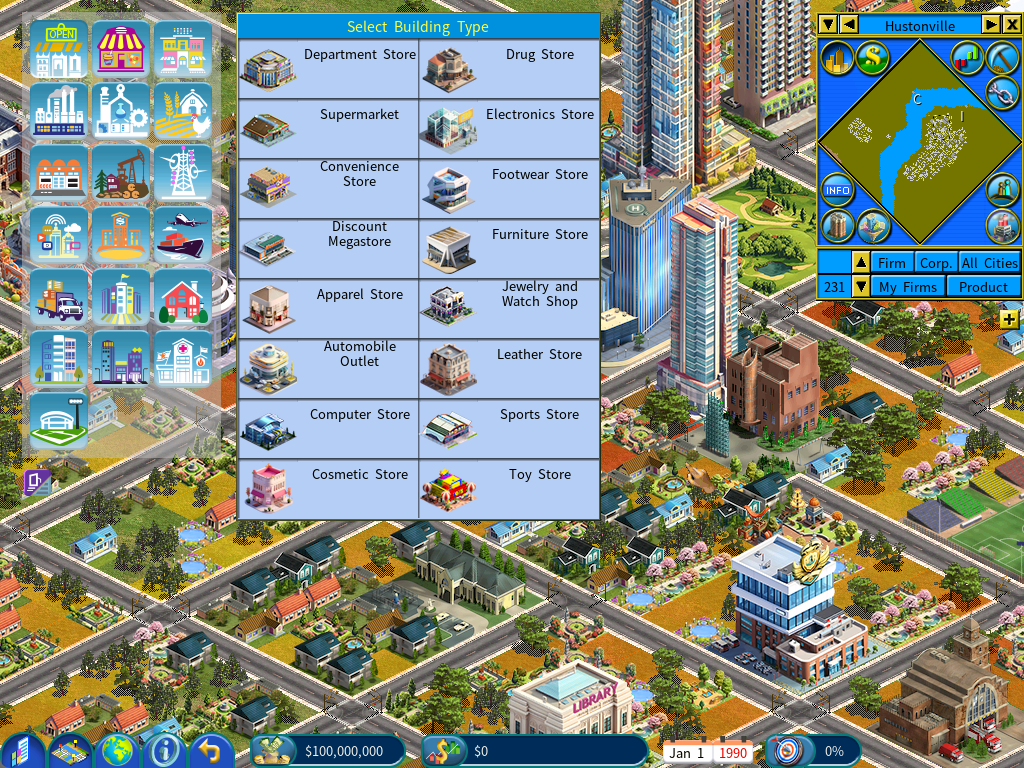
The icons in the Build Firm menu have been completely redesigned for a modern, updated look. The menu will display in text mode by default, and you can switch to icon mode by clicking the Switch Mode icon below the menu.
Expanded Persons – Wealth Report
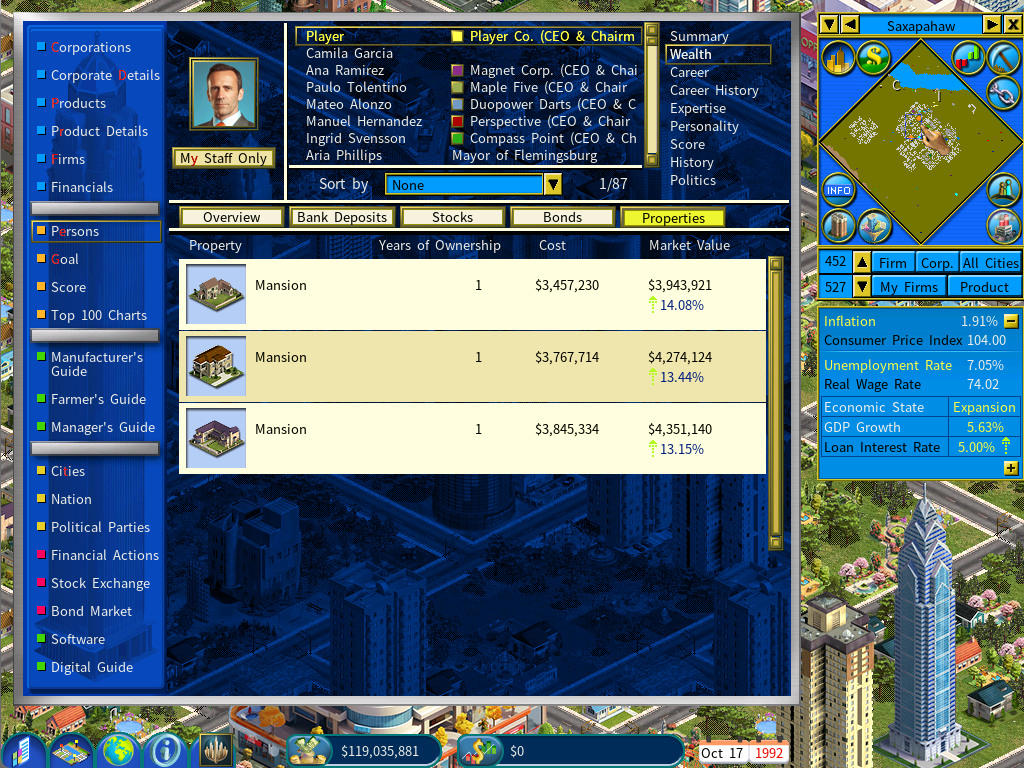
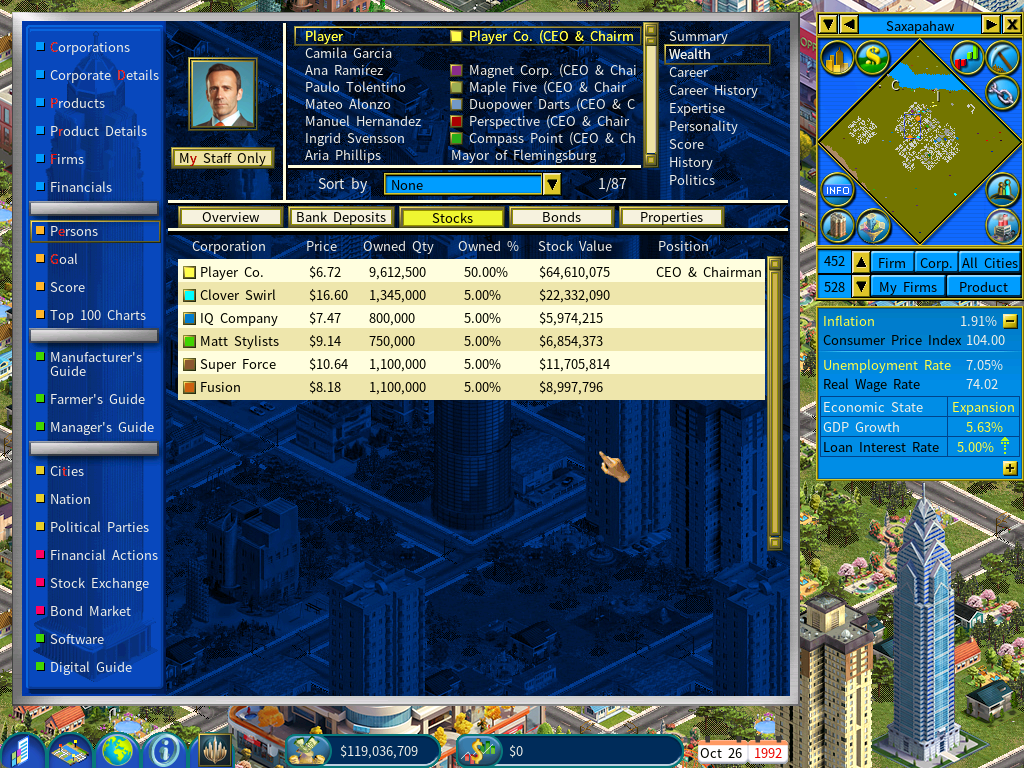
The Persons – Wealth Report has been expanded with new tabs that display each individual’s assets on separate pages, including Bank Deposits, Stocks, Bonds, and Properties.
Brand-new Firm Icon Designs
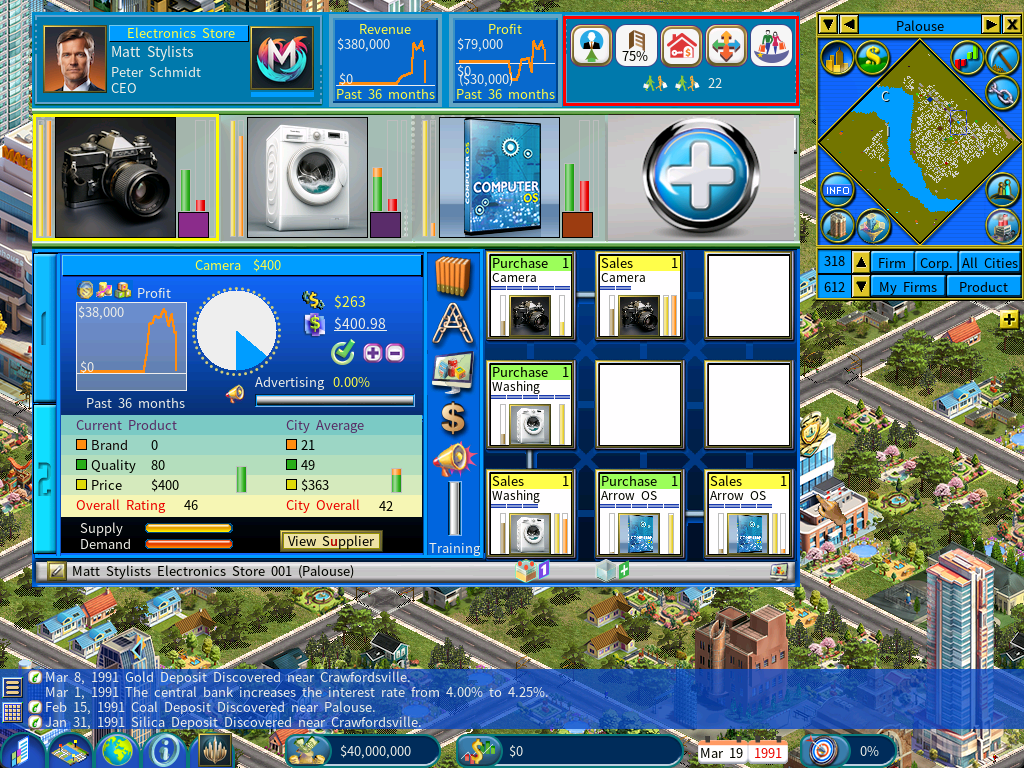
Brand-new firm icon designs now appear at the top-right corner of the Firm Details window, giving the interface a sharper, more modern look.
Added portraits and bios of influential people in the Influential 100 Chart for the City Economic Simulation DLC
The Influential 100 Chart now features vivid portraits and brief biographies, transforming each entry from a mere name into a memorable personality. This upgrade adds richer depth and a more immersive feel to your gameplay.
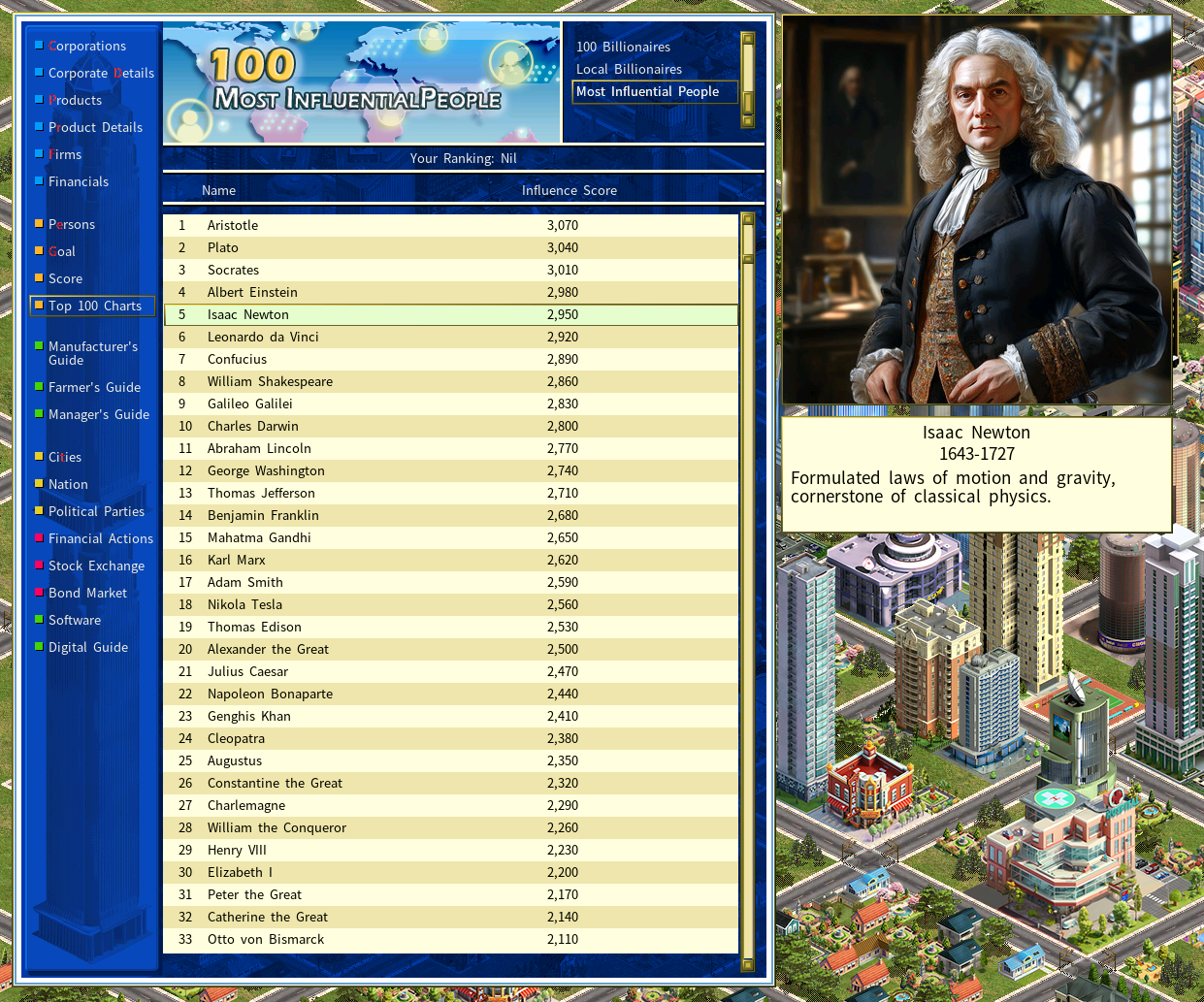
The image and description of the selected influential person will be shown if the game’s screen resolution mode allows enough space for displaying them.
The images are stored in the MOD_kitImagesInfluential_People folder.
The Influential 100 database file has been updated to a new format, now including each person’s birth and death years, along with a description. This file can be found at MOD_kitDataInfluential_People.DBF.
MODs using the previous Influential.DBF format remain fully compatible with this version.
Gameplay Improvements
1) Improved the precision of auto inflation adjustment for content development budgets for media firms.
2) When a person is not available for hire, it will show the reason.
For example: <Person name> intends to launch his/er own company and is not interested in employment opportunities.
3) When a city goes bankrupt and receives an emergency bailout from the central government, the bailout requires the mayor to raise tax rates if the city’s expenditures exceed its revenue. (The game system will automatically implement the tax increase.)
4) You can use the following script command to customize the game so that mayors no longer resign when a city declares bankruptcy:
[CES DLC]
Force Mayor Resignation Upon City Bankruptcy=<Yes>/<No>
(Default: Yes)
5) Gameplay balance improvements for farming:
- The number of days it takes for sowing crops has been reduced from 30 days to 14 days.
- The number of days it takes for harvesting crops has been reduced from 30 days to 7 days.
6) Improved the algorithm for calculating the Location Convenience ratings of civic buildings.
7) Improved city government AI for selecting locations to build new civic buildings.
User Interface Improvements
A new icon indicating the availability of supply in the Farmer’s Guide.
A new icon representing employee salaries when Talent mode is enabled in Digital Age DLC.
Redesigned icon for adding software production layouts in factories.
The “Apply All” button is now represented by an icon.
“Prefer ordering from own warehouses” Slider
The COO policy “Prefer ordering from own warehouses” can now be customized with a slider.
The slider allows you to adjust the degree of preference of ordering from own warehouses. Previously, the UI for this setting was a checkbox and the degree of preference was fixed.
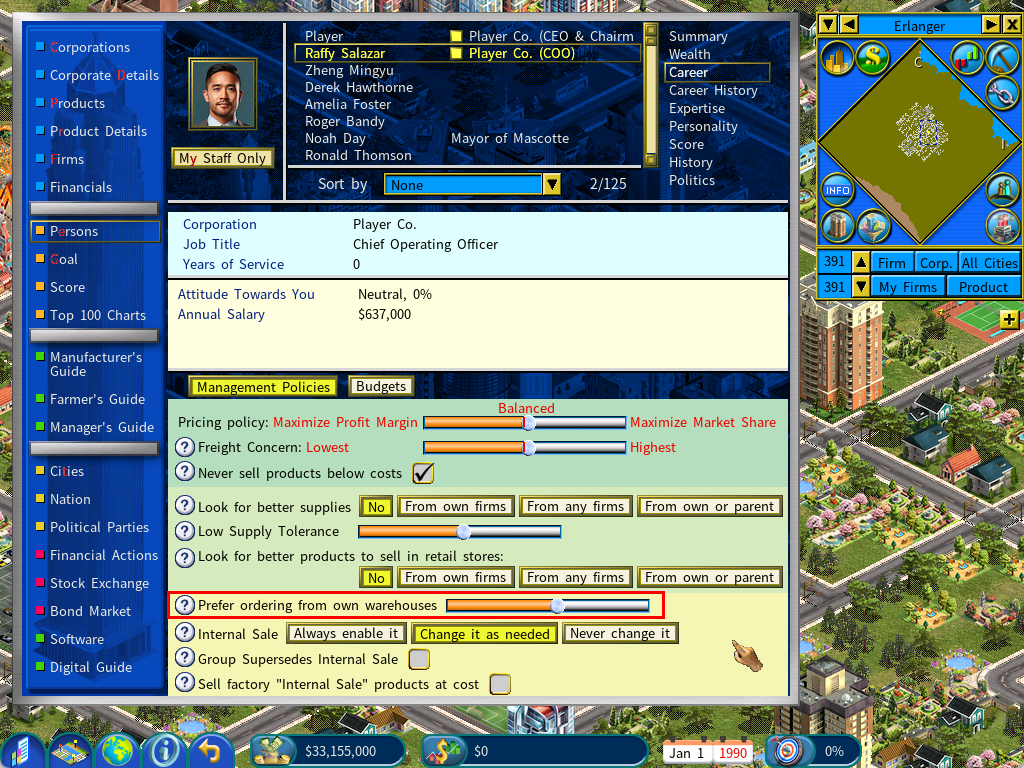
Additionally, the default selling prices of products in a warehouse are now set to 120% of the warehouse’s total acquisition cost, which includes both purchase prices and freight costs. This adjustment prevents warehouses from overpricing products, as seen in the previous version, where purchasing units would bypass warehouses and source directly from factories, mines, or farms.
Batch Supplier Switch Improvements
Two new options have been introduced for batch switching suppliers:
- Switch Supplier – Same Supplier: Apply the same supplier change to all firms that currently use the same supplier.
- Switch Supplier – Same Product: Apply the same supplier change to all firms that purchase the same product, regardless of the supplier.
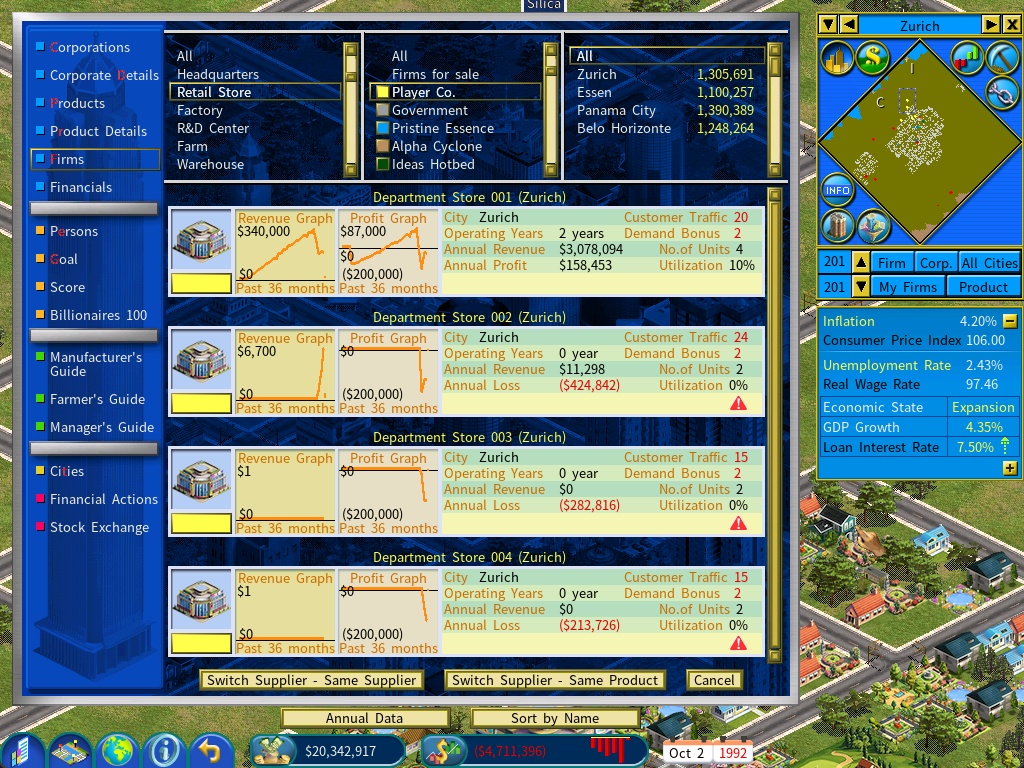
Example:
Suppose you have 4 department stores buying jeans from two different third-party suppliers. After launching your own brand of jeans, you want all of your stores to switch to purchasing your brand instead. With the new “Switch Supplier – Same Product” option, you can make this change in one step.
In previous versions, this would have required two separate processes since the jeans were being sourced from two different suppliers. Now, the process is streamlined and more efficient.
The Corporate Details – Rankings Report Improvements
New financial metrics have been added:
Debt to Equity Ratio – a financial leverage metric that compares a company’s total debt to its shareholders’ equity. It shows how much the company relies on borrowed funds versus owner‑provided capital. In simple terms, it answers: “For every dollar of equity, how many dollars of debt does the company have?”
Interest Coverage Ratio – a financial metric that measures how easily a company can pay the interest on its outstanding debt. In simple terms, it shows how many times a company’s earnings can cover its interest expenses.
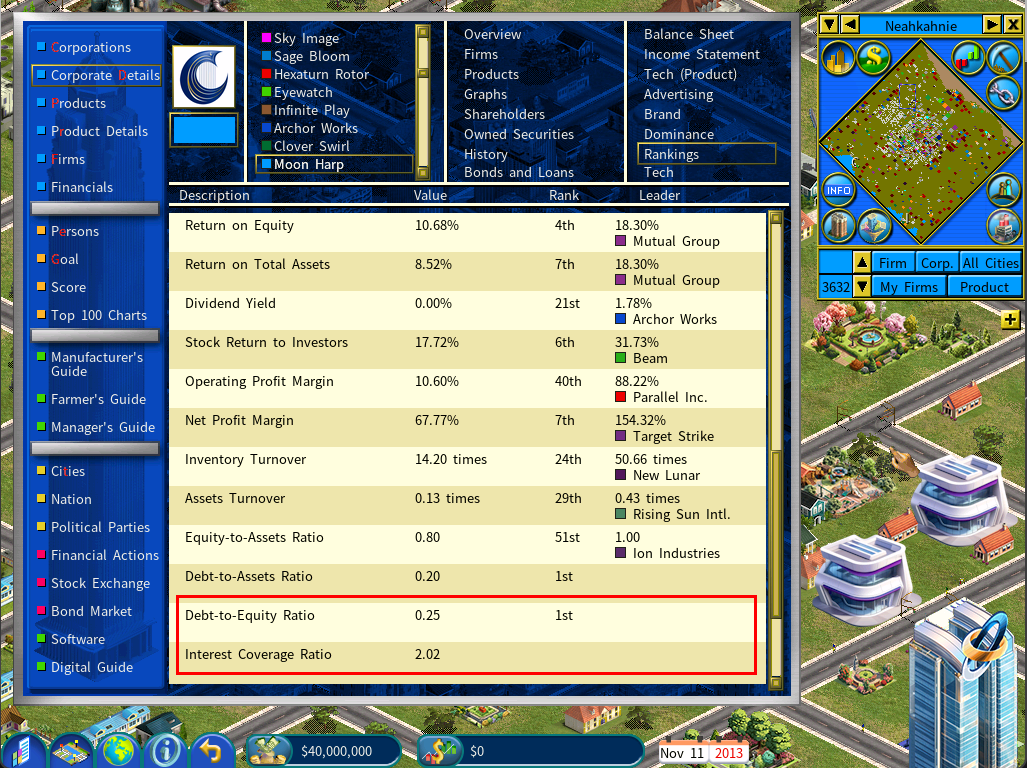
In addition, the Corporate Details – Rankings report now shows the leader’s name for each ranking.
Automated Recurring Data Export Options for the Banking and Finance DLC
Capitalism Lab players who own the Banking and Finance DLC now have powerful new tools to automate and customize the export of financial data. The latest update introduces automated recurring data exports with configurable scope and frequency — a highly requested feature that makes it easier than ever to track your empire’s performance over time, analyze trends, or integrate game data into external tools like Excel.
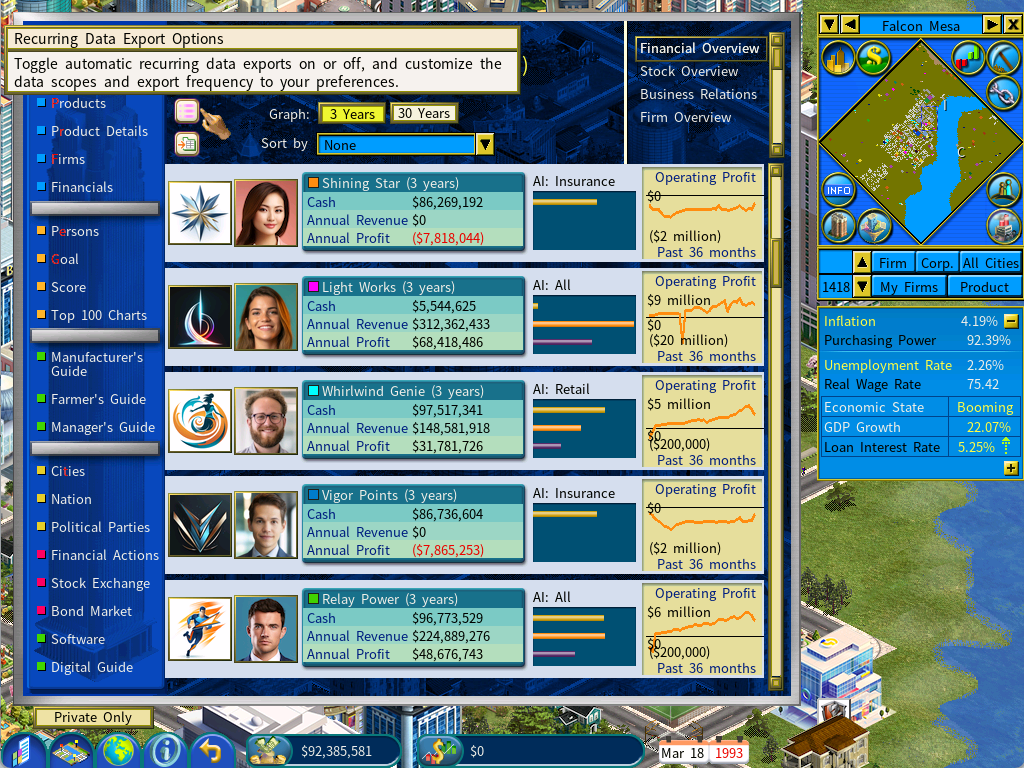
A new Recurring Data Export menu is now available directly from the Information Center, allowing you to set:
- Which companies to include (scope)
- How often the data should be exported (frequency)
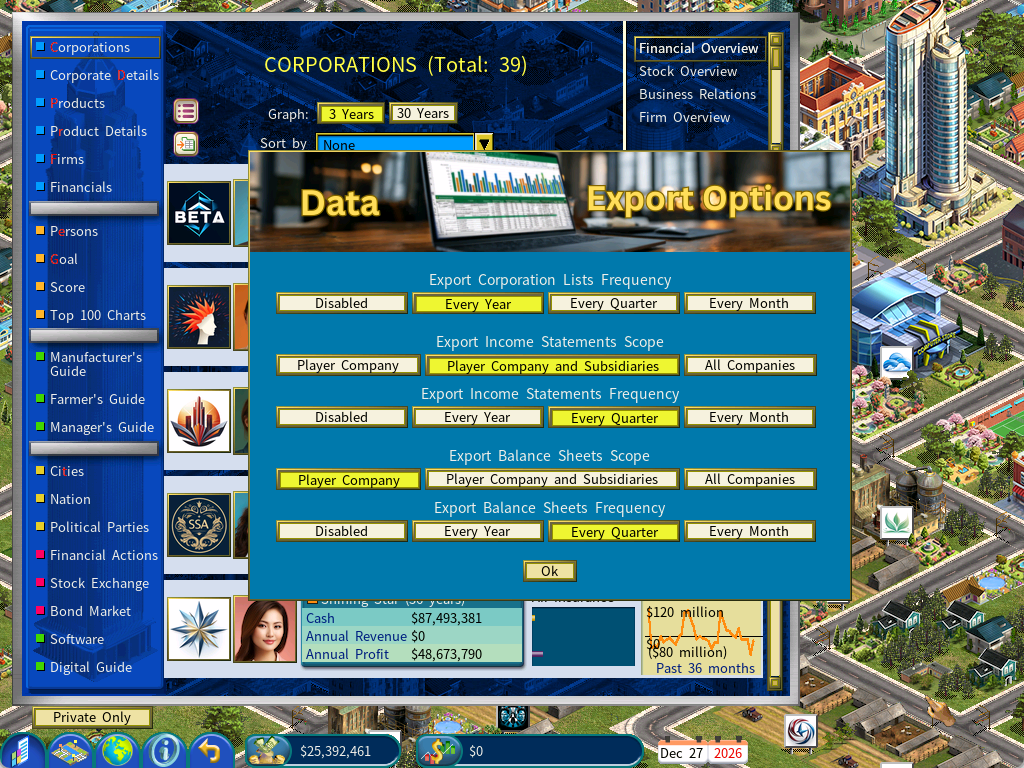
For example:
- Automatically export the financial summary of all companies once per year
- Export income statements and balance sheets for your company and all subsidiaries every quarter
Organized Export Folders for Every Game
Each save game now has its own dedicated export directory:
<CapLab game data>Export<Game Unique ID>
This ensures clean separation between different playthroughs, scenarios, or experiments.
You can instantly open the correct folder by clicking the Open Folder icon in the top‑left corner of the Corporations report.
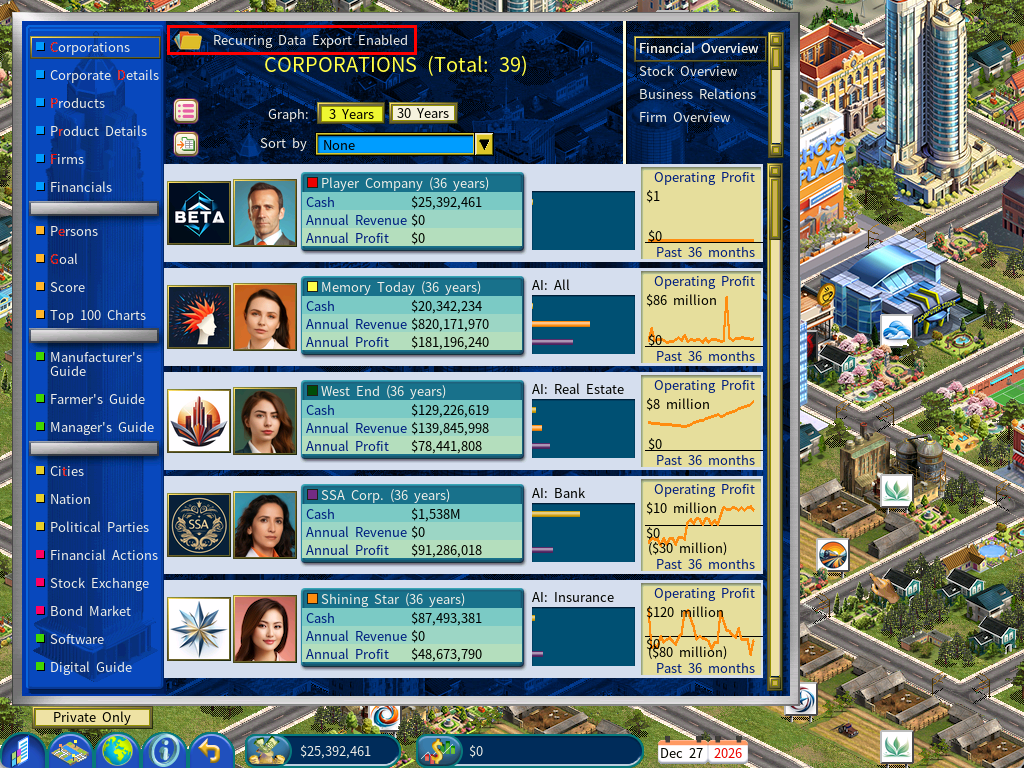
The exported CSV files for Corporation Lists now include the following columns:
- Net Worth (Total Equity)
- Stock Price
- Market Capitalization
Service Industry DLC Improvements
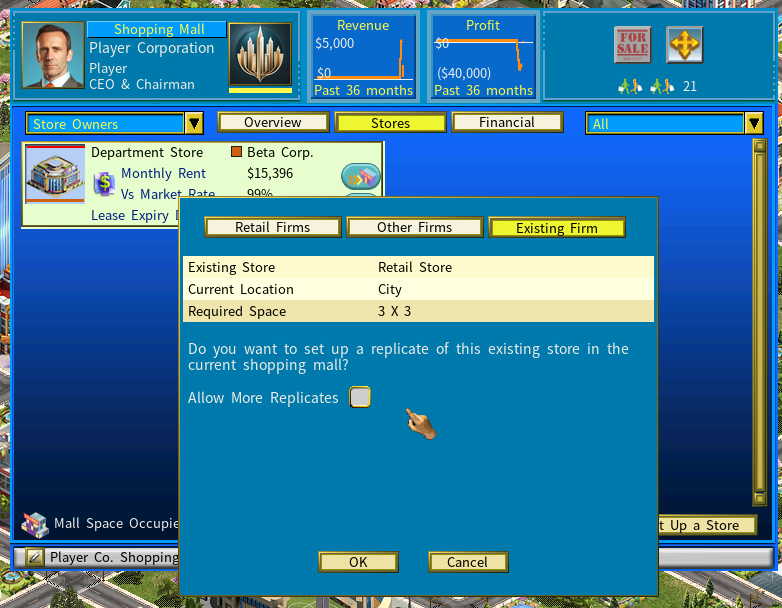
Added an “Allow More Replicates” button for duplicating a store to a shopping mall.
When this option is enabled, you can continue creating replicas of the store in other malls without needing to return to the original store and click the [Duplicate in Mall] button again.
Improved Export Companies’ handling of products with custom images.
Previously, when a product’s technology is upgraded and its image changes, players must manually re-select the new version to continue exporting.
In this version, the export company will automatically switch to the upgraded product version when available.
Manufacturer’s Guide displays Product Descriptions from MODs
If a product description is provided in the MOD, the Manufacturer’s Guide will show a product description icon. Hovering your mouse over this icon will display a popup with the product description.
To add product descriptions:
1) Create a file named Product_Desc.txt in the MOD_KITDATA folder.
2) Use the following format for each product:
<Product Name>
<Product Description>
~
3) Repeat the format for each additional product.
Example:
Anti-Curse Robes
These robes block all but the most powerful magical curses.
~
Baseball Cap
A baseball cap is a type of soft hat with a rounded crown and a stiff bill projecting in front.
~
Note:
Each entry must be separated by a tilde ~ on a new line.
Game Settings Menu Changes
New Competitors Setting
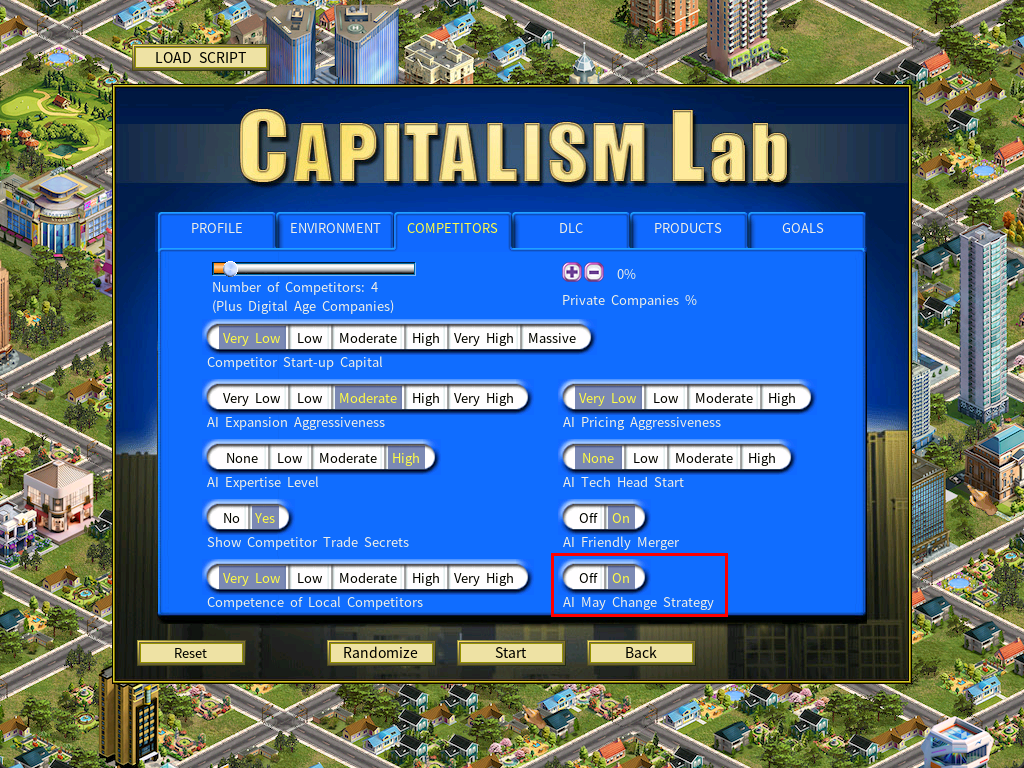
The new setting “AI May Change Strategy” has been added to the “Competitors” page of the New Game Settings menu.
This setting controls whether AI corporations are allowed to change their strategies during growth and expansion. You can view an AI corporation’s strategy in the Corporations report.
The script command for this is:
[Competitors]
AI May Change Strategy=<Yes>/<No>
New Digital Age DLC Settings
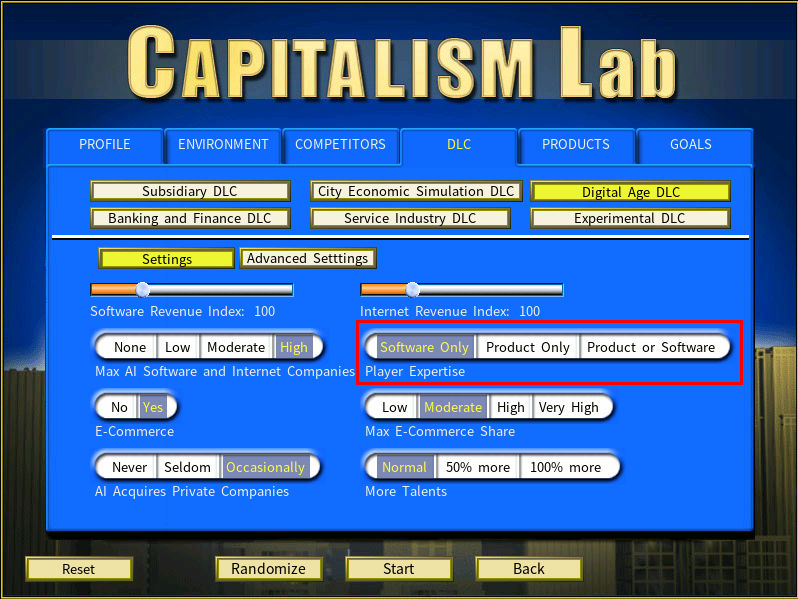
The Digital Age DLC Settings now include two pages: [Settings] and [Advanced Settings].
On the [Settings] page, a new option called Player Expertise has been added. It offers the following options:
• Software Only: The player’s expertise is always set to software expertise.
• Product or Software: Randomly assigns the player’s expertise to either software expertise or product expertise.
This addition allows for greater flexibility in customizing the player’s starting expertise.
The [Advanced Settings] page offers the following new options:
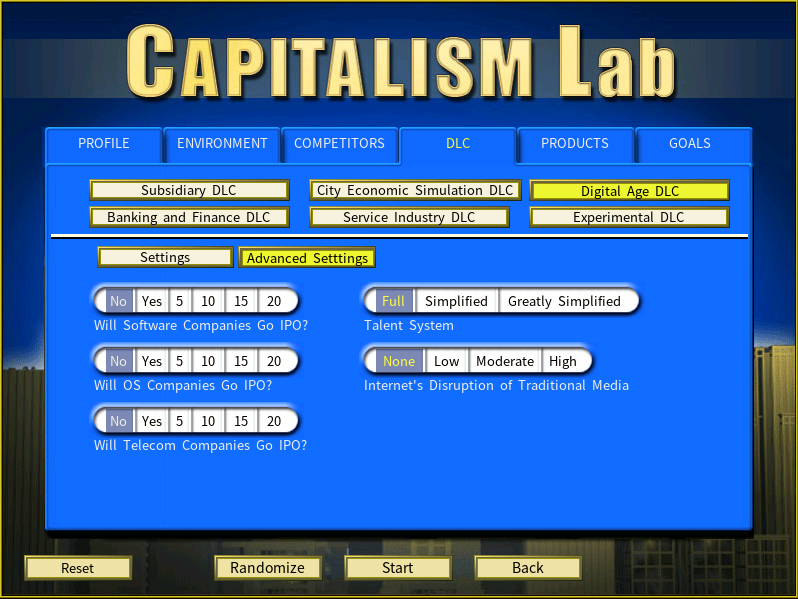
Will AI OS companies go IPO?
If enabled, private AI OS-focused companies may go public on the stock exchange. When set to a specific value, AI OS companies will go public after the specified number of years.
Will AI telecom companies go IPO?
If enabled, private AI telecom companies may go public on the stock exchange. When set to a specific value, AI telecom companies will go public after the specified number of years.
(In the previous versions, AI companies focused on OS and telecom will never go IPO.)
The script commands for these new options are:
[PLAYER EXPERTISE]
Player Expertise=<player expertise type>
<player expertise type> can be:
Software Only
Product Only
Product or Software
[DIGITAL AGE DLC]
AI OS Companies Go IPO=<Yes/No>
AI Telecom Companies Go IPO=<Yes/No>
Note that “AI Tech Companies Go IPO” has been replaced by “AI Software Companies Go IPO” as there are now different script commands for different types of tech companies.
New Script Commands
Script Commands under the [Header] section:
[Header]
Initial Game Speed=<0 to 5>
(Set the game speed at the start of the game.)
Goal Set=None
(Skip the dialog box of asking the player to choose a goal set in the start of the game)
Enable DLC=<DLC name>
Disable DLC=<DLC name>
<DLC name> can be:
Subsidiary DLC
City Economic Simulation DLC
Digital Age DLC
Banking and Finance DLC
Service Industry DLC
Experimental DLC
(You can add multiple lines of Enable DLC and Disable DLC in a script file)
A New Script Command for Goal Rewards and Penalties:
City Cash Change=<cash change amount in $million>, <city name>
Example:
City Cash Change=10, London
This adds $10 million to London’s cash balance when the goal is achieved.
Enhanced Script Commands
[PLAYER EXPERTISE]
Product Expertise=<product class name>,<1-100>
Software Expertise =<software class name>, <1-100>
Internet Expertise =<Internet type name>, <1-100>
You can use the keyword “random” for both the expertise type and the expertise value.
To define a range for the expertise value, you can use the format “random(, )”.
Example:
Product Expertise=random, random(30,80)
This will randomly select a product expertise (e.g., Apparel) and assign a random expertise value within the range of 30 to 80.
New Goal Script Commands
Number of dominated product classes=<number>
To achieve this goal, the player must dominate the markets for a specified number of product classes.
Monthly Product Type Retail Revenue=<product type name>, <amount>
Note that the amount is in $, not million $.
Example:
Monthly Product Type Retail Revenue=Jeans, 500000
Translation Support for Mod Descriptions
The descriptions of the mods in the mod downloader are now stored in TEXTt_game.txt and can be translated into different languages.
Gameplay Balance Improvements on Training
– The cost of training has been doubled, making training expenses a more reasonable share of a firm’s total operating costs.
– The training effects on talent skill levels in R&D centers and software firms have been significantly increased. Please comment if you feel the new R&D training impact is too strong.
– The influence of a unit’s utilization rate on training results has been reduced by half. Even units with low utilization can now level up at a reasonable pace when given a high training budget.
– Training speed has been rebalanced across different unit types to improve overall gameplay balance. This applies to AI companies as well, so the overall difficulty should not change too much. Please comment if training feels too slow after this adjustment.
– AI behavior for setting training levels in software companies has been improved.