

Knowledge Points
Knowledge Points are the reward for achieving goals, and they buy three quite different things: expertise for your management executives, new import deals, and new export deals. Deciding which is a strategic choice in itself.
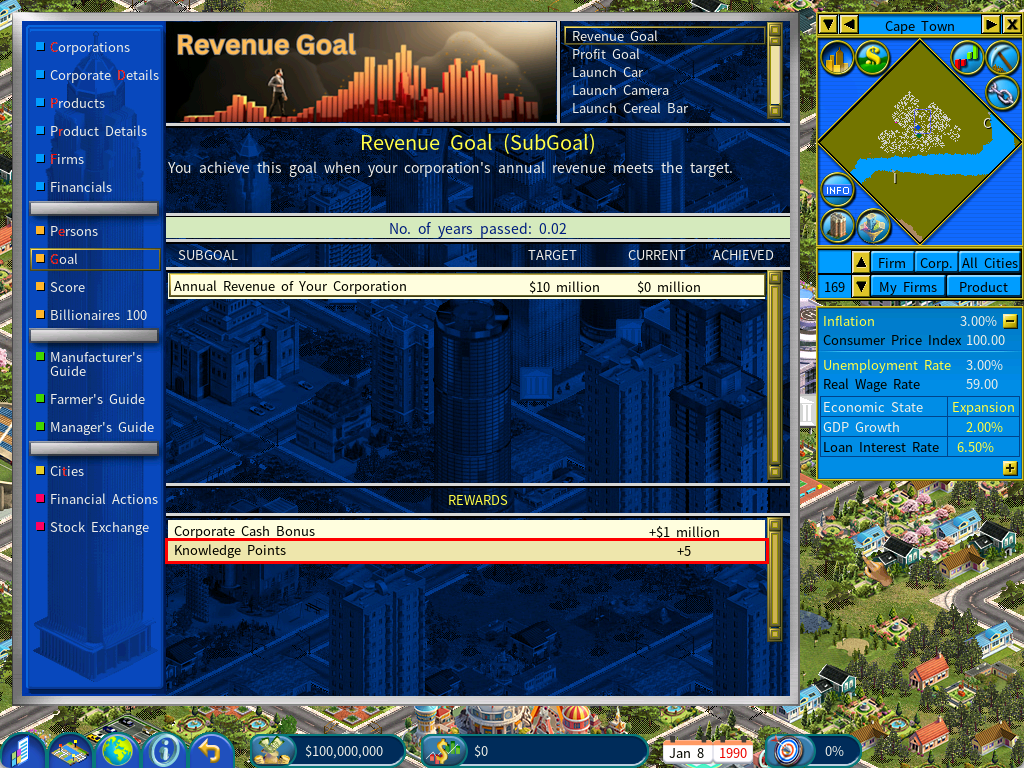
The settings
A Goal Rewards section sits under the Goals tab of the game settings menu.
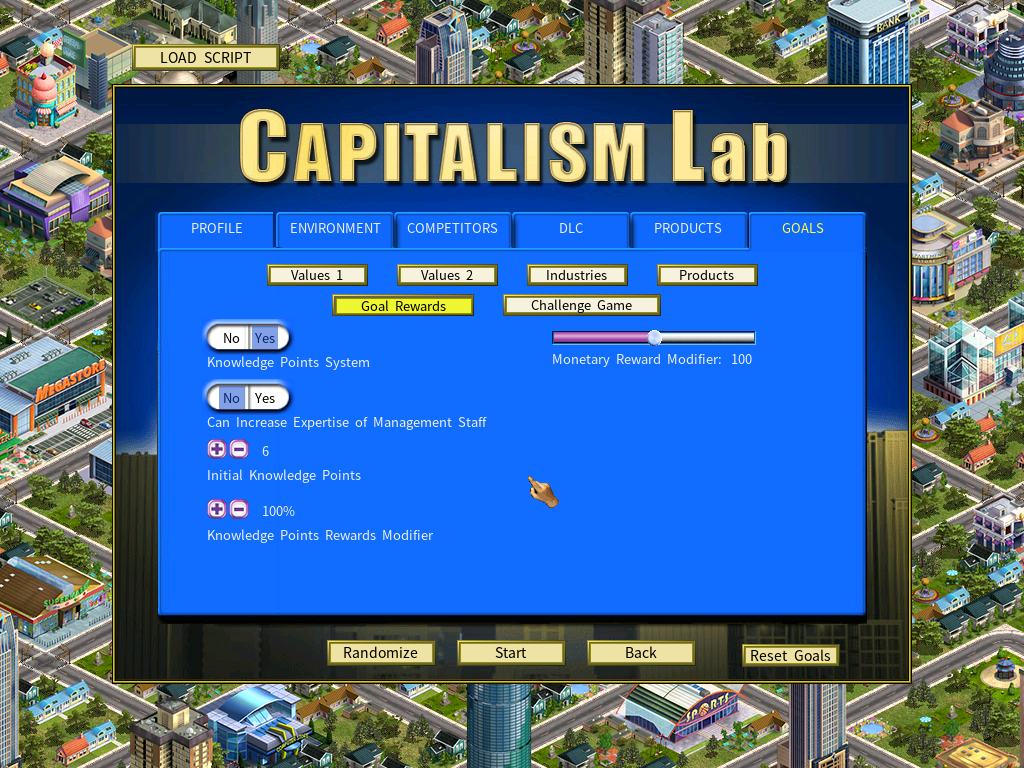
| Option | What it does |
|---|---|
| Knowledge Points on or off | The whole system can be turned off. |
| Can Increase Expertise of Management Staff | Whether Points may be spent on your management team. Disabled, only the player character’s expertise can be raised. |
| Initial amount | How many Points you start the game with. |
| Points per goal | How many a completed goal awards. |
Enhancing expertise
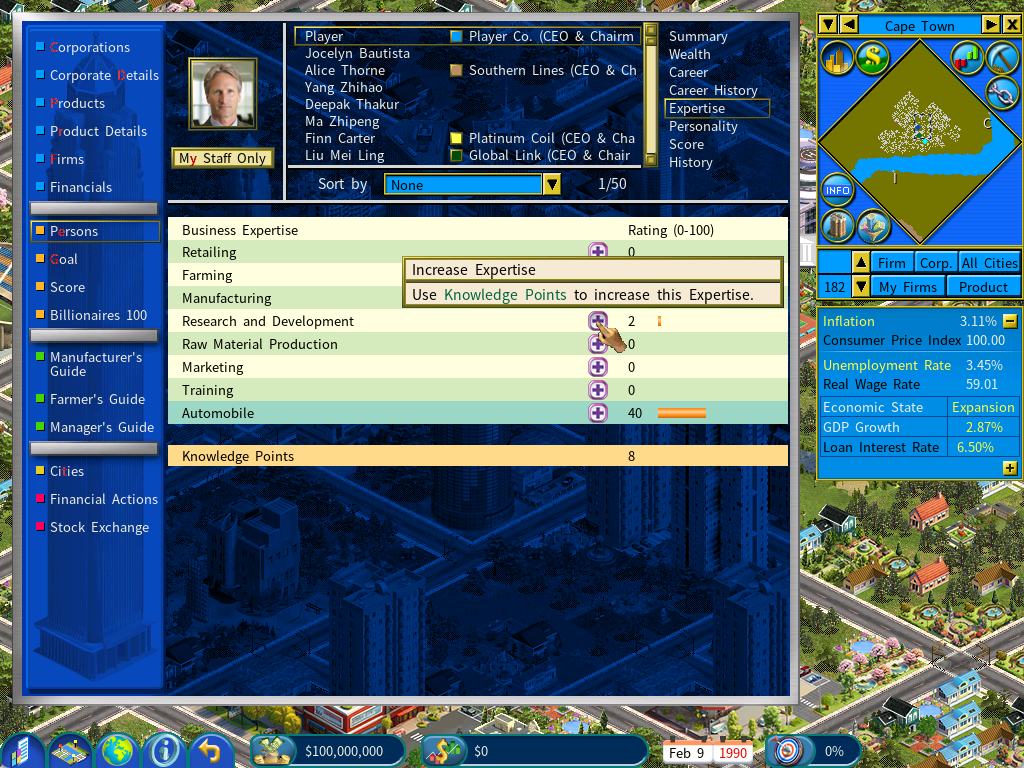
Spend Points on your player character’s expertise to develop the skills your playstyle actually depends on.
With Can Increase Expertise of Management Staff enabled you can do the same for your leadership team — aligning managerial strengths with where the company is going.
Establishing new import deals
Build an import company
An Import Company is required first.
Click Add Import
Find a product with no import deal
Use the Manufacturer’s Guide to pick a product type. An Import icon beside the name means a deal already exists; no icon means it is available to unlock with Knowledge Points.
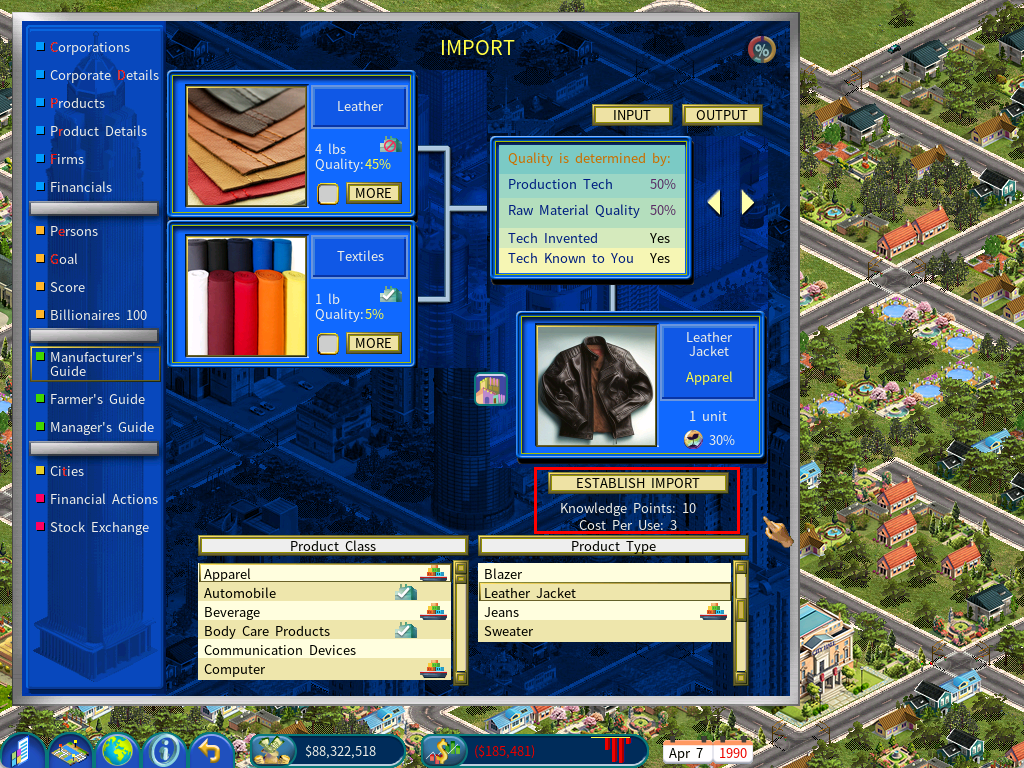
In this example you hold 10 Knowledge Points and a new import deal costs 3.
Establish the import
Click Establish Import to spend the Points and make the product importable.
Establishing new export deals
Build an export company
An Export Company is required first.
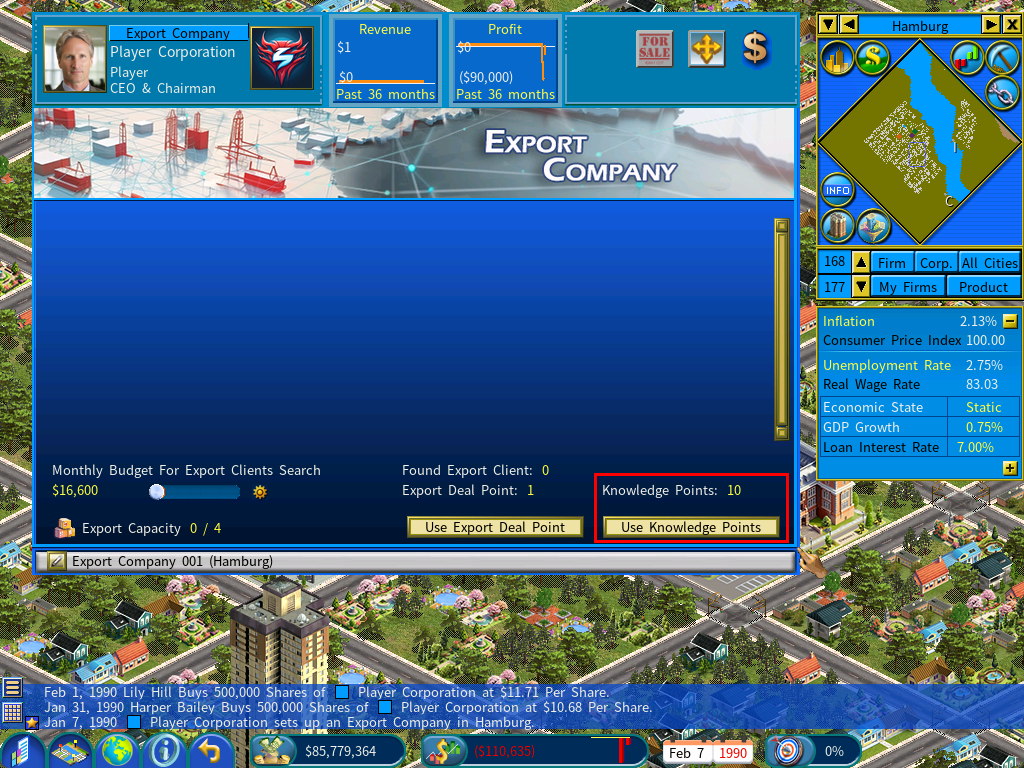
Click Use Knowledge Points
Your current balance is displayed above the button.
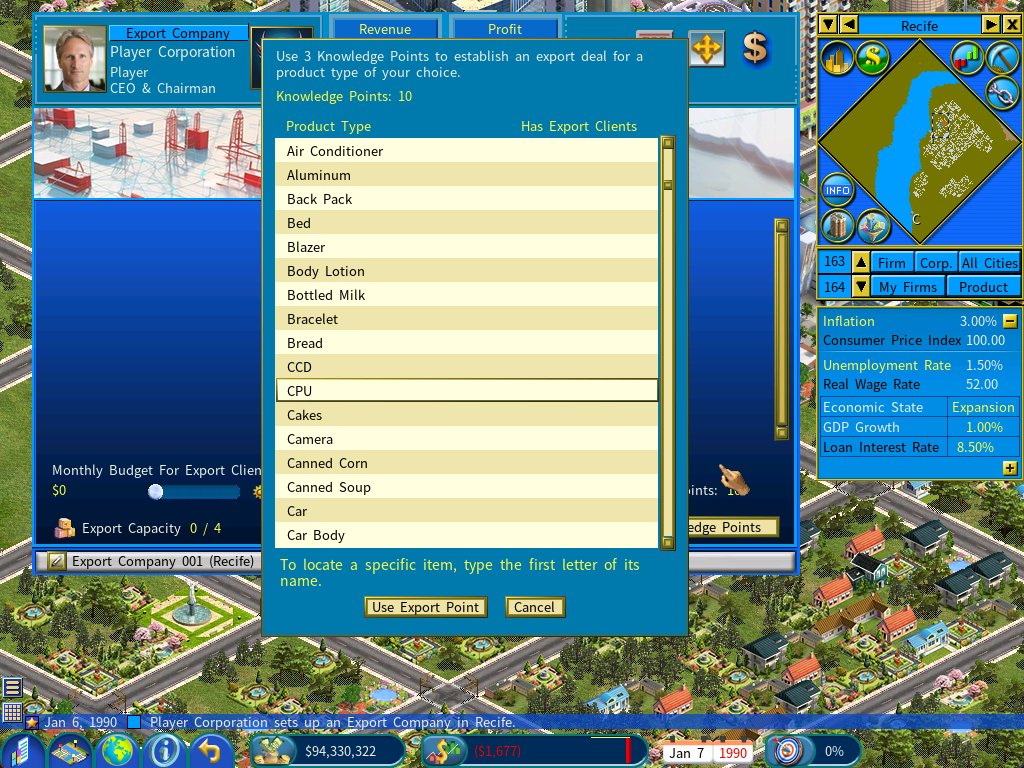
Choose the product
You are free to pick a semi-product or a raw material, not only a finished good — which widens what an export portfolio can be built from.
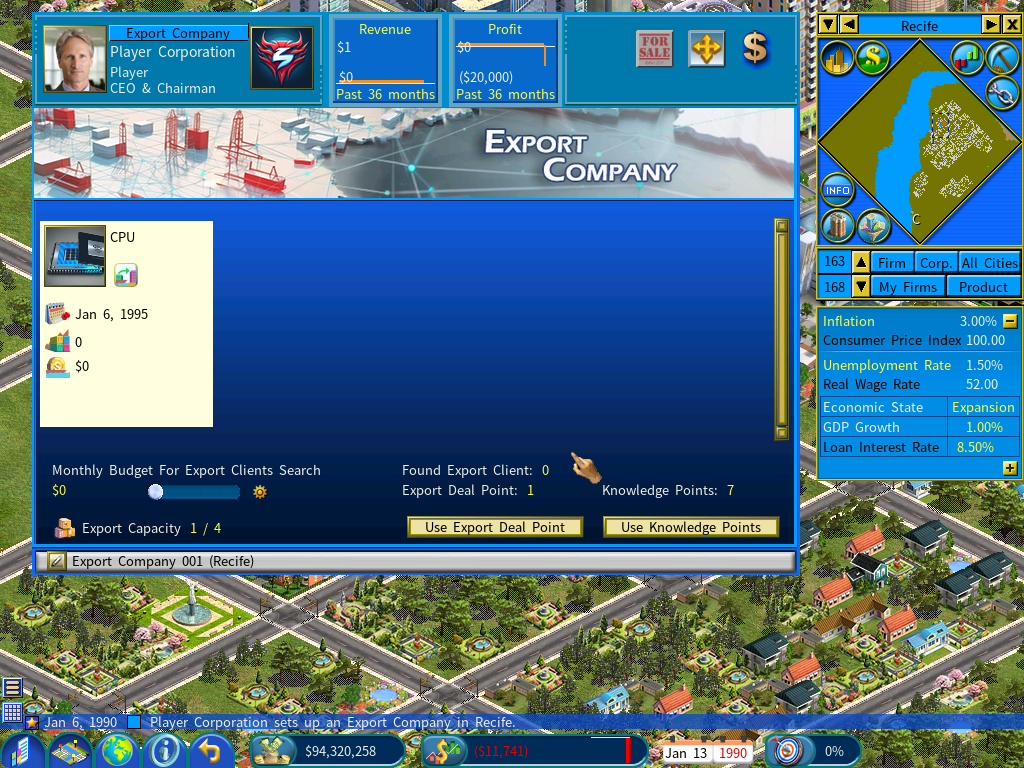
The deal is created, and the export portfolio grows without waiting for a client search to find the right buyer.