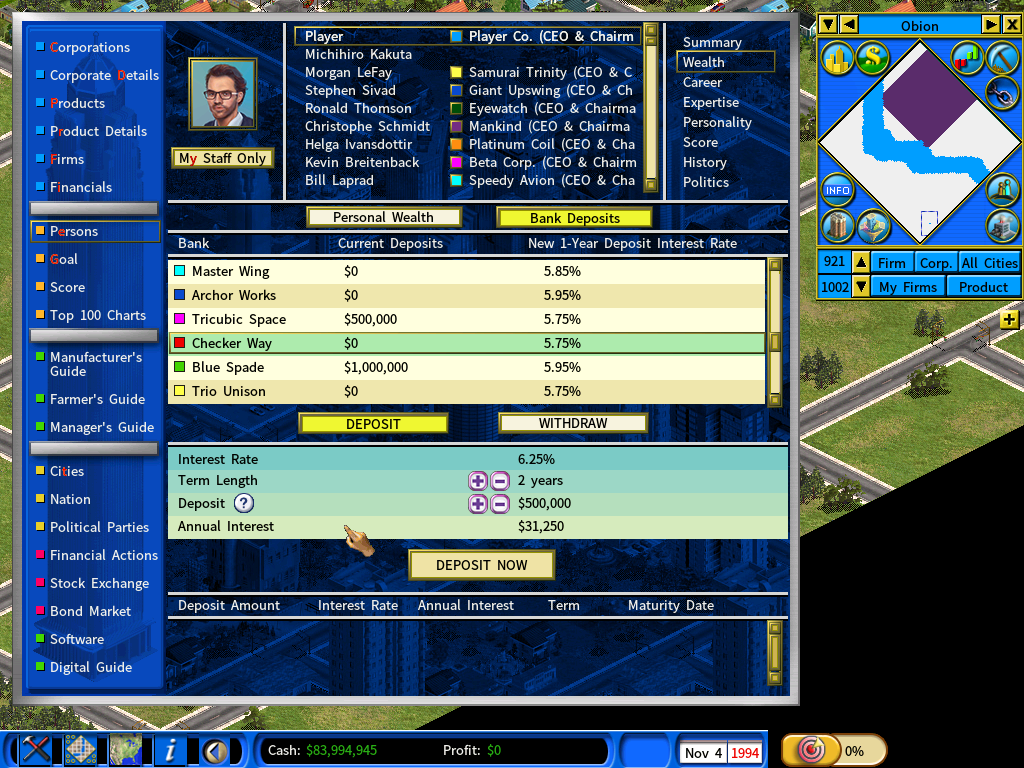
Depositing Money into Banks to Earn Interest
Idle cash earns nothing. Deposited, it earns interest — and if you own a bank, it earns interest for you twice over.
Making a deposit
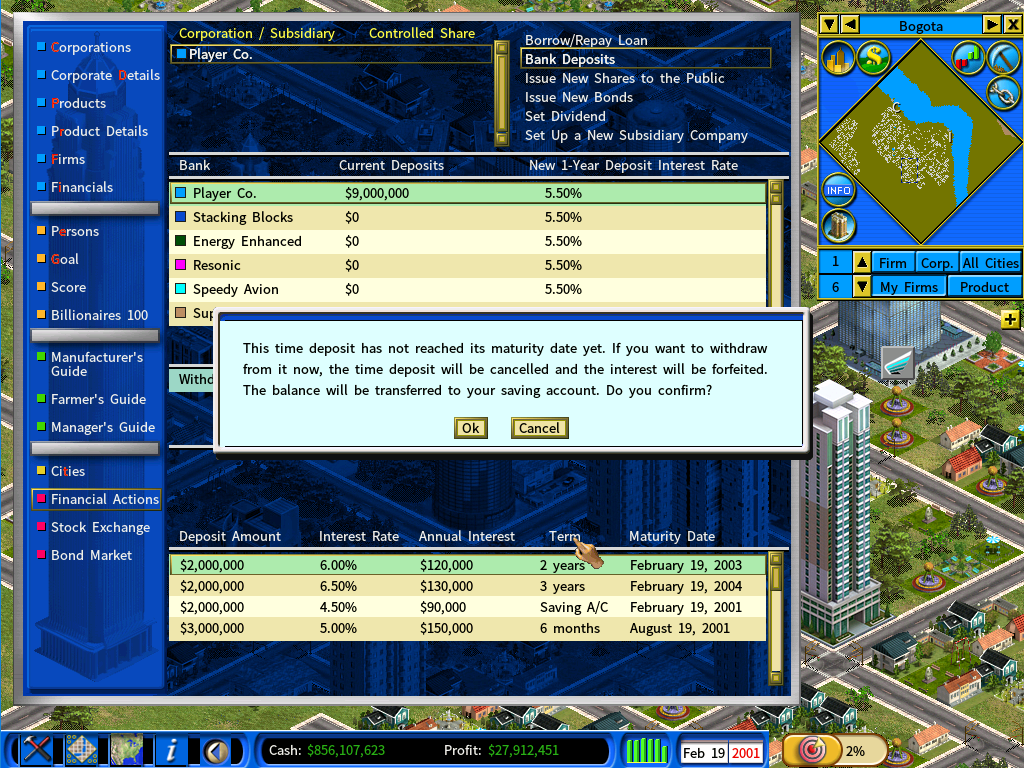
Open Financial Actions from the Information Center (hotkey F11), then select Bank Deposits at the top right.
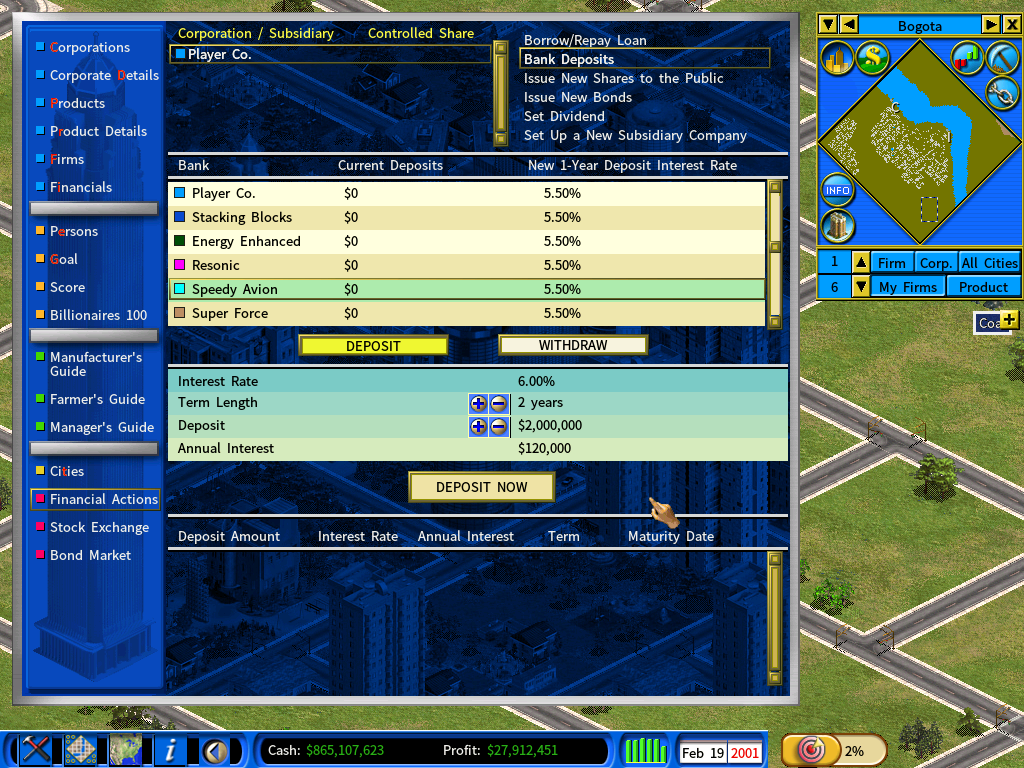
You will see the banks you can deposit into — including your own, if you have one. In the screenshot above the list includes The Player Co. Bank.
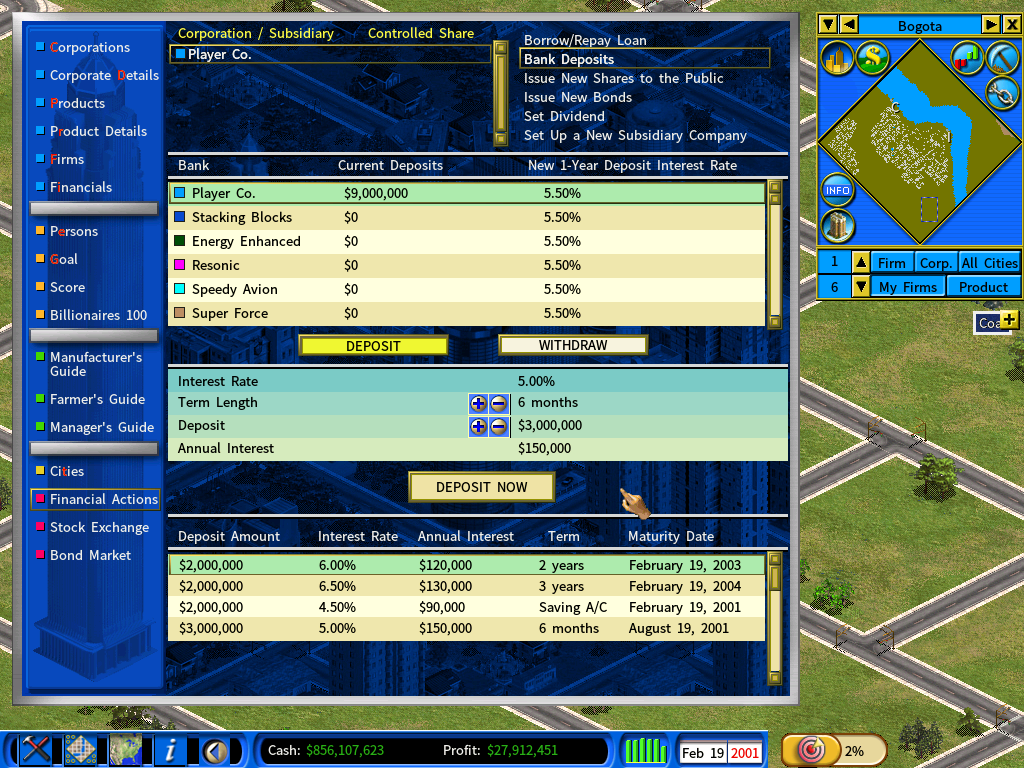
| Account type | What it offers |
|---|---|
| Time deposit | A specific maturity date, in exchange for a higher interest rate. |
| Saving A/C | No fixed term, and a lower rate. |
Withdrawing money
Click Withdraw and set the amount.
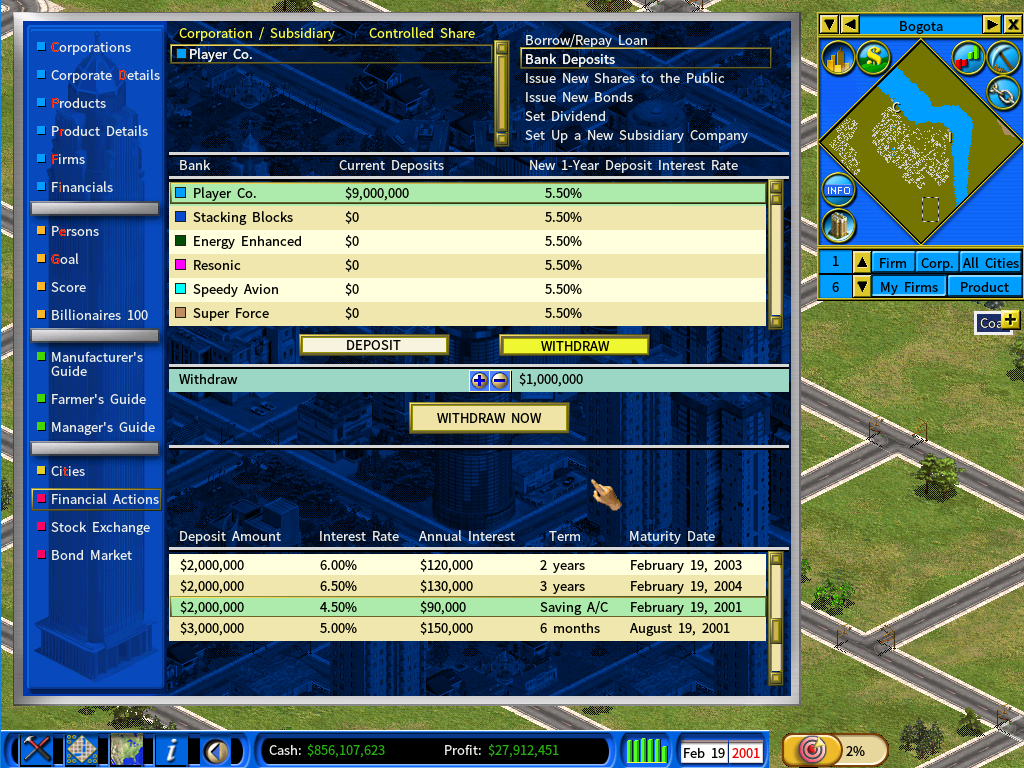
Withdraw from a time deposit before it matures and the interest is forfeited. The bank asks you to confirm before it cancels the deposit.
Personal deposits
Your main player character can hold deposits too. Open the Person report, go to the Wealth page, and click [Bank Deposits].