

Export to File
With the Banking and Finance DLC enabled, the corporate income statement, the balance sheet and the corporation list can all be exported to CSV files that Excel reads.
Exporting the balance sheet
Open the Corporation Details report, go to the Balance Sheet page, and click the Export to File icon.
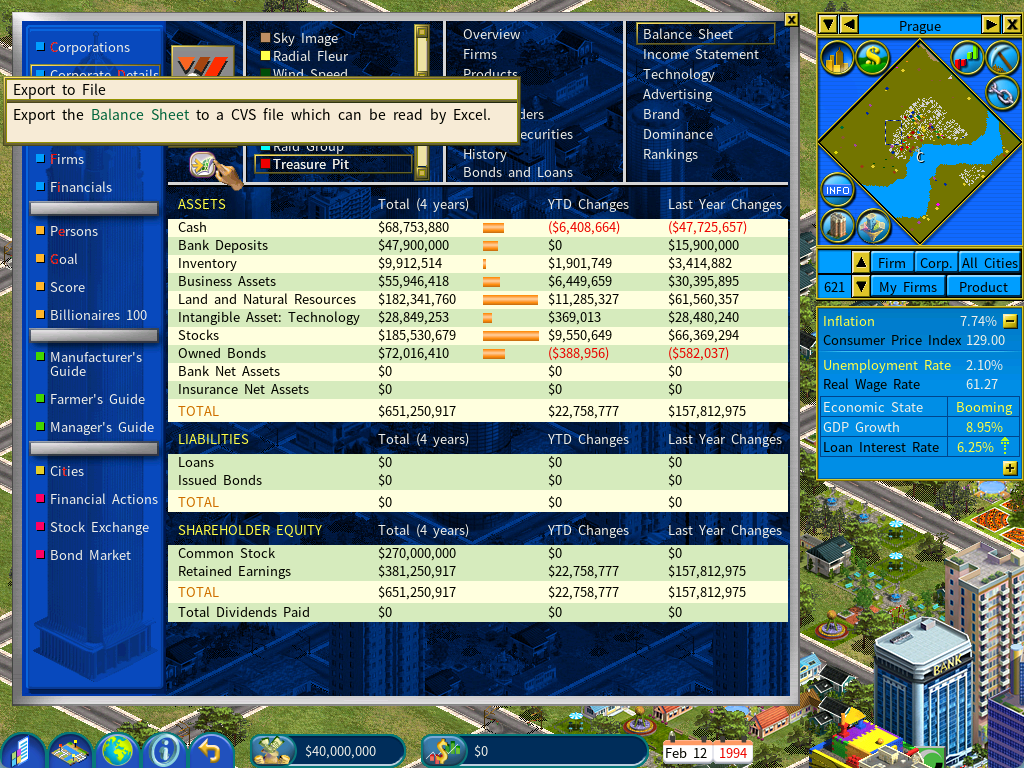
Open the exported file with Excel or OpenOffice — the latter is free, from openoffice.org.
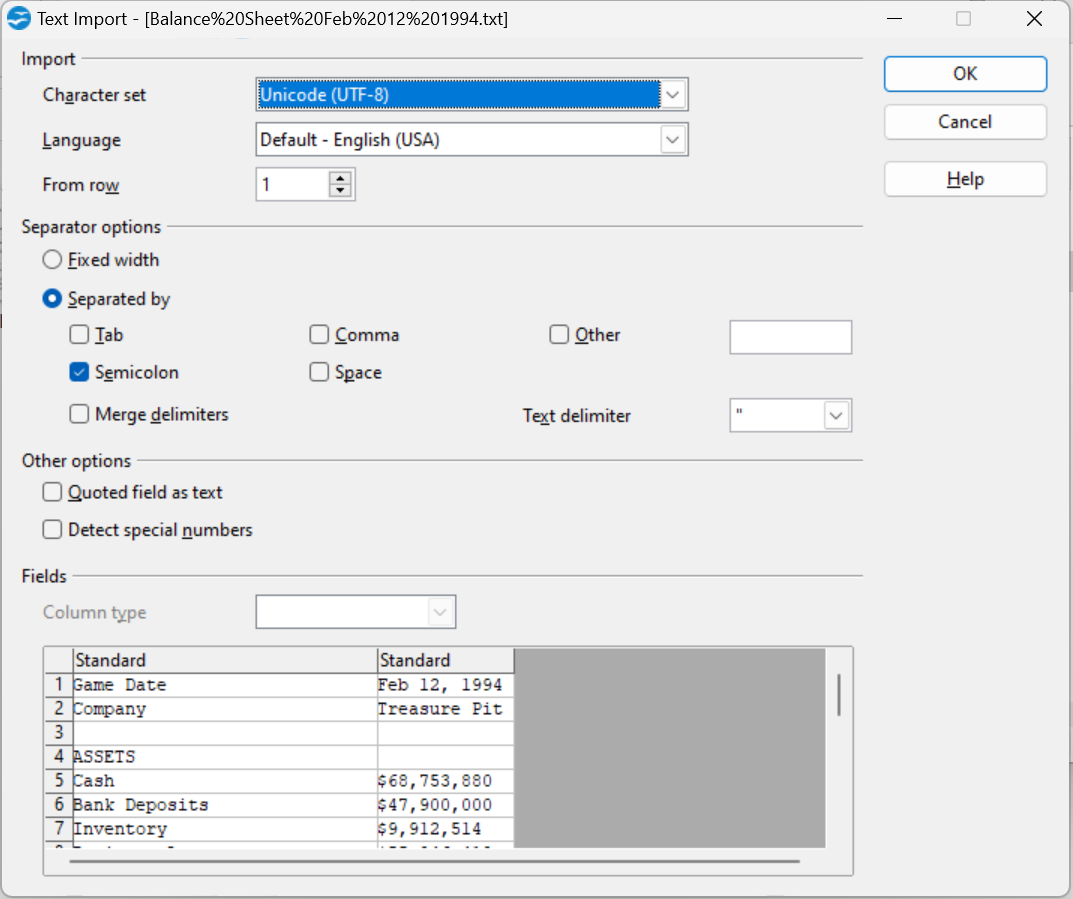
On OpenOffice’s import screen, select Separated by “Semicolon”.
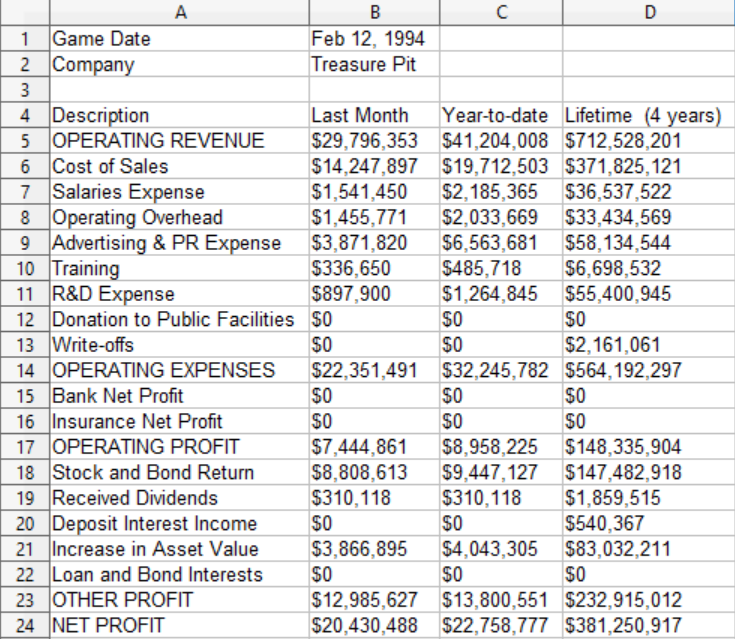
The imported spreadsheet looks like this:
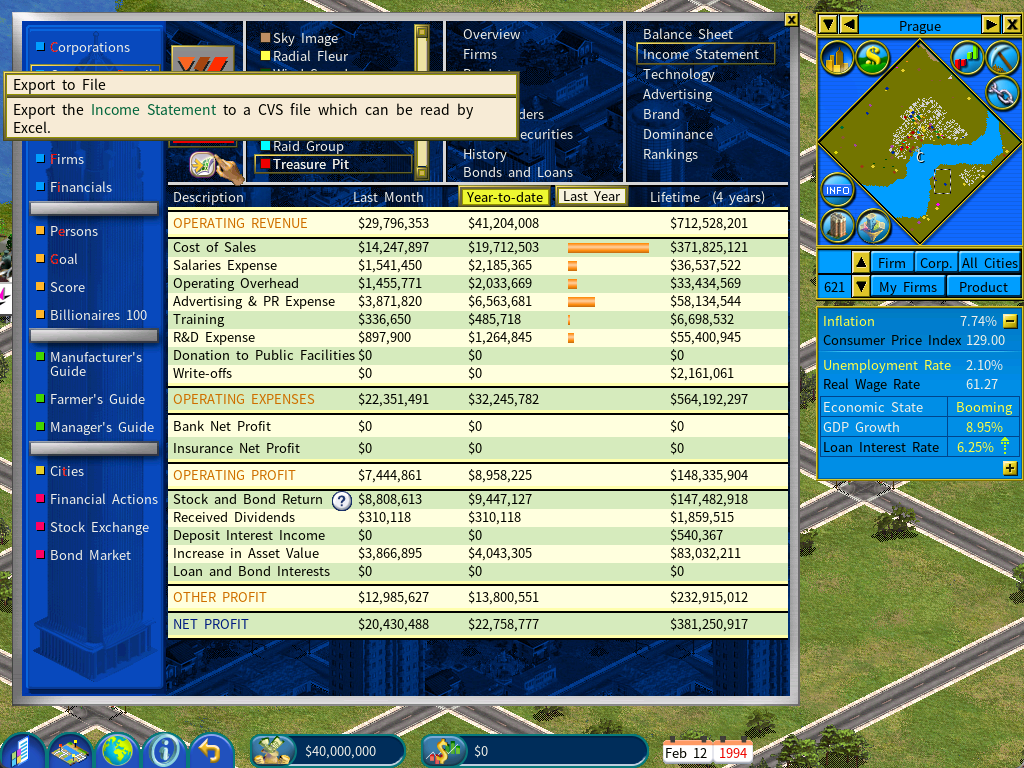
Exporting the income statement
The same: open the Income Statement page and click Export to File.
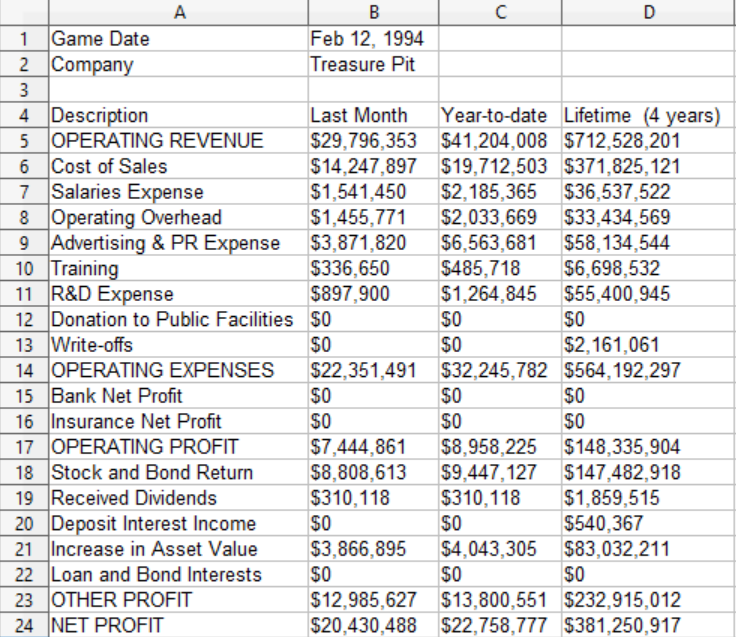
Exporting the list of corporations
Open the Corporations report and click Export to File.
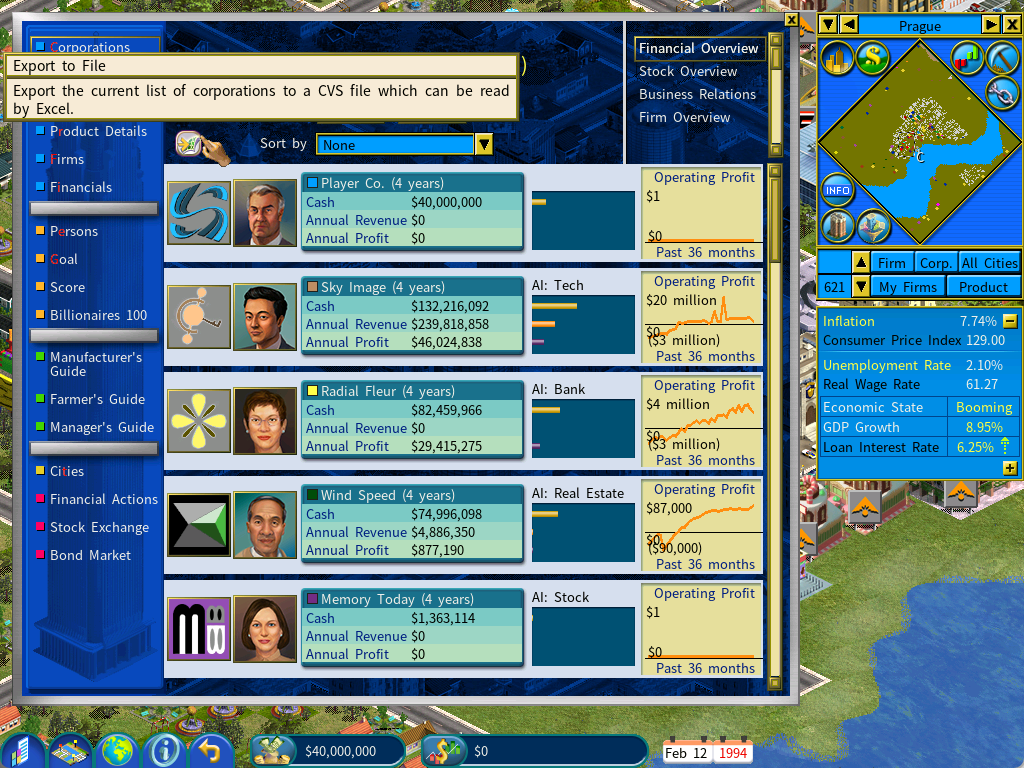
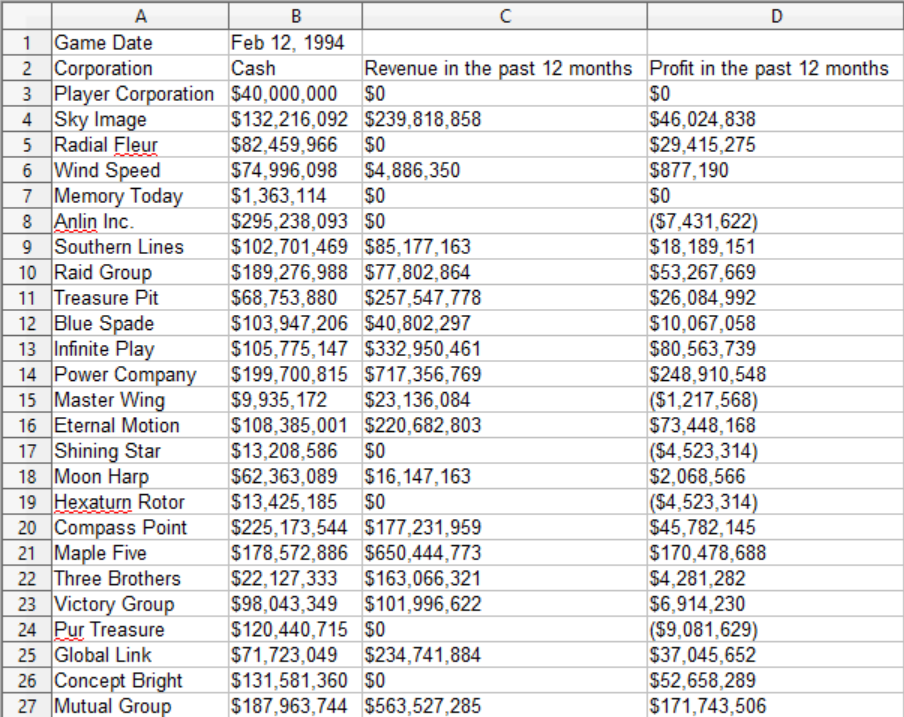
Automated recurring exports
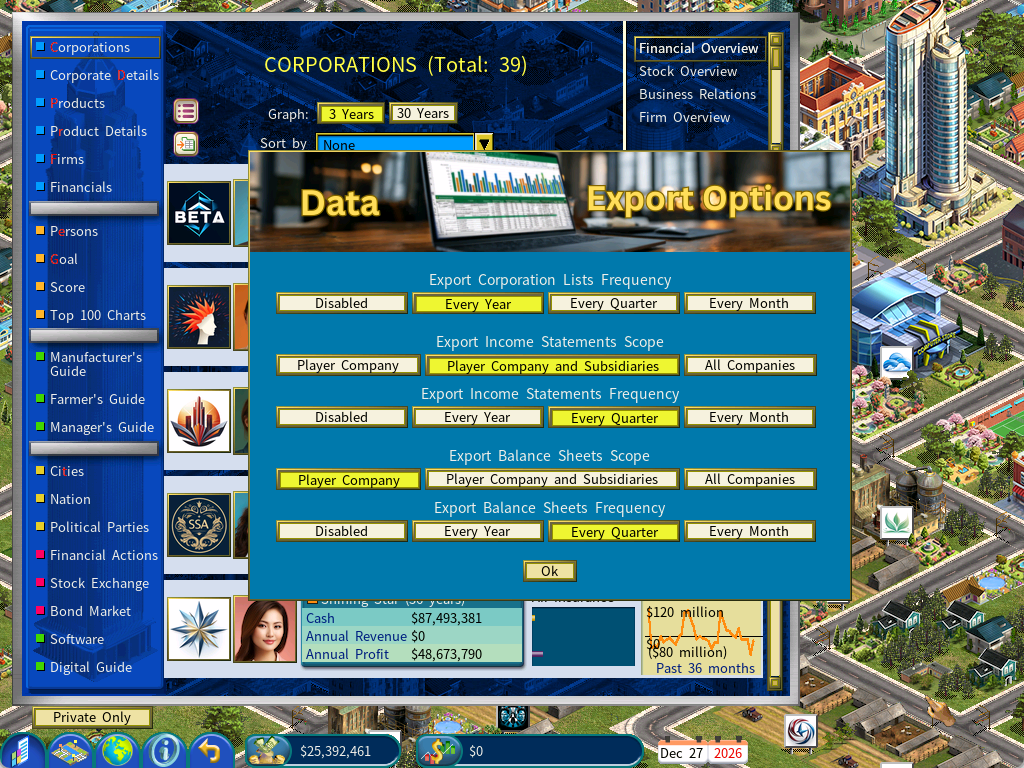
From Capitalism Lab version 12, exports no longer have to be triggered by hand. A Recurring Data Export menu in the Information Center sets two things:
| Option | Choices |
|---|---|
| Scope | Your company; your company and its subsidiaries; or all companies. |
| Frequency | Every month, every quarter, or every year. |
So you might export a financial summary of every company once a year, and income statements and balance sheets for your own group every quarter.
A folder per save game
Each save game gets its own export directory:
<CapLab game data>\Export\<Game Unique ID>That keeps separate playthroughs, scenarios and experiments from mixing. Click the Open Folder icon at the top left of the Corporations report to go straight to the right one.
New columns in the corporation list
The exported corporation list now also carries:
- Net Worth (Total Equity)
- Stock Price
- Market Capitalization